Inbound Webhooks
Receive HTTP POSTs from external systems and start flows
Inbound webhooks let external systems push data into Wexio. Any service that can POST JSON - a payment provider, your own backend, a no-code tool - can trigger a Wexio flow by hitting a unique URL.
Request Flow
External System                        Wexio
      │                                   │
      │  POST /webhooks/in/{connectionId} │
      │  Auth header (mode-specific)      │
      │  Body: { ...JSON payload... }     │
      │ ────────────────────────────────► │
      │                                   │
      │                         1. Verify authentication
      │                         2. Check payload size (≤100 KB)
      │                         3. Parse JSON
      │                         4. (Optional) Capture schema
      │                         5. Resolve the target contact
      │                         6. Find matching flow triggers
      │                         7. Start each matching flow
      │                                   │
      │  202 Accepted                     │
      │ ◄──────────────────────────────── │
Creating an Inbound Connection
From Settings → Webhooks & API, tap New connection and choose Inbound.
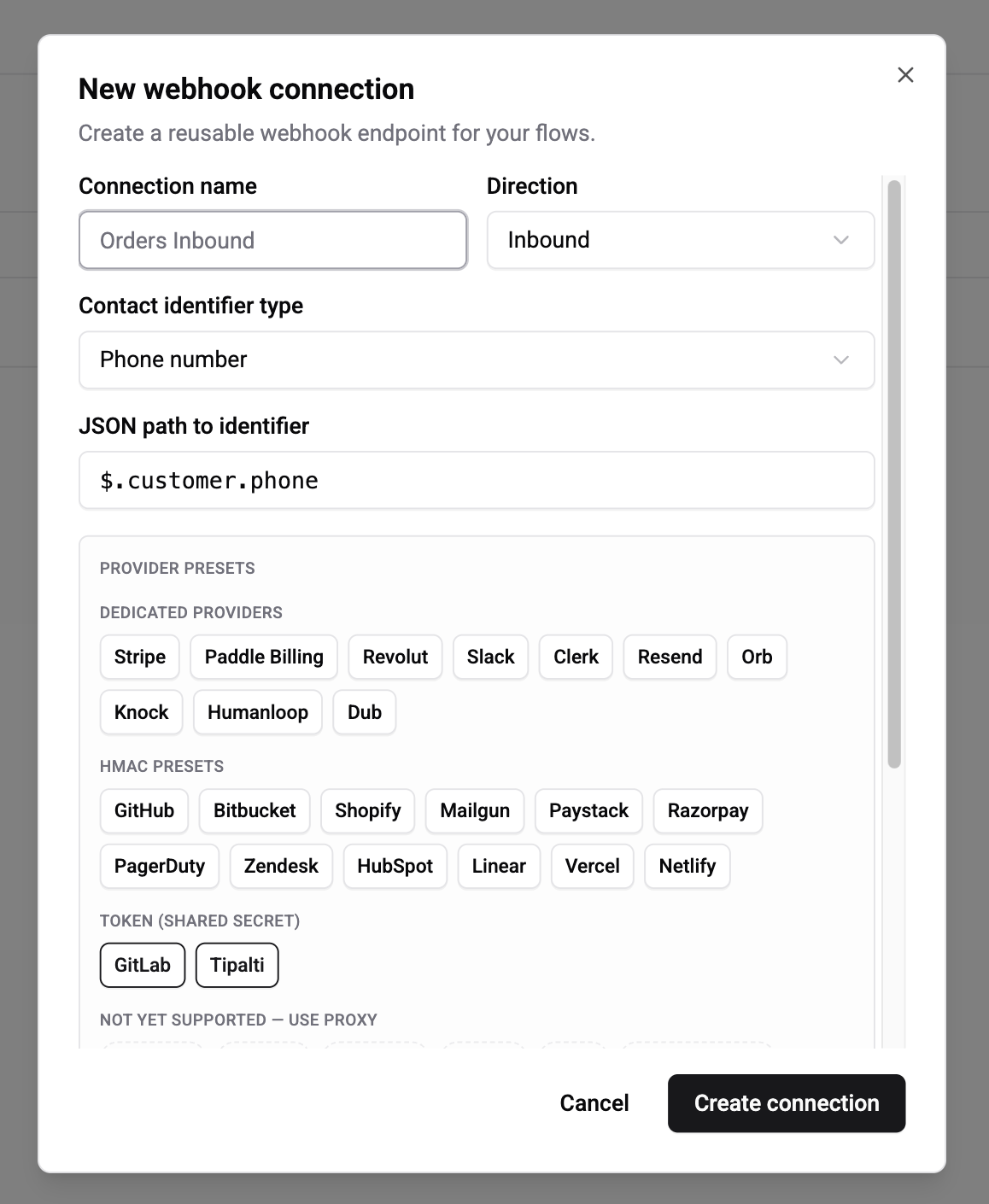
Give the connection a name that matches what's on the other side (e.g. "Stripe Payments", "n8n Lead Pipeline", "Backend Orders API"). Wexio generates:
- A unique URL:
https://api.wexio.io/webhooks/in/{connectionId} - A signing secret (for Shared Secret mode)
The signing secret is shown once on creation. Copy it to your partner system immediately - if you lose it, use Rotate secret to generate a new one.
Authentication Modes
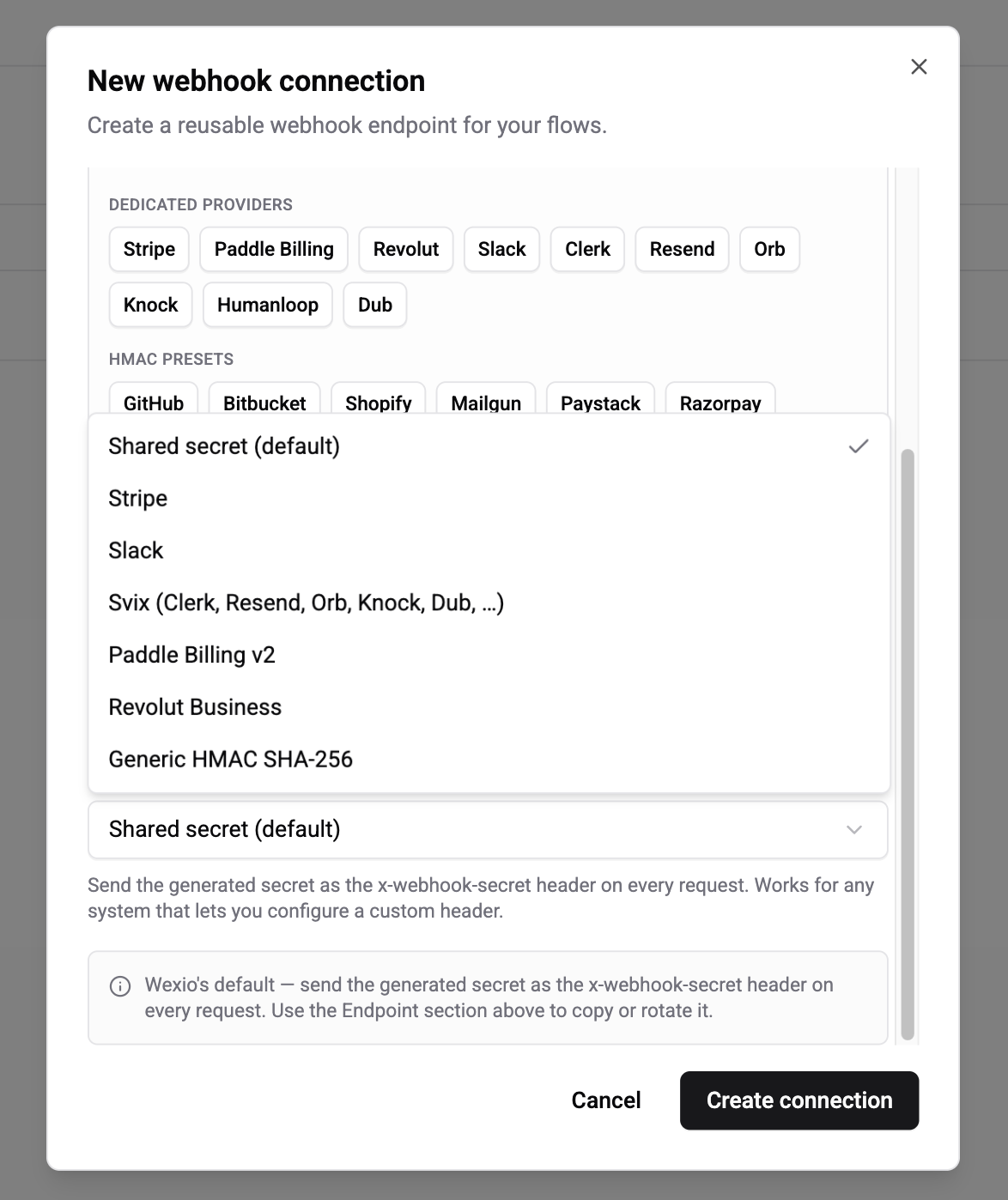
Pick an auth mode that matches what the partner system uses. Wexio supports seven modes covering 30+ SaaS providers.
| Mode | When to use | Secret format |
|---|---|---|
| Shared Secret (default) | Any system that lets you configure a custom request header - n8n, Zapier, Make, IFTTT, your own backend | Random string generated by Wexio |
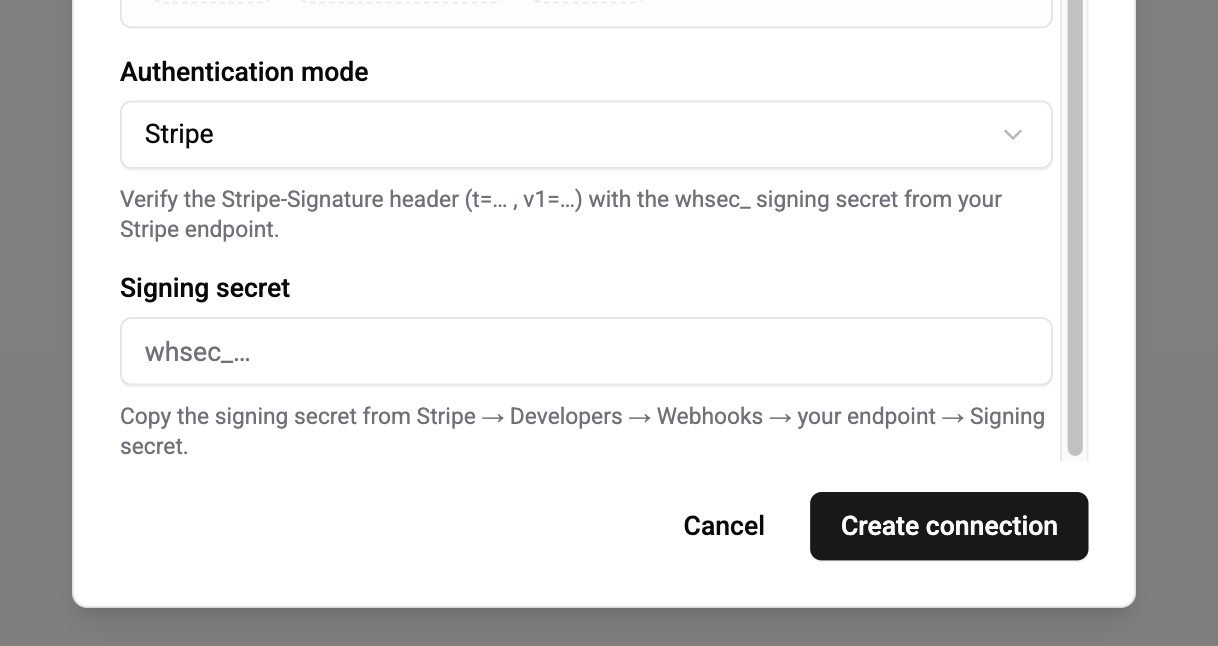
| Stripe | Stripe webhooks (Payments, Billing, Connect) | whsec_… from Stripe dashboard |
| Slack | Slack Events API, slash commands, interactive components | "Signing Secret" from the app's Basic Information page |
| Svix | Any Svix-powered SaaS - Clerk, Resend, Orb, Knock, Humanloop, Dub, Beam | whsec_… from the provider's dashboard |
| Paddle | Paddle Billing v2 notifications | pdl_ntfset_… from Paddle's Notifications |
| Revolut | Revolut Business webhooks | Shown once on webhook creation in Revolut |
| Generic HMAC-SHA256 | GitHub, Shopify, Mailgun, Paystack, Razorpay, PagerDuty, Zendesk, HubSpot v3, Linear, Vercel, Netlify, any custom HMAC | Provider-specific; you configure the header name and encoding |
Shared Secret (default)
Send the secret as the x-webhook-secret request header on every POST:
POST /webhooks/in/{connectionId}
x-webhook-secret: <your-secret>
Content-Type: application/json

{ ...payload... }
Wexio bcrypt-compares the header against the stored hash. There's no per-body signature - suitable when HTTPS is your only transport guarantee, or when replays are mitigated with X-Idempotency-Key.
Provider modes (Stripe, Slack, Svix, Paddle, Revolut)
Pick the mode, paste the signing secret from the provider's dashboard, and Wexio handles everything else - header parsing, HMAC computation, timestamp tolerance (±5 minutes), timing-safe comparison. The original signing key rotations from each provider are supported (multiple v1=… or h1=… values in one header).
Generic HMAC-SHA256
For any provider that signs the raw body with HMAC-SHA256:
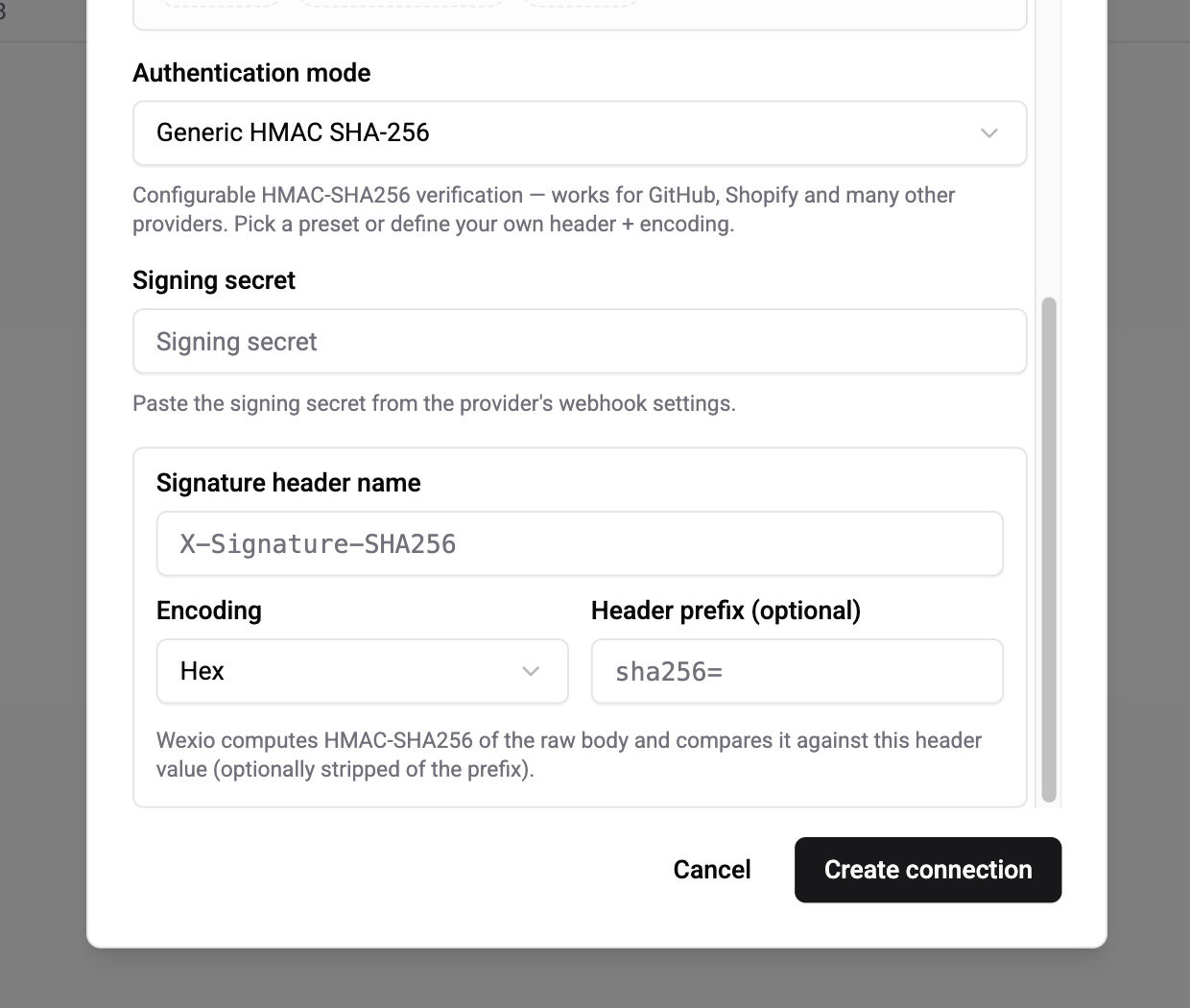
| Field | Description |
|---|---|
| Signing secret | The provider's secret |
| Signature header name | Where the signature lands (e.g. X-Hub-Signature-256 for GitHub, X-Shopify-Hmac-Sha256 for Shopify) |
| Encoding | Hex (most providers) or Base64 (Shopify, HubSpot v3, Zendesk) |
| Header prefix | Optional string to strip before comparing (GitHub prefixes with sha256=) |
One-click presets prefill these fields for GitHub, Shopify, Mailgun, Paystack, Razorpay, PagerDuty, Zendesk, HubSpot v3, Linear, Vercel, Netlify, and Bitbucket Cloud.
Not yet supported natively
| Provider | Scheme | Recommendation |
|---|---|---|
| PayPal v2 | RSA + JWKS | Proxy through n8n/Zapier/Make until native support lands |
| Wise | RSA, rotating keys | Same |
| Paddle Classic | RSA | Same |
| Discord | Ed25519 | Same |
| SendGrid Signed Events | ECDSA | Use the unsigned webhook with Shared Secret, or proxy |
| Apple IAP / Google Play | JWS | Proxy for now |
| Intercom (legacy SHA-1) | SHA-1 | Use Intercom's newer SHA-256 webhooks, or proxy |
See Webhooks → Integrations for the full support matrix and per-provider setup steps.
Contact Resolution
How Wexio maps an incoming payload to a contact in your organisation.
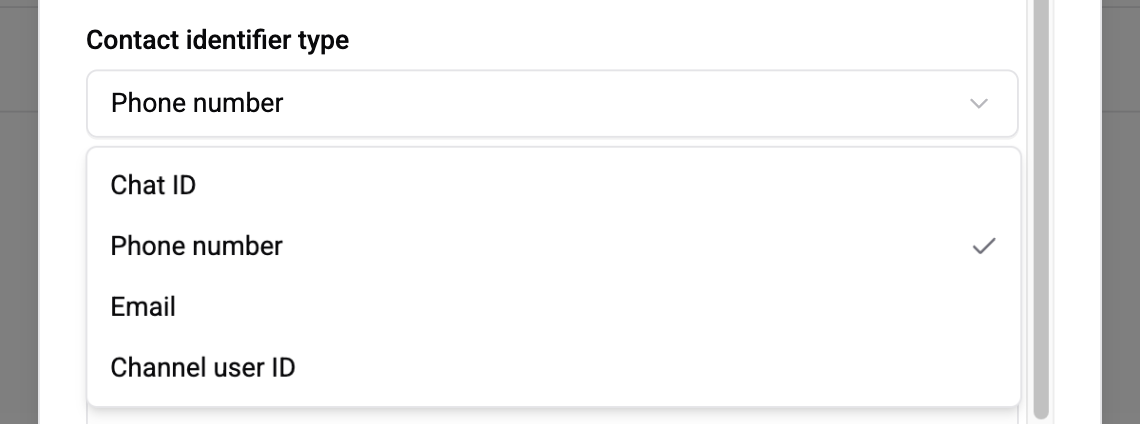
| Field | Description |
|---|---|
| Connection name | Display name - only affects the UI |
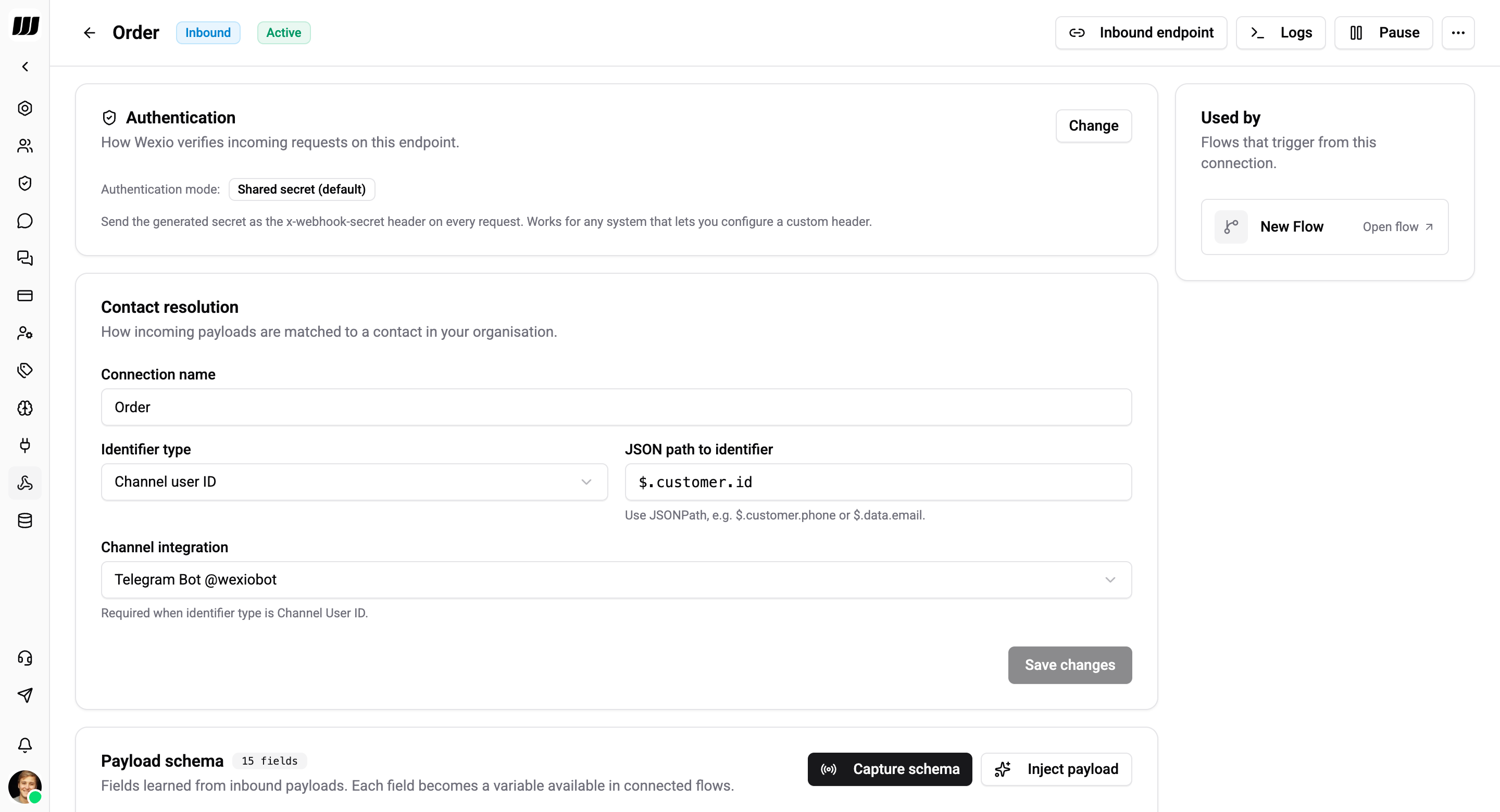
| Identifier type | One of Channel user ID, Phone number, Email, Chat ID |
| JSON path to identifier | Where to read the identifier from the payload - JSONPath syntax, e.g. $.customer.email |
| Channel integration | Required when identifier type is Channel user ID - scopes the lookup to a specific Telegram bot / WhatsApp number / Instagram page |
Examples:
| Payload | Identifier type | JSON path | Channel integration |
|---|---|---|---|
| Stripe Customer | Email | $.data.object.email | - |
| Telegram user event | Channel user ID | $.user.id | your Telegram bot |
| WhatsApp callback | Phone number | $.contacts[0].wa_id | your WhatsApp number |
| Internal system | Chat ID | $.wexio_chat_id | - |
If the path returns nothing, or the identifier doesn't match any People row, the log is tagged IDENTIFIER_NOT_FOUND and no flow runs.
Capture Schema
To make payload fields available as flow variables, Wexio learns the shape from a sample payload. This is also the step where you test that the partner is hitting the URL correctly.
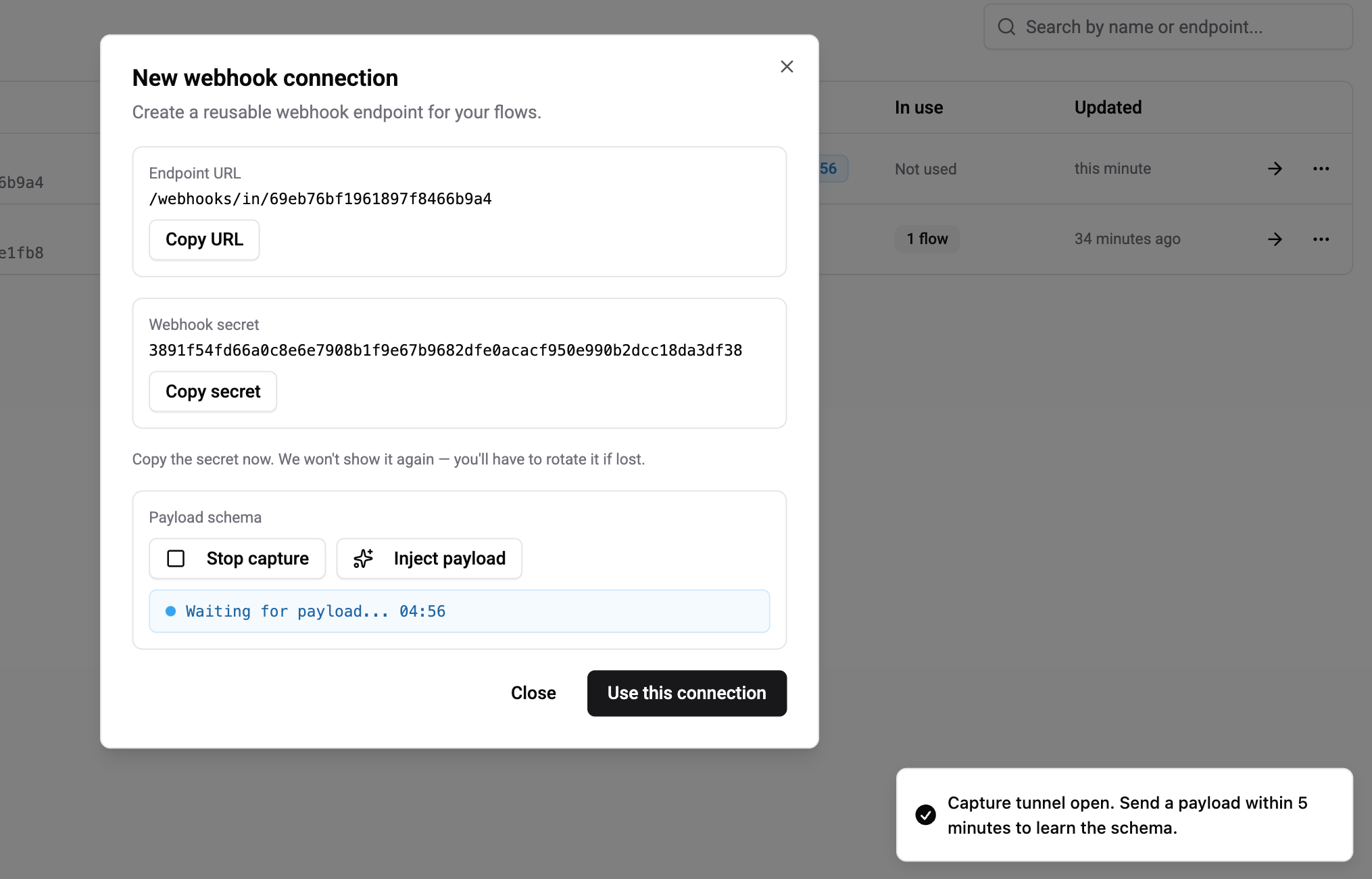
How it works:
- Tap Capture schema on the connection detail page. A 5-minute tunnel opens.
- Trigger a real event on the partner side (or use Inject payload to paste a sample JSON manually).
- Wexio infers the schema from that single payload - every scalar leaf becomes a variable - replaces the current schema (no merge), bumps the version, and closes the tunnel.
- The payload used for capture is not dispatched to flows - capture is a separate path so you can experiment safely.
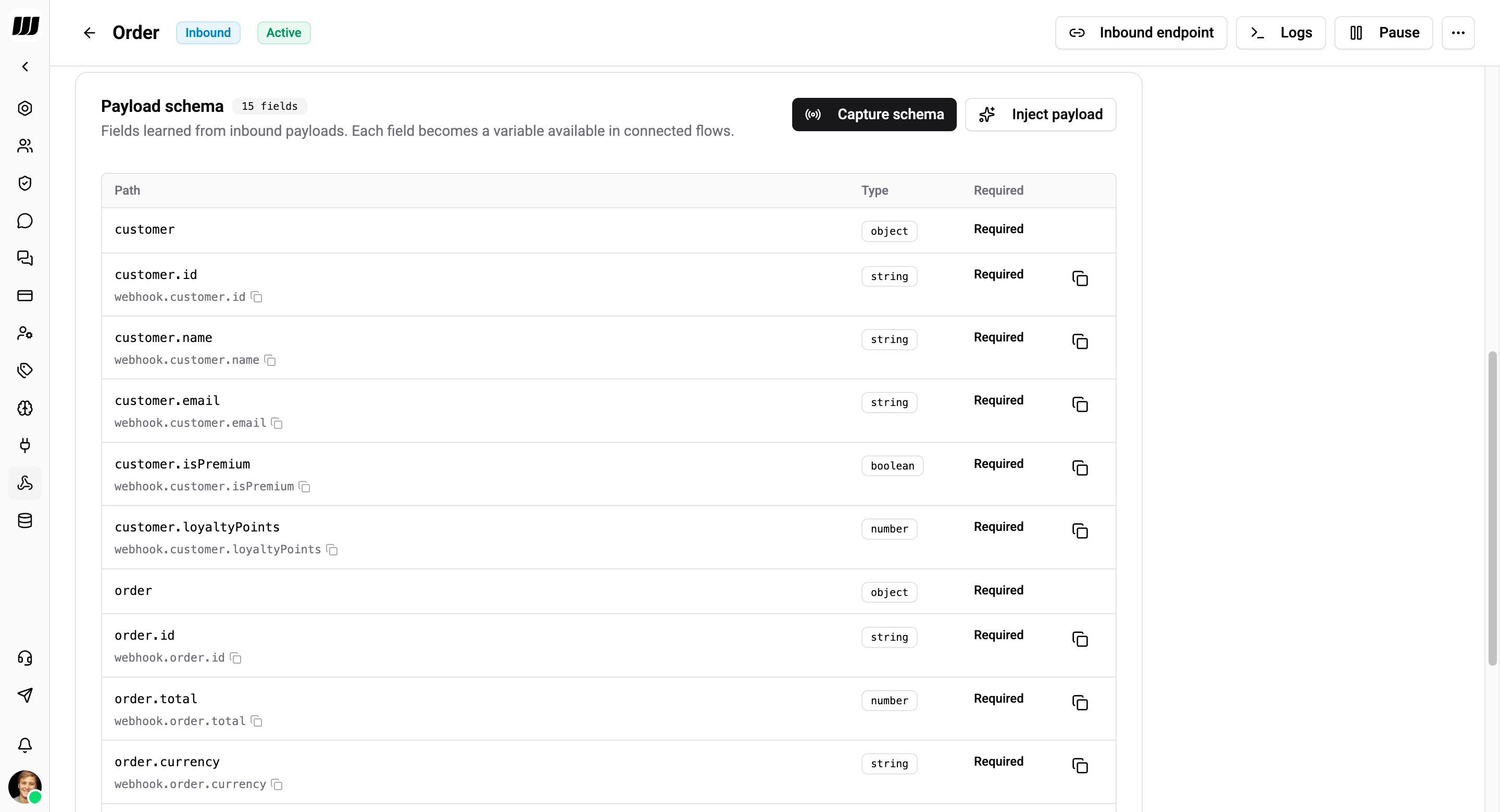
The Payload Schema panel shows every learned field, its inferred type, and whether it's required. Use these fields as {{webhook.<path>}} variables in any flow bound to this connection.
Schema is advisory - Wexio never rejects a payload because a field is missing. The schema only drives the variable picker. Missing fields render as null at runtime.
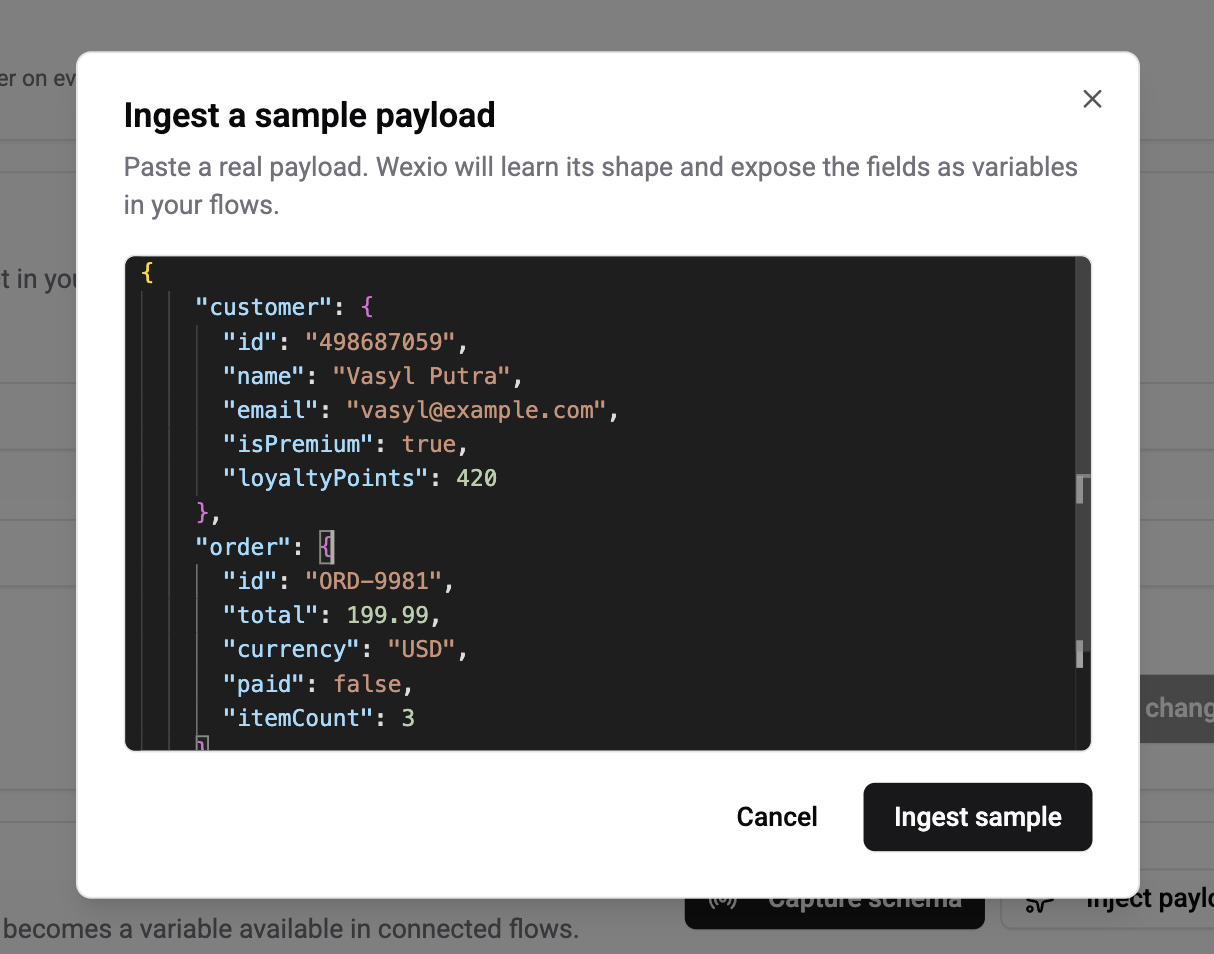
Inject a sample payload
If the partner is hard to trigger on demand, use Inject payload to paste JSON directly. Wexio treats it exactly like a live capture.
Bind the Connection to a Flow
Open any flow, add a Webhook Received trigger, and pick this connection. The flow will run every time a matching payload is received and a contact resolves successfully.
One connection can power many flows - the connection owns the auth and mapping; each flow chooses what to do with the payload.
Request Headers Wexio Honours
| Header | Purpose |
|---|---|
Content-Type: application/json | Required |
x-webhook-secret | Required when auth mode is Shared Secret |
Stripe-Signature / X-Slack-Signature / svix-signature / Paddle-Signature / Revolut-Signature | Read automatically by the matching provider mode |
x-request-id | Optional correlation ID; echoed in the history log |
X-Idempotency-Key | Optional dedup key - replays within the retention cache return the cached response |
Outcomes & HTTP Responses
Every request lands a row in the history log with one of these outcomes:
| Outcome | Status | Meaning |
|---|---|---|
ACCEPTED | 202 | Authenticated, parsed, at least one flow dispatched |
SAMPLE_CAPTURED | 202 | Absorbed by an open capture tunnel; no flow ran |
UNAUTHORIZED | 401 | Signature / secret mismatch |
INVALID_JSON | 400 | Body was not valid JSON |
PAYLOAD_TOO_LARGE | 413 | Body exceeded 100 KB |
IDENTIFIER_NOT_FOUND | 422 | No contact resolved from the payload |
TRIGGER_NOT_FOUND | 404 | Connection is paused, missing, or has no bound flow triggers |
ERROR | 500 | Unclassified failure - file a ticket if this appears |
Rotate the Signing Secret
Settings → Webhooks → your connection → Rotate secret. A new secret is generated and shown once. The old one stops working immediately - update the partner configuration before rotating, or accept a short window of 401s.
Stripe, Slack, Paddle, and several other providers support dual-signing during rotation - use that window on their side and paste the new secret to Wexio last.
Pause & Resume
From the connection detail page, tap Pause to stop accepting requests without deleting the connection. Paused connections return 404 TRIGGER_NOT_FOUND to every incoming request. Resume at any time.
Rules and Caveats
- Payload limit: 100 KB. Larger payloads are rejected with
413. - Credentials are never returned to clients - the API doesn't expose the stored signing secret.
- Signature headers are not logged -
x-webhook-secret,Stripe-Signature,Authorization, and similar are scrubbed from the history log on the server side before write. - Retention: 30 days of history per connection, including auth failures for self-diagnosis.