Mentions & Internal Notes
Tag a teammate inside a customer chat, send a private note that the customer never sees, and track who's caught up
Need to loop a teammate into a conversation? Tag them right in the chat - no Slack hop, no copy-pasting context, no "hey can you check this?" message. Type @, pick a teammate, write your question. They get pinged. The customer never sees it.
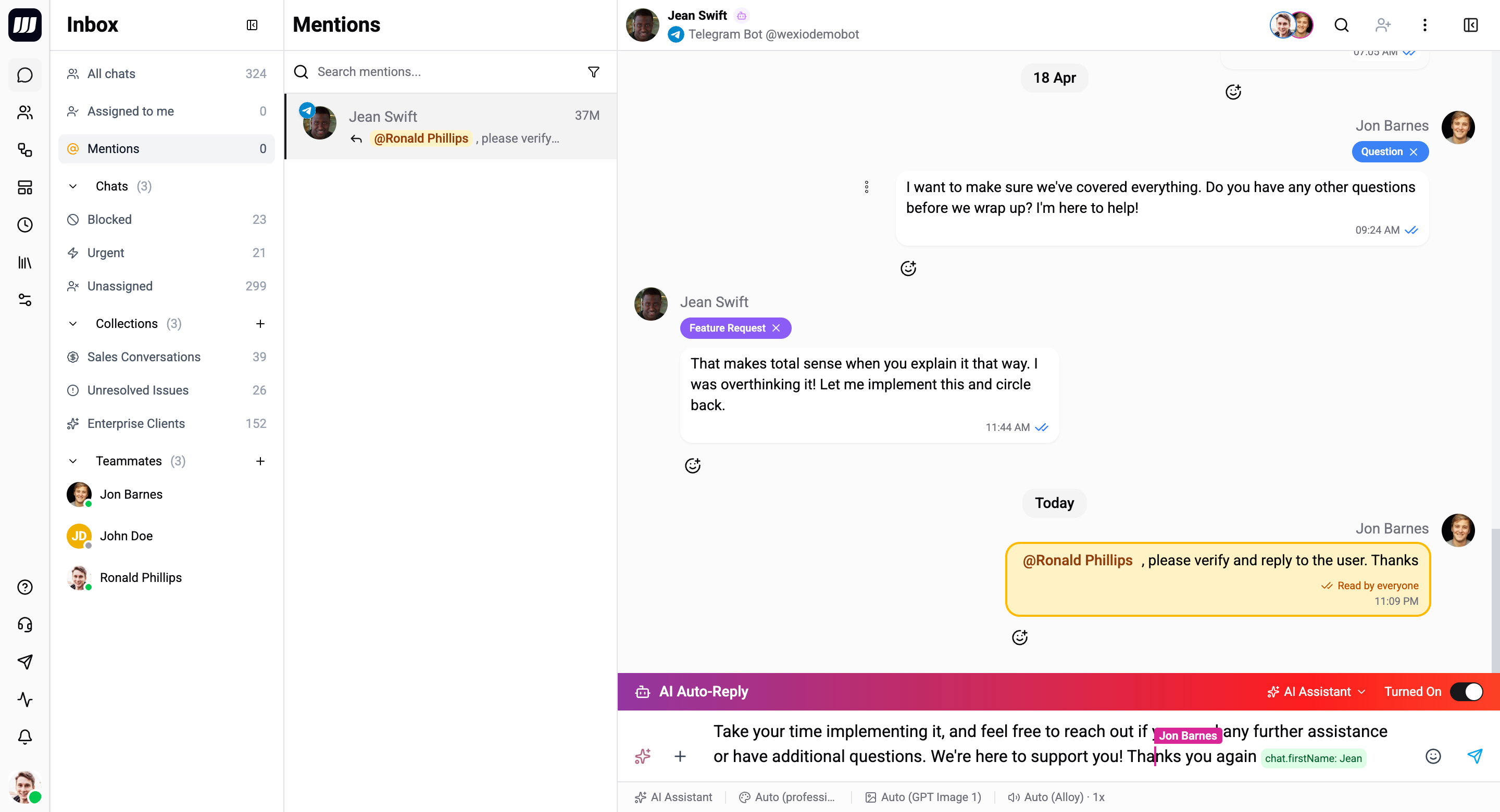
Mentions and internal notes are available on every plan - Free, Standard, Pro, and Enterprise. The live co-editor is the Pro+ part of teamwork; tagging a teammate works for everyone.
Sending an Internal Note
- Open any customer conversation.
- In the composer, type
@. A picker appears with your org's teammates. - Pick the one you want to loop in. A coloured chip lands in the composer (e.g.
@Alice). - The composer instantly shifts into internal-note mode so you see the change before pressing Send:
- Background tints amber.
- The send button relabels and turns amber too.
- A small banner reads: "Internal note - won't be sent to the customer."
- Type your question or context: "@Alice can you double-check the refund eligibility on this account before I respond?"
- Hit Send.
The note lands in the chat thread with a yellow-tinted bubble and an "INTERNAL NOTE" label. The customer's WhatsApp / Telegram / Instagram / Viber never receives it.
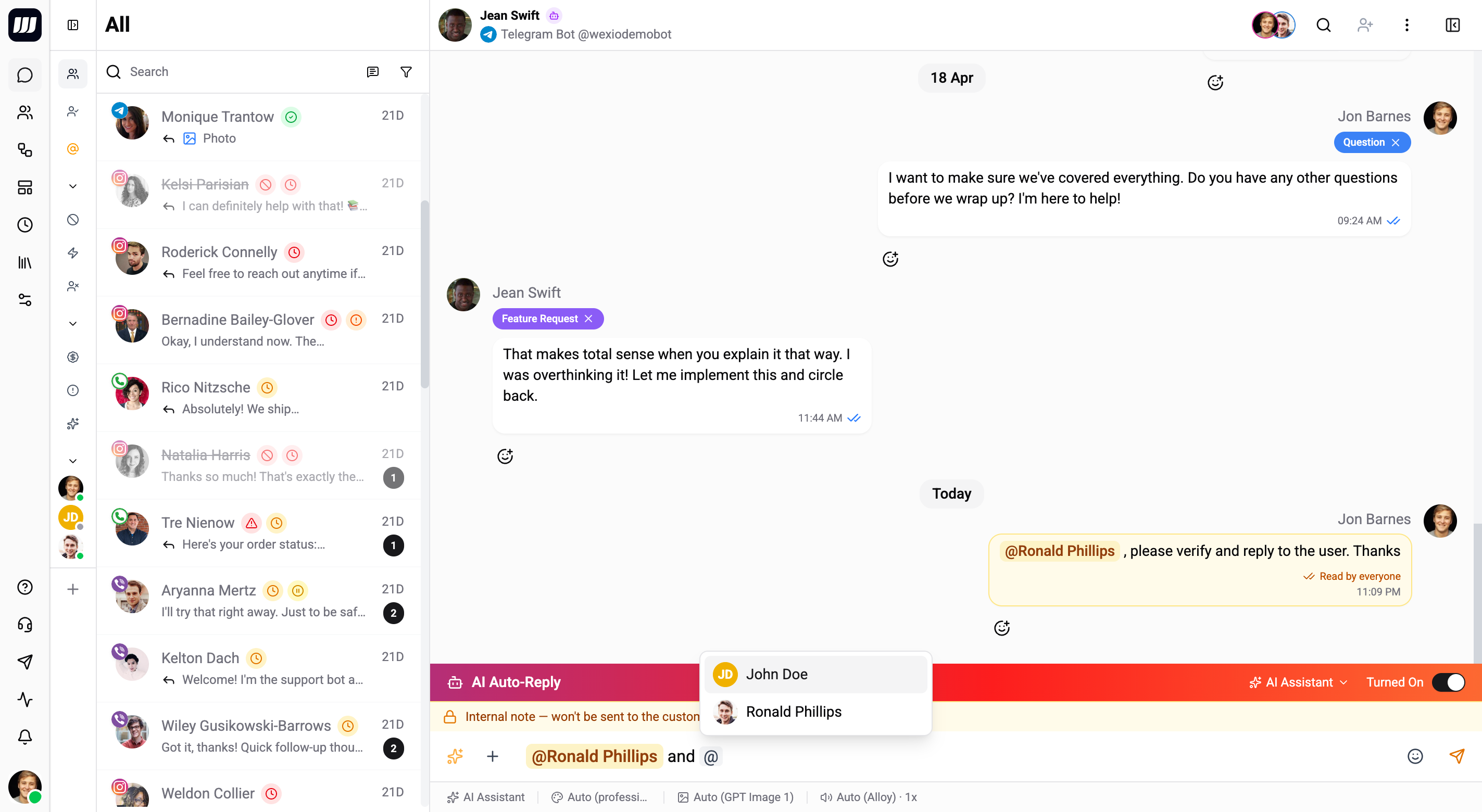
You can mention multiple teammates in one note (@Alice @Bob). Each one gets their own notification.
Mentioning multiple teammates
You can stack several chips in one note. Each chip resolves to a specific teammate, and each gets a notification. Mentioning the same person twice is fine - Wexio deduplicates so they only get pinged once.
Removing the last chip
Removing the last chip flips the composer back to regular customer-bound mode - amber tint disappears, banner goes away, the next Send dispatches to the customer's channel as a normal reply. The internal-note state is driven by chips, not by a toggle, so you always know which way the message is going.
Stray @ is safe
A stray @ in plain text - user@example.com, @main branch, an email signature - never opens the picker, never produces a chip, and never accidentally turns your reply into a private note. The autocomplete is the gate; only chips count.
What the Mentioned Teammate Sees
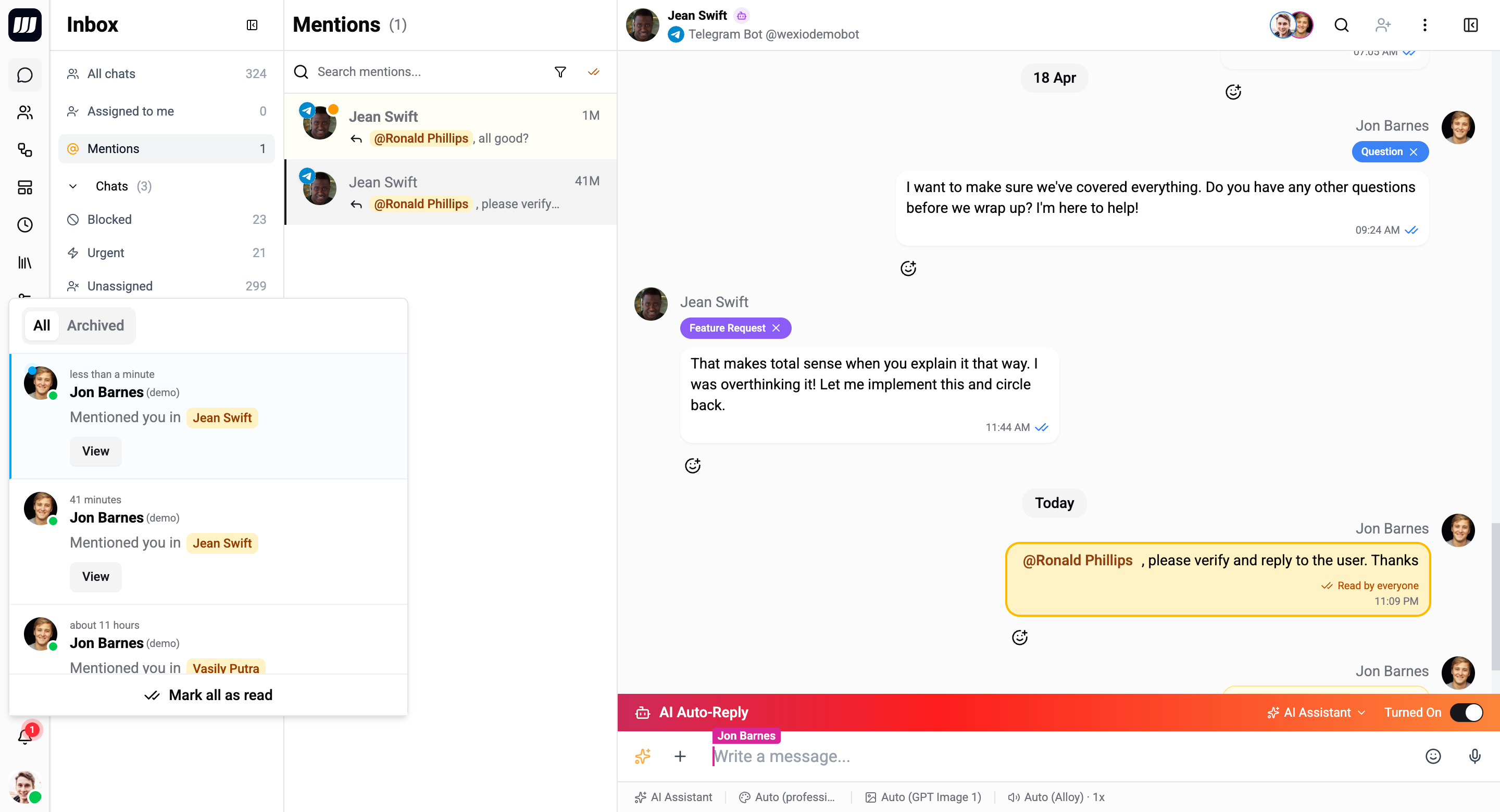
1. The bell-dropdown notification
Top-right of the app, in real time:
Ralph J. Lesperance Mentioned you in
Vasily Putra← amber chip [View]
Click "View" or anywhere on the row → jump to the chat with the note in view.
2. The @Mentions sidebar tab
A new top-level row in the inbox sidebar, right next to Assigned to me:
Inbox
  All chats              53
  Assigned to me          1
  @Mentions               3   ← unread count
  Chats (3)
    Urgent
    Blocked
    …
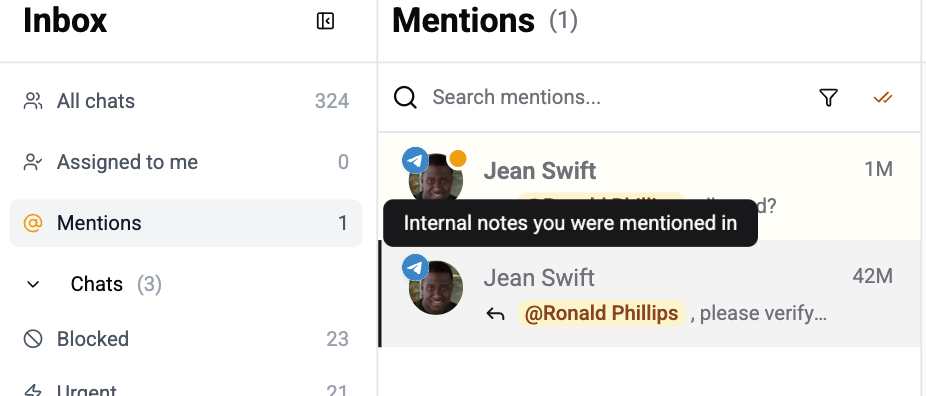
Click @Mentions and the right panel switches from a chat list to a flat list of mentions.
| Control | Behavior |
|---|---|
| All / Unread / Read | Filter the feed by read state. |
| Search | Case-insensitive substring match against the note text. |
| Mark all read | Top-right; clears every unread mention in one click. |
Each row shows the customer chat (avatar, name, provider badge, assigned operator), the time, and a snippet of the note body. Unread rows have an amber left rail and a small dot on the avatar.
Click any row to open the chat at the exact mention point.
3. Auto mark-as-read
You don't have to click anything to clear the badge. As you scroll through the chat thread, any internal notes that scroll into view get marked read automatically. The read state syncs across all your tabs and devices instantly.
"Read by …" Indicator
After you post an internal note, look at the bottom-right of the note bubble. You'll see one of three states:
| Indicator | Meaning |
|---|---|
| ⏱ Awaiting reads | No one's seen it yet. |
| ✓ Read by 1 of 2 | One teammate caught up; one still pending. |
| ✓✓ Read by everyone | Full team is in sync. |
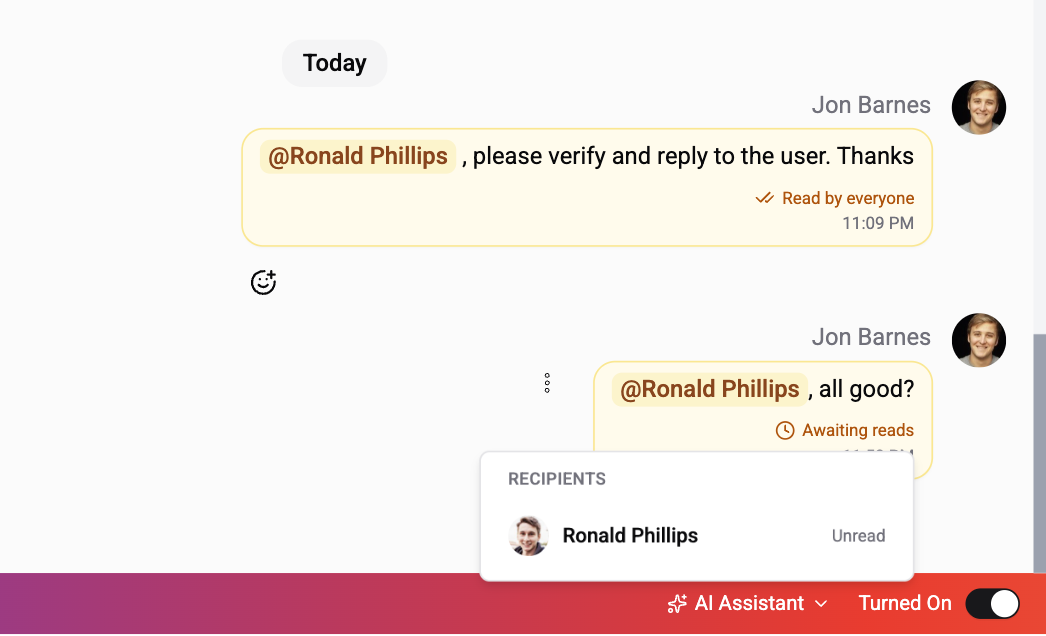
Hover the indicator and a panel slides out with each recipient:
- Their avatar.
- Their name.
- Either "2 minutes ago" (if they've read it) or "Unread".
Read recipients sort first (most recent on top); unread fall to the bottom - same pattern as iMessage / WhatsApp delivery views.
Editing an Internal Note
You can edit the chips and the body just like any other message. The behavior is symmetric:
| Action | Effect |
|---|---|
| Add a new mention | That teammate gets a fresh notification + a new entry in their @Mentions tab. |
| Remove a mention | That teammate's notification + sidebar row disappear; their unread count decrements if it was unread. |
| Edit the text | The chat-thread bubble updates for everyone. |
The note keeps its internal-note identity even if you remove every chip. The yellow tint and inline placement stay; it just means nobody specific is being pinged anymore.
You can't promote a regular customer message into an internal note (or vice versa). The type is set at send time and locked - the first would be dishonest (the text already shipped to the provider), the second would silently leak previously-private content.
Re-adding a previously-mentioned teammate
If you remove someone and later add them back, they get a fresh receipt - a new notification, badge increment, unread state. Read state from the previous lifecycle doesn't carry over. This is the intuitive "you were re-mentioned" behavior.
Deleting a Note
Soft-delete works the same as any message - the bubble shows a "Note deleted" tombstone. All mention receipts associated with it are filtered out of the @Mentions tab and the sidebar badge decrements for any operator who hadn't read it yet.
Receipts stay in the audit history (so a future "all mentions Alice ever received" report still includes the deleted note), but the sidebar feed and unread badge ignore them.
Email Fallback
If a mentioned teammate is offline when you send the note, they get an email automatically - no opt-in needed. The email contains a deep link to the chat, scrolled to the note. Click it and you're right there.
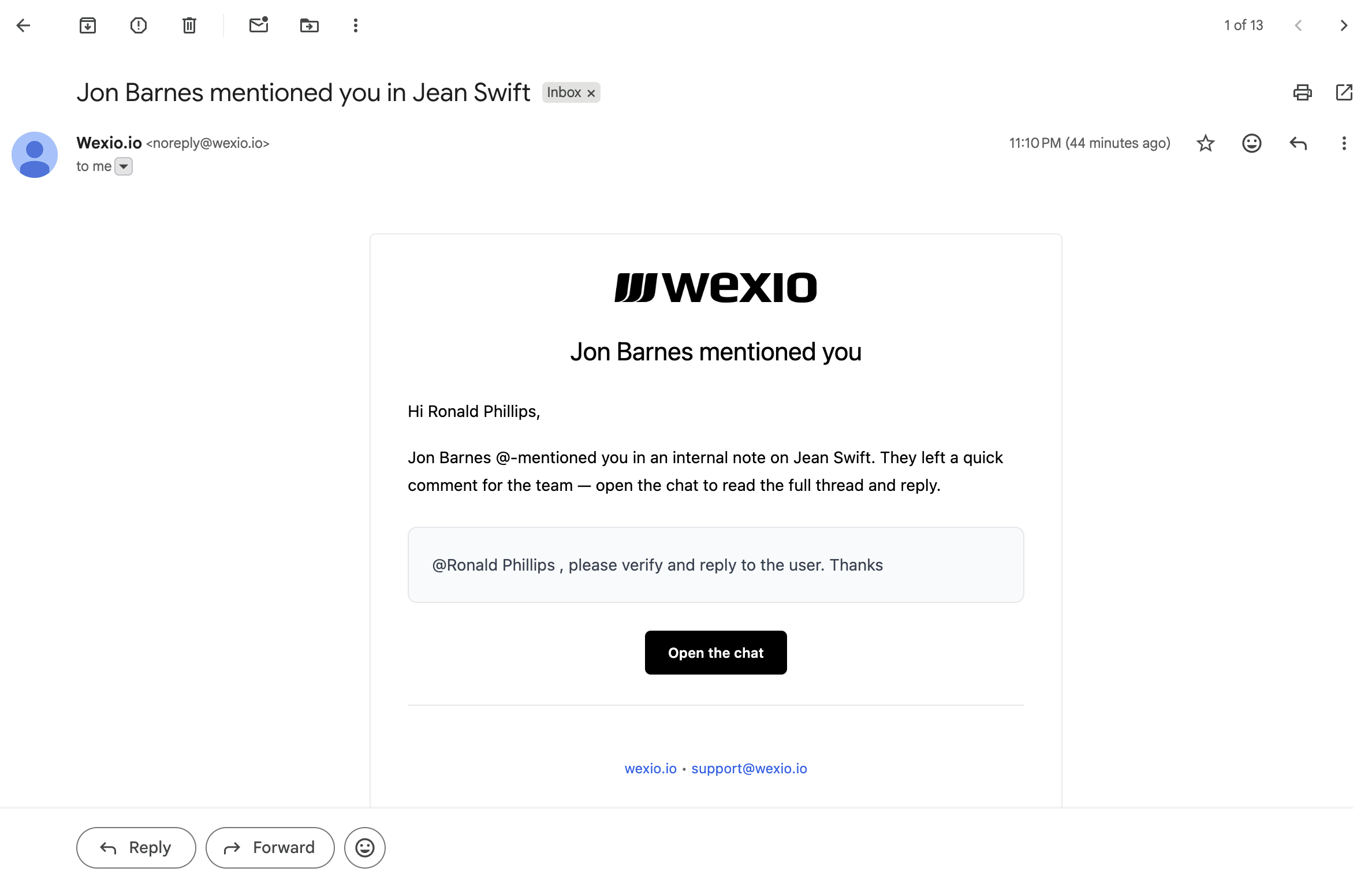
Online teammates skip the email - the in-app toast and the bell notification are enough; emailing them on top would be noisy. The email template is localised in English, German, Ukrainian, Italian, Portuguese, and Polish.
Reply-to + Mention
You can attach a mention to a reply-to of a customer message. The note threads under the customer message in the chat view, and the mentioned teammate jumping in from the sidebar lands directly in context.
Example:
- Customer: "I want a refund."
- You (Reply → on the customer's message): "@manager refund eligible?"
- Manager clicks the bell → lands in the chat scrolled to your note, which renders threaded under the refund request.
Useful when several operators are discussing the same customer issue - internal replies form a thread anchored to the original mention.
Where Notes Show Up
Internal notes are real messages - they live in the chat history forever and surface in:
- The chat thread (yellow-tinted, inline with customer/operator messages).
- In-chat search results (when the search term matches the note text).
- Exports and GDPR data dumps.
What they never do is leave the org boundary - no provider call, no AI-generated auto-reply, no outbound webhook. The dispatch layer refuses based on the message type itself, not a flag, so even future code paths can't accidentally leak.
FAQ
Does the customer ever see internal notes? No. Never. They live in the chat history but never get dispatched to WhatsApp / Telegram / Instagram / Viber. Even an AI auto-reply skips them.
Can I @-mention the customer?
No. The picker only shows org members. A stray @ in customer reply text (like user@example.com) stays as plain text - no chip, no surprise internal note.
What if I post a note without mentioning anyone? You can't - the moment you remove the last chip, the composer flips back to normal customer-bound mode. To save context for yourself without notifying anyone else, mention yourself (you'll see it in the chat thread but won't get a notification - self-mentions are skipped server-side).
My teammate edited their post and added me. Do I get notified? Yes - adding a mention via edit produces the same notification as a fresh post. The opposite holds: removing a chip via edit retracts the notification.
Can I mention the same teammate twice? You can paste the chip twice, but Wexio deduplicates. They'll only get one notification per recipient per note.
Multiple chats, multiple mentions - can I bulk-clear? Yes - open the @Mentions tab and click Mark all read in the top right. Single click, all unread mentions clear, badge goes to 0.
Can a teammate who's no longer in the org receive new mentions? No. The picker hides removed members, and even if a stale UI somehow tries to mention them, the server short-circuits the notification at publish time. Their old receipts stay in audit history but they don't get pinged.
Are notes counted toward operations cost? No. Internal notes don't dispatch through any provider, so they don't consume the per-message ops budget. They cost storage like any other message and that's it.
Related
- Live Collaboration - the other half of teamwork in the inbox: shared cursors, presence avatars, and live co-edit of the composer (Pro+).
- Chat Editor - composer features and how
@autocomplete fits with attachments, AI, and templates. - Search & Filters - find conversations and message-level matches, including notes.