Contact Profile
View and manage contact details in the conversation sidebar
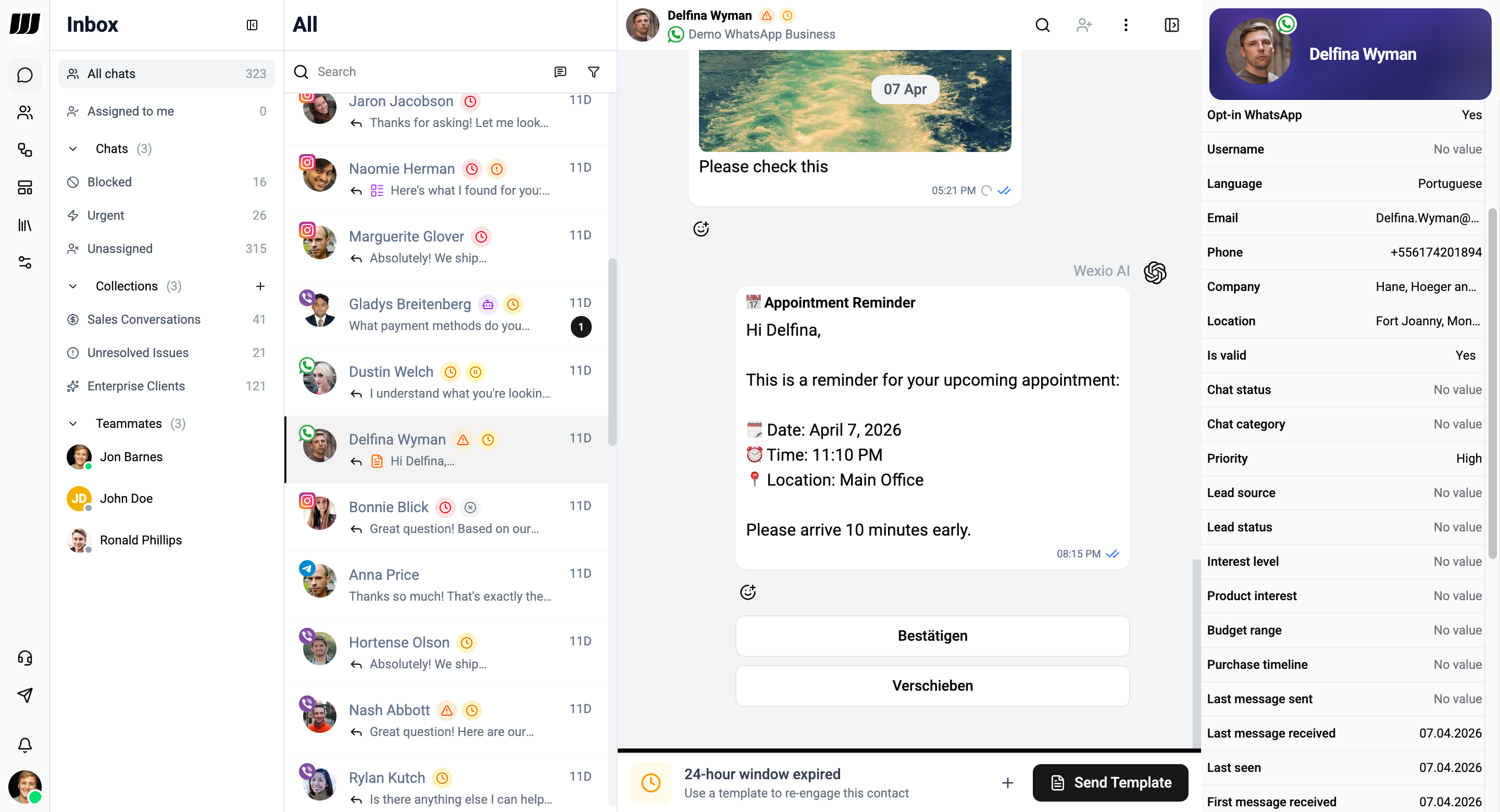
The profile sidebar appears on the right side of the chat view, showing detailed information about the contact you're conversing with.
Opening the Profile
Toggle the profile sidebar by clicking the profile icon in the chat header. The sidebar slides in from the right.
Profile Information
Contact Details
| Field | Description |
|---|---|
| Avatar | Profile picture from the messaging channel |
| Name | Contact's display name |
| Username | Channel-specific username |
| Phone | Phone number (if available) |
| Email address (if available) | |
| Channel | Which messaging platform (Telegram, WhatsApp, etc.) |
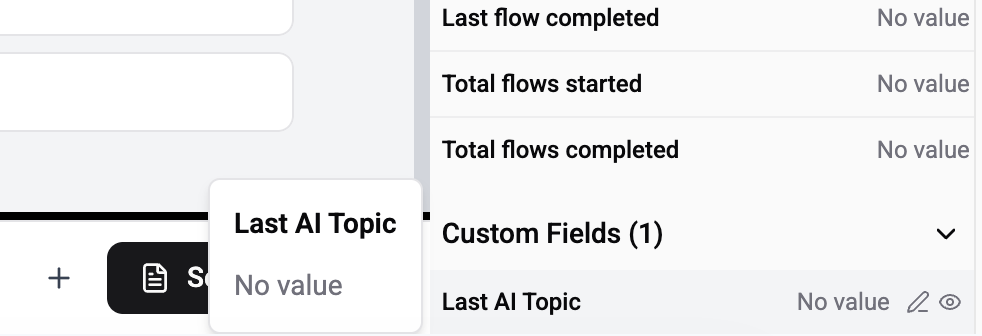
Custom Fields
View and edit custom fields defined in your workspace. Only custom fields are editable directly from the profile - click any custom field value to modify it. Changes are saved automatically.
- Text fields, number fields, date fields
- Dropdown selections
- Boolean toggles
Channel Identities
A contact can hold several channel identities - the same person arriving on Telegram, WhatsApp and the website widget. They are listed here, each with its own threads.
One identity is the primary one. From this list you can change which, or take a single channel back out if it was matched to the wrong person, without undoing a whole merge.
Each identity keeps its own field values. The profile shows one value per field, and you choose which identity it comes from - nothing is overwritten. See Merging contacts → choosing which value shows.
If several rows in People turn out to be the same human, merge them and they become one contact with all of these identities under it.
For managing profile fields, privacy settings, and creating custom fields, see People Settings. For bulk contact management, see People, and for working several threads of one contact see Conversations & threads.