News
The widget's News tab - posts, categories and tags, scheduling, and reactions
The News page (labelled Articles in the nav, at /{org}/web/articles) manages news posts: announcements, changelog entries and blog-style updates. They appear in the widget's News tab.
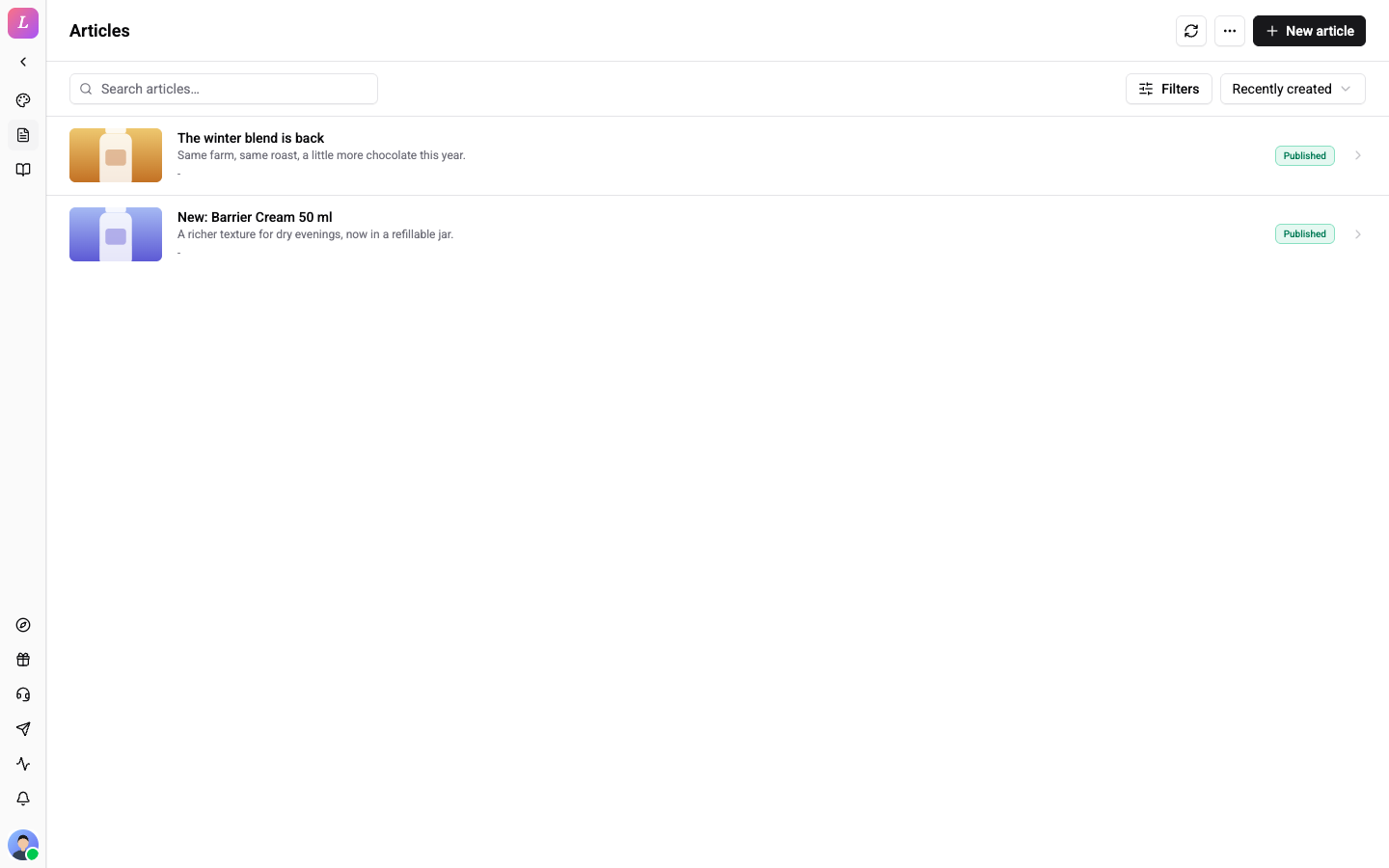
The nav label is "Articles" for historical reasons, but this page manages News posts. Help articles live separately at /{org}/web/help. If no widget exists, opening this page as a Standard+ admin auto-provisions one.
Publish a Post
- Open Articles and click New article.
- Fill the title and body (rich text). Optionally assign a category and tags.
- Click Save draft, or Publish to show it in the widget's News tab.
The editor also has a Slug, an Excerpt, a Language and a cover image (Upload cover, Replace cover or Remove cover). Details holds the rest. A post moves back to a draft with Unpublish (to draft), and Archive post hides it from visitors.
Status Lifecycle
Posts move through DRAFT → SCHEDULED → PUBLISHED → ARCHIVED. Re-publishing an archived post clears its archived timestamp.
Scheduling
Use Schedule publish and Schedule to pick a future time (past timestamps are rejected). The list filter has a Scheduled option. A scheduler promotes due posts automatically and emits a news.published outbound webhook when one goes live.
Categories and Tags
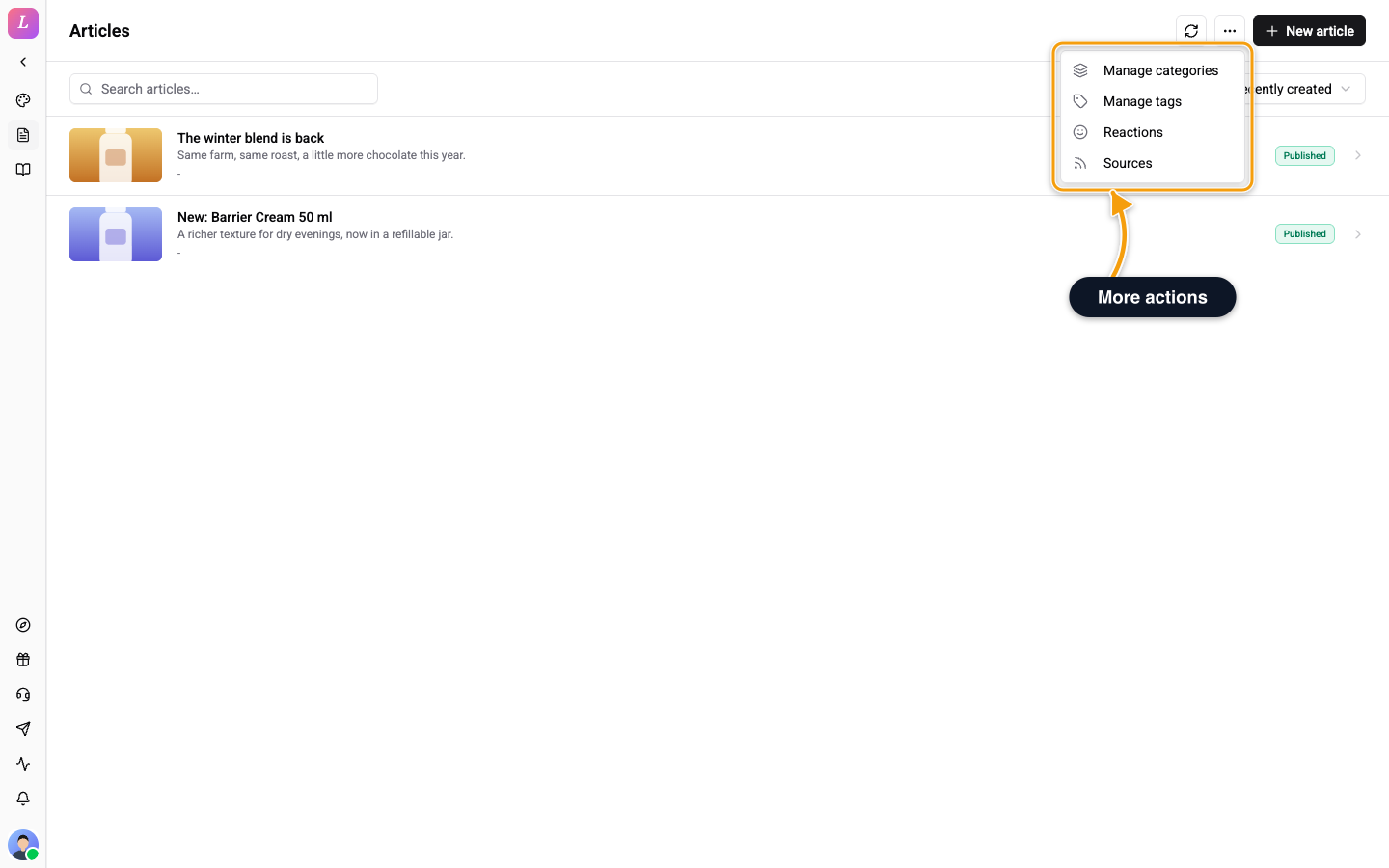
Categories group posts. Tags are a cross-cutting filter. Open the More menu on the Articles page and choose Manage categories or Manage tags. Both open the Categories & tags page, on the Categories or Tags tab. Click New category or New tag (the button reads New plus the kind), or open an entry to edit it. Click the back arrow to return.
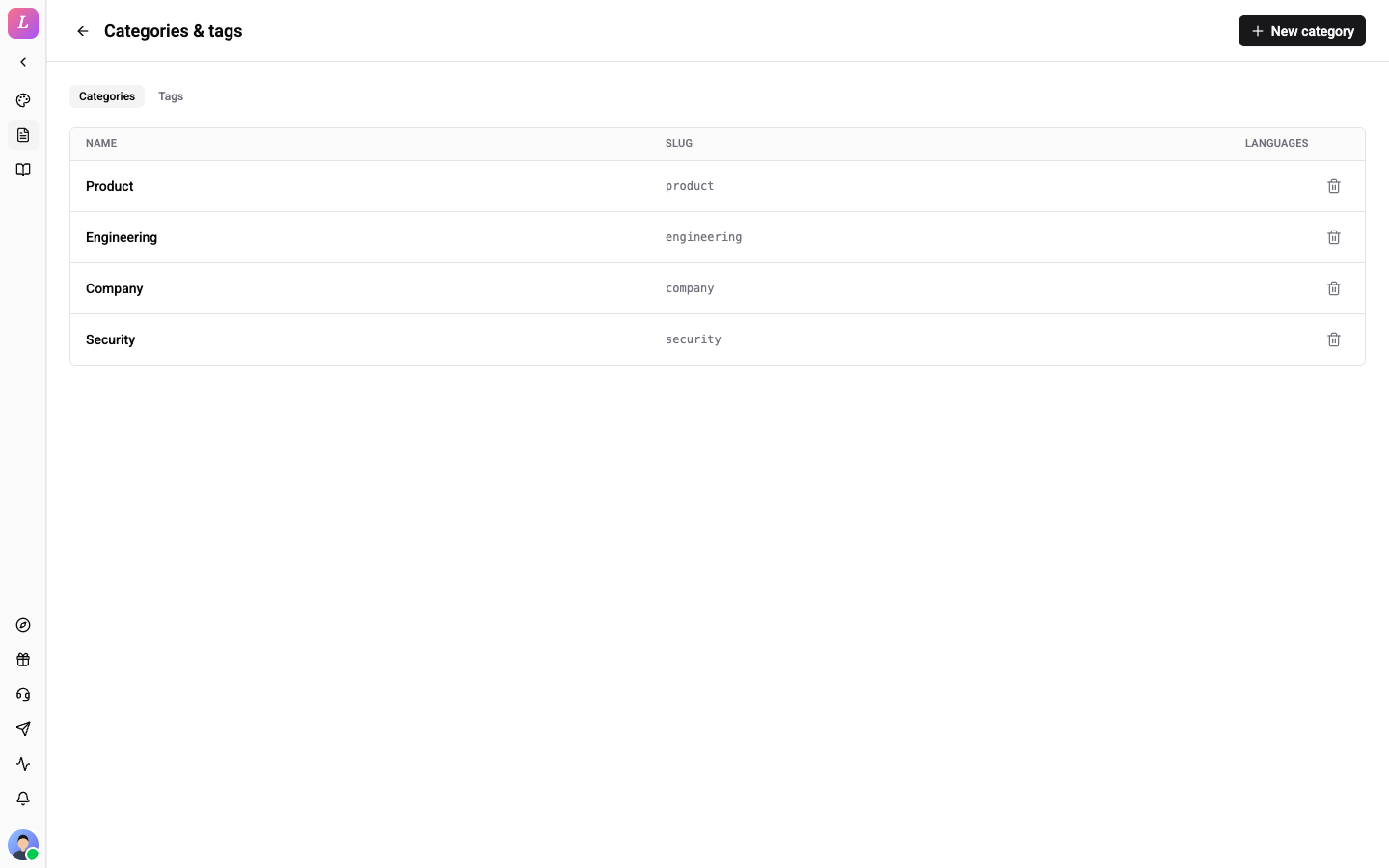
Each entry has these fields:
| Field | Use |
|---|---|
| Name | The label visitors see |
| Slug | The short identifier of the entry |
| Description (optional) | A short description shown to visitors |
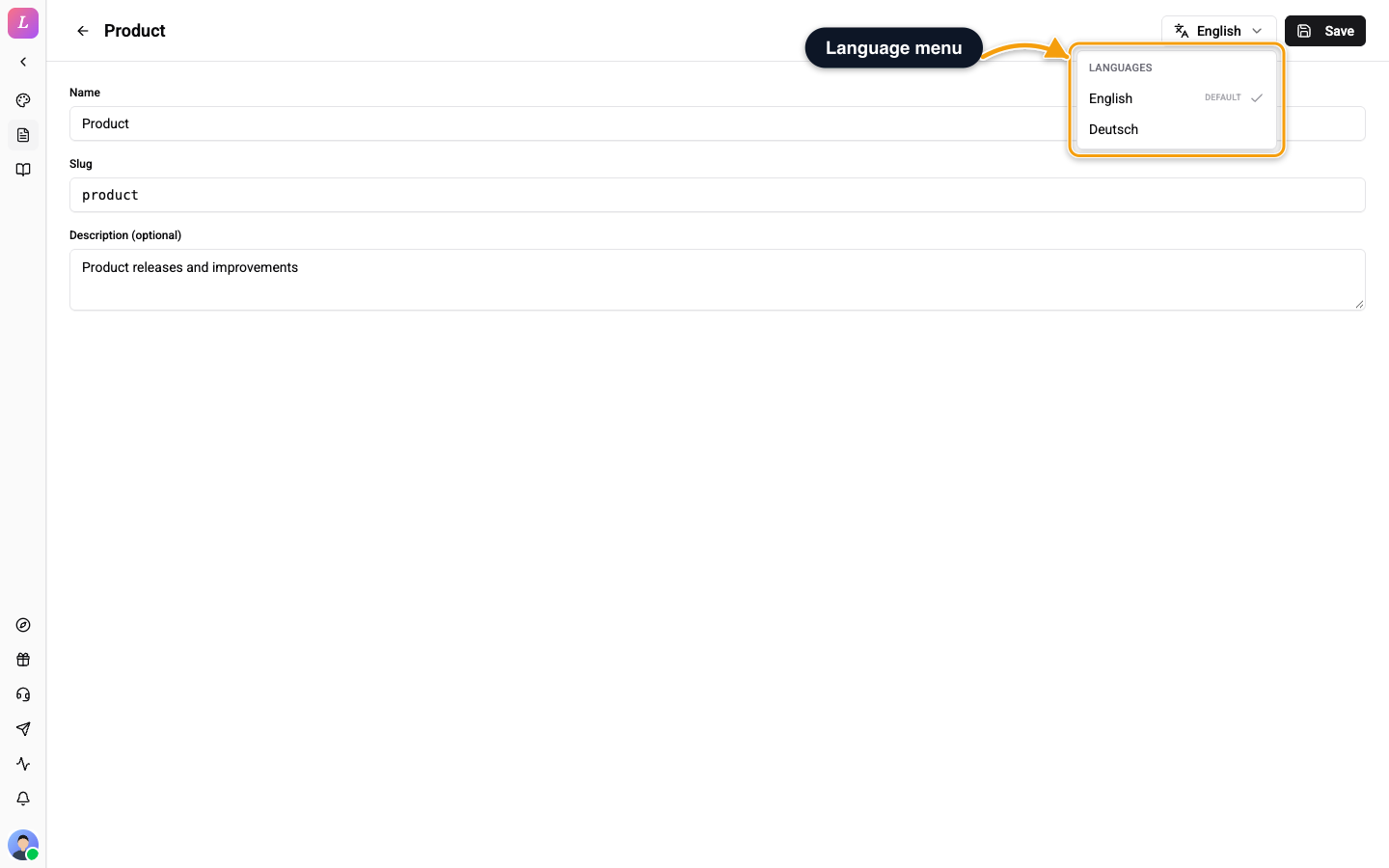
When your organisation has more than one language, a language menu appears in the header of an existing entry. Pick another language to translate the name. The Slug and Description (optional) fields switch off, because they are shared across languages. Leave the name empty to fall back to the default language.
To delete an entry, confirm Delete this entry? Articles keep their content; only this label is removed. Assign categories and tags to a post from the post editor.
Audience
Each post has an Audience: Everyone shows it to all visitors, Authenticated only shows it only to visitors who are verified. The list marks the second kind Authed only.
Reactions
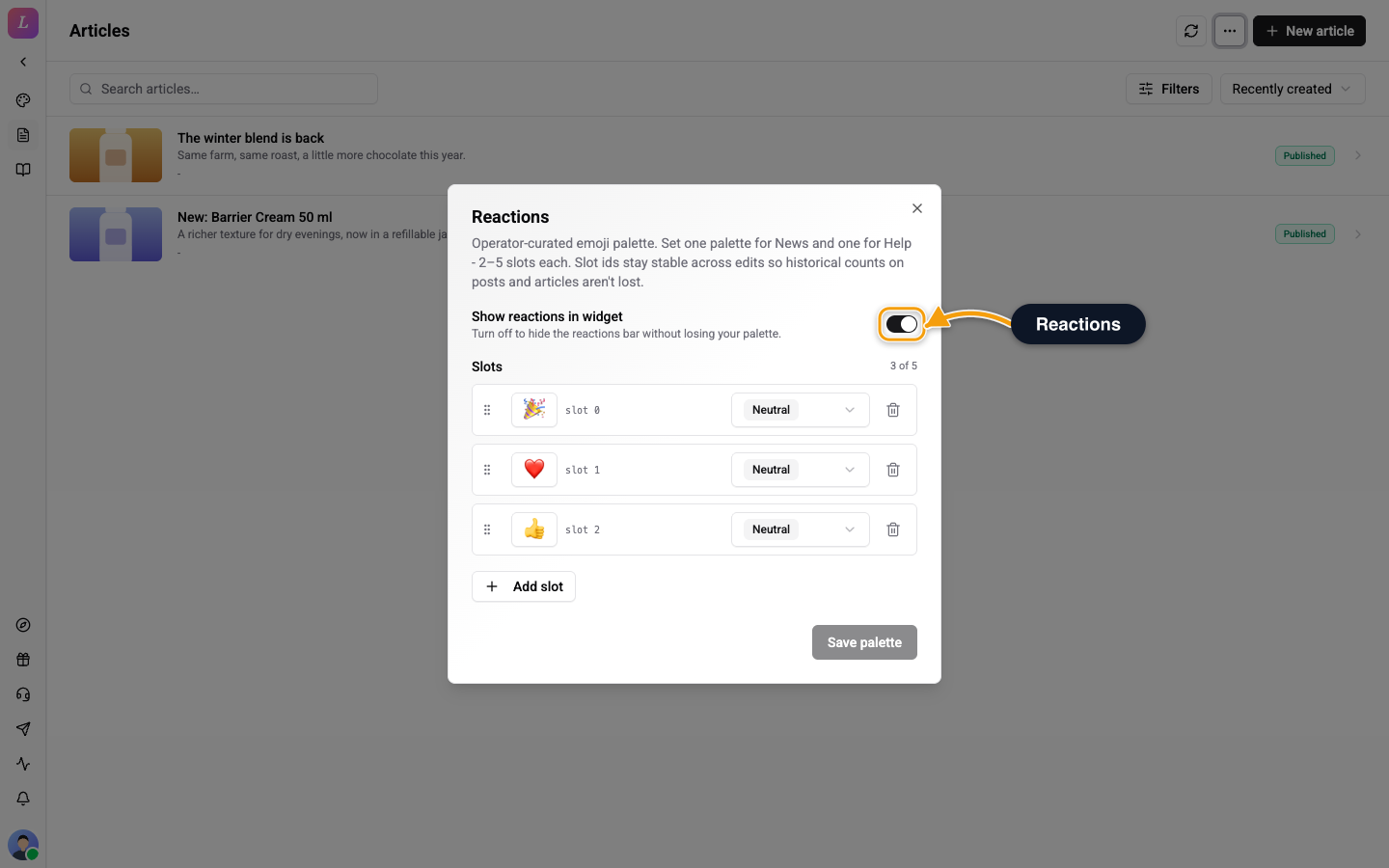
Visitors can react to posts. Open More, then Reactions to set the News palette. Turn on Show reactions in widget to show the bar, and click Add slot to add an emoji. A palette holds 2 to 5 slots: Add slot is off at 5, and you cannot remove a slot at 2. One vote per post per visitor. Unread tracking is client-side. There is no server-side read state.
Sources
Open More, then Sources, to mirror an external blog or changelog into News. The item is off for roles that can only view. See Content Ingestion.
Visibility and Locale Fallback
A post shows in a widget only if it is scoped to that widget in Show in widgets; a post scoped to no widget is AI assistant only. Untranslated posts follow the widget's contentLocaleFallback setting.
Excerpts and Covers
Excerpts show as plain text in the dashboard lists, the article picker, the editor placeholders and the widget. The widget shortens long excerpts for display. Excerpts from an RSS source are cut at 500 characters when the source uses the default field map. A custom excerpt mapping and webhook sources are not cut. A post without a cover shows no empty cover block, and the featured card uses your widget's colour.
Roles
Admin / Owner / Editor have full edit access. Agents are view-only.
Related
- Content Ingestion - mirror an external blog or changelog via RSS or webhook push. A Refresh action re-fetches after you add a source.
- Help Center - the Help tab, folders and tags.