Configure
Bot Protection
Ask visitors to pass a Cloudflare Turnstile check before they can chat
The Bot protection section in the Integration group turns on a Cloudflare Turnstile check. It is off for a new widget and has no plan requirement. Turn it on if you see abuse. It follows the draft-and-Save model.
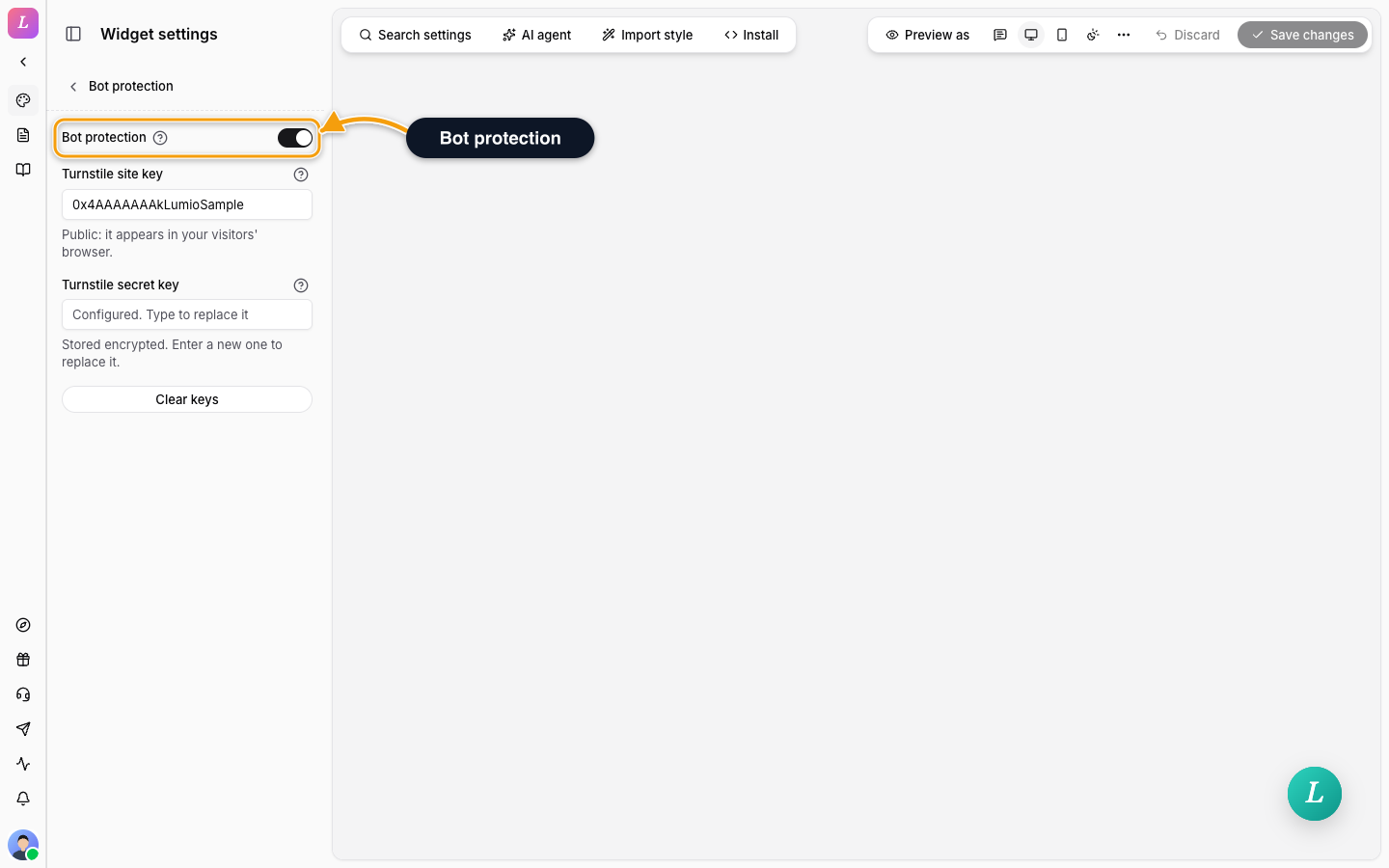
- Create a Turnstile widget in your Cloudflare account.
- Open Bot protection and turn on Bot protection.
- Paste the Turnstile site key. It starts with
0x. A key that does not look right shows This does not look like a Cloudflare site key (it starts with 0x). - Paste the Turnstile secret key. It must be at least 20 characters. It is stored encrypted and never shown again. The field reads Configured. Type to replace it once a key exists.
- Click Save changes.
Clear keys removes both keys. The key fields are disabled while the switch is off.
The site key is public and appears in your visitors' browser. For how the check behaves in the widget, see Sessions & Prefill.
Related
- Integration Settings - allowed origins and the shared secret.
- Sessions & Prefill - how the visitor session works.