AI Agent
Choose how the AI answers visitor messages when no flow matches, including routing by who is writing
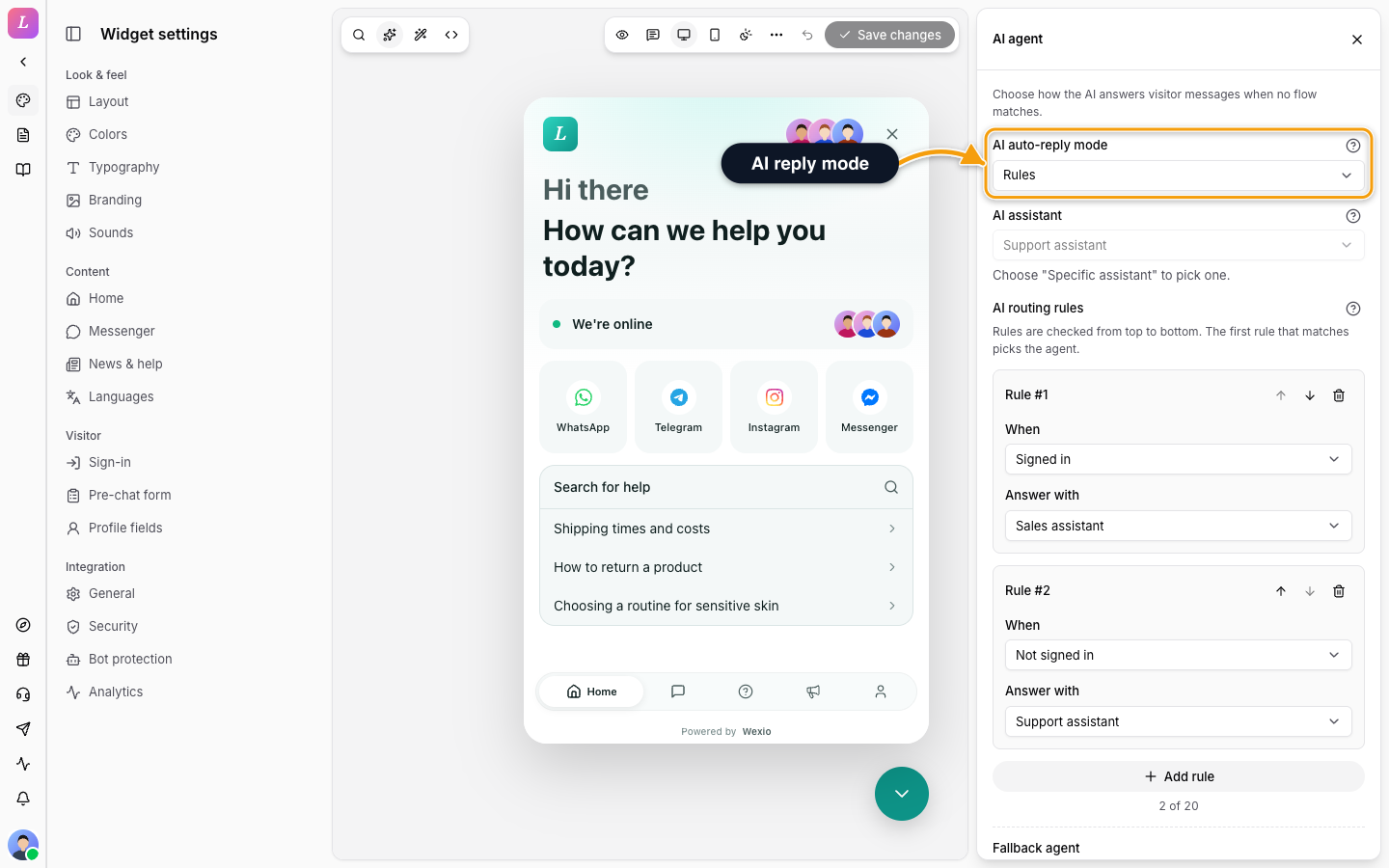
AI agent sets who answers new visitor messages automatically when no flow matches. Click AI agent in the left toolbar of the Widget settings, or open it from the Integration group. It follows the draft-and-Save model.
AI answering starts on the Standard plan. On lower plans you can set everything up, and a notice says so. The settings are read-only for members who cannot edit the widget.
Modes
| Mode | What happens |
|---|---|
| Organisation default | Uses the default assistant from your AI settings. |
| Specific assistant | One assistant answers for this widget. Choose it under AI assistant. If you have none, create one under Settings, AI. |
| Rules | The assistant is chosen per conversation, by who is writing. |
| Disabled | Never auto-reply. Messages go straight to the inbox. |
Rules
In Rules mode, add rules with Add rule. Rules are checked from top to bottom, and the first one that matches picks the assistant. Up to 20 rules.
For each rule:
- When. Choose a condition: Signed in, Not signed in, Field equals, Field is one of, or Field matches. A field condition uses one of your People fields and an operator.
- Answer with. Choose the assistant.
- Use the arrows to reorder a rule and the remove button to delete it. A rule is saved only when its condition is filled in and an assistant is picked.
Fallback agent answers when no rule matches. Choose an assistant or Organisation's default assistant.
A rule set up outside this editor shows as Custom condition. You can remove it here, but not edit it.
Related
- Assistants - create the assistants you route to.
- Visitor Sign-In - what makes a visitor signed in.
- Profile Fields - fields you can route on.