Writing a Document
Write knowledge documents in Markdown, and use variables and conditions so one document can answer different visitors differently
A document you write in Wexio is Markdown with two extras: variables, which fill in a value about the visitor or your organisation, and conditions, which show a passage only to the visitors it applies to. For the basics of the library, see Knowledge Documents.
Variables and conditions work in documents you write. An uploaded file is read as it is.
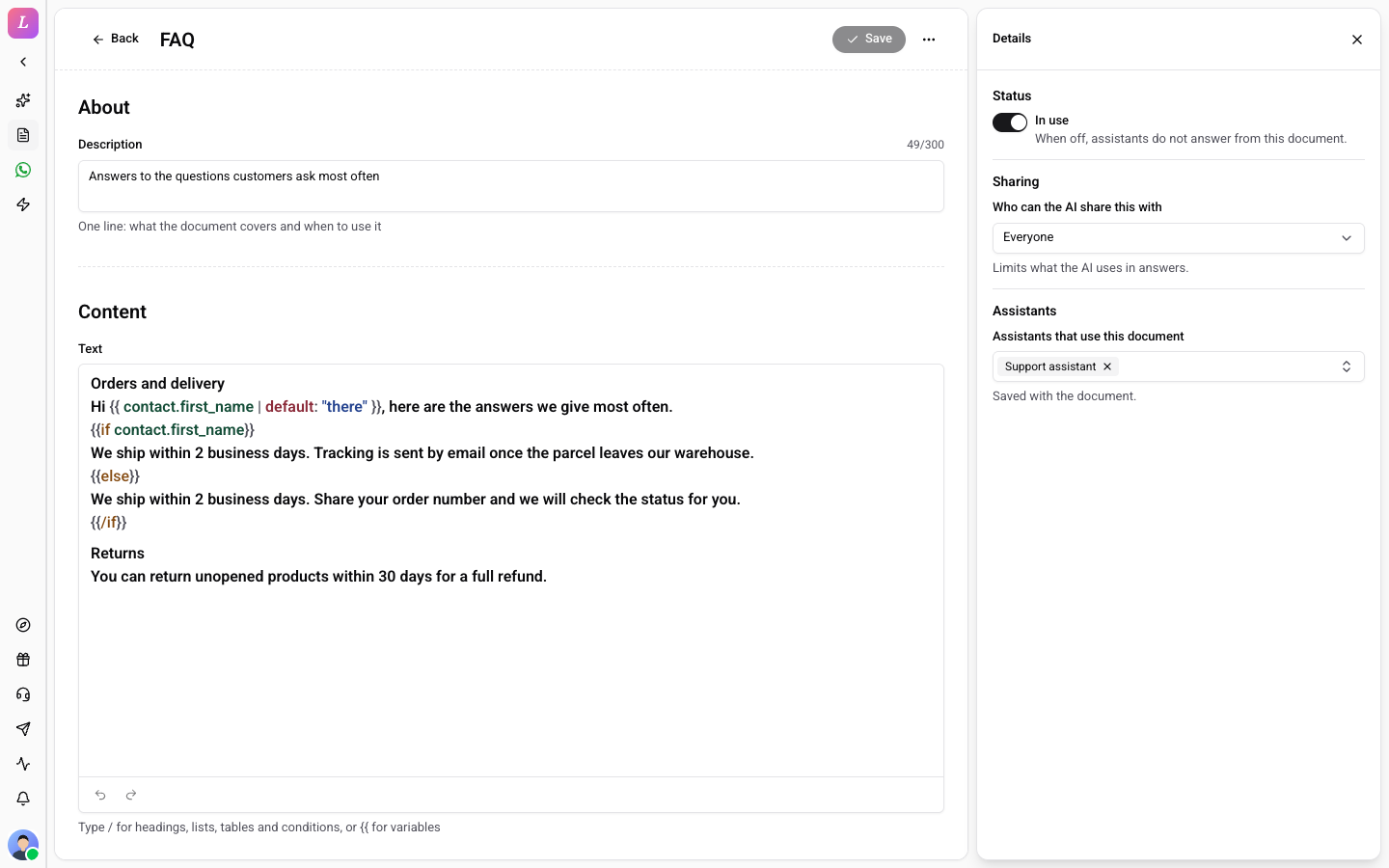
What You Can Write
| Formatting | Headings, lists, tables, bold, italic, code and links. Type / in the editor to insert them. |
| Variables | Type {{ to pick one. See Variables. |
| Conditions | Type / and choose a condition. See Conditions. |
| Length | Up to 100,000 characters. |
| Title | Up to 200 characters. |
| Description | Up to 300 characters, one line: what the document covers and when to use it. |
Title and Description
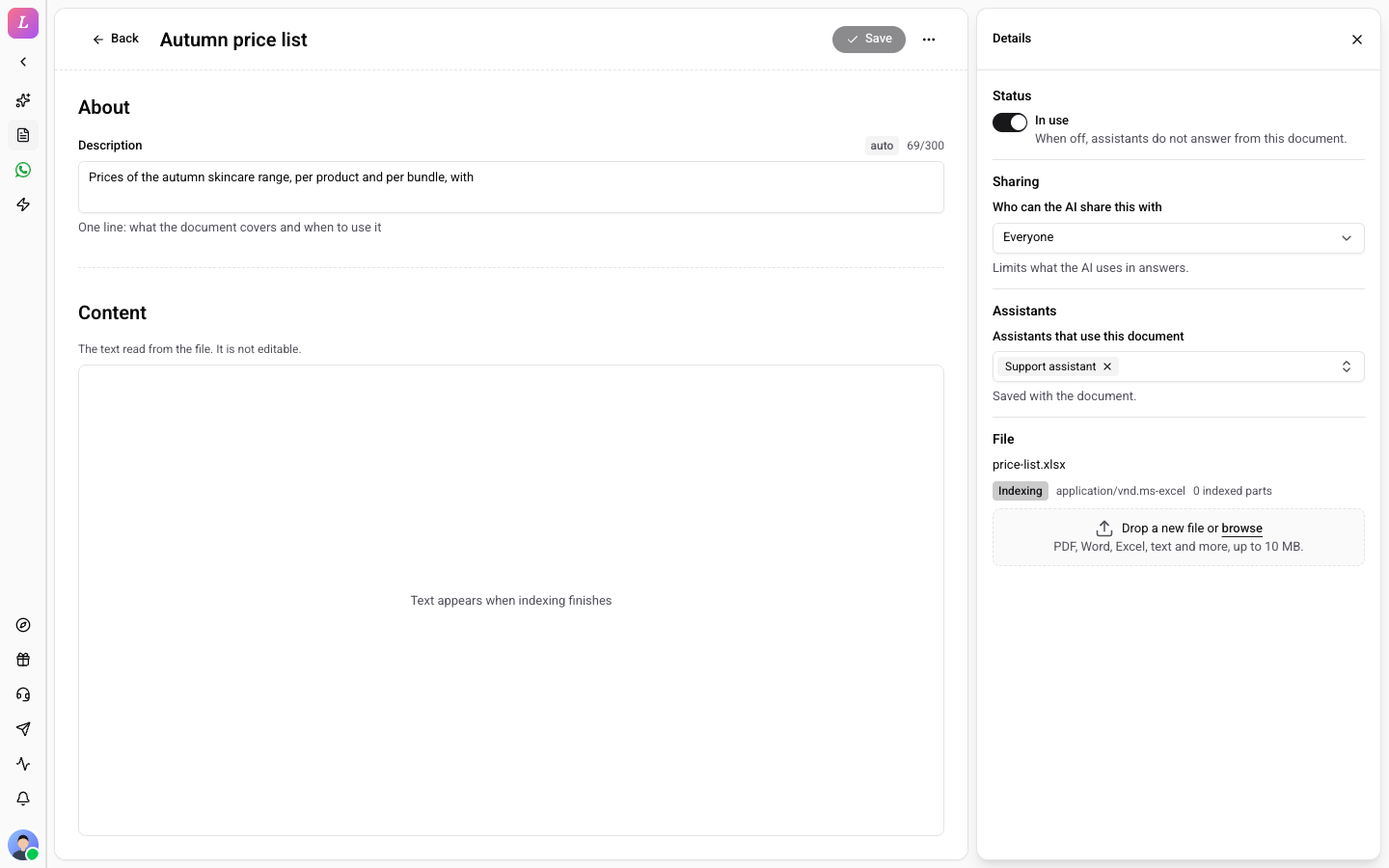
When you create a document, Wexio writes a title and a one-line description with AI. A field it wrote is marked auto, and you can edit it. The description tells the assistant when the document applies, so check that it says what the document covers. See Title and Description for the daily limits.
Variables
A variable is replaced with a real value when the assistant answers. Type {{ and the editor lists the variables you can use, such as the visitor's contact fields and your organisation's details. They work like the variables you may know from flows.
Welcome to {{organisation.name}}.
Hi {{contact.first_name | default: "there"}}, here is how returns work.
If a variable has no value for the visitor, for example a visitor who has not told you their name, it shows as empty. Give it a fallback with | default: "..." wherever an empty value would read badly.
Conditions
A condition shows a passage only when it is true for the visitor the assistant is talking to. Write it with if, and optionally elseif and else, and close it with /if:
{{if contact.plan == "Pro"}}
Pro customers get priority support, reachable at any time.
{{elseif contact.plan == "Standard"}}
Standard customers get support on weekdays.
{{else}}
Support is available through the chat on weekdays.
{{/if}}
Conditions are checked when the assistant answers, for the visitor in that conversation. The visitor never sees the tags, only the passage that applies to them.
A condition on a contact field only works for visitors Wexio knows something about. For an anonymous visitor the field is empty, so the condition is false and the else part applies.
Conditions or Audience
Both let you aim content at some visitors, but they do different jobs:
| Use | When |
|---|---|
| Audience (the Sharing setting) | The whole document is only for some visitors. |
| A condition | Only part of a document differs between visitors. |
Choose the Audience
The Sharing setting in the Details panel decides who the AI may use the whole document for: Everyone, signed-in visitors, or visitors whose contact field has a value you list. It is shown in the picture above. See Who the AI Shares It With.
What Is Not Allowed
A document can use variables and if / elseif / else only. Anything else is refused when you save, with the line and column of the problem:
forloops andinclude- the action commands that flows use:
tool,goto,switch,tag,updateandread
You see The text was not saved, followed by a message such as {tag} cannot be used in a document (line 4, column 9). Remove the tag and save again.
Documents answer questions and do not run actions. To make the assistant do something, use skills.
If the text is over the limit you see The text is too long. The limit is 100,000 characters. Split it into several documents. That also searches better.
After You Save
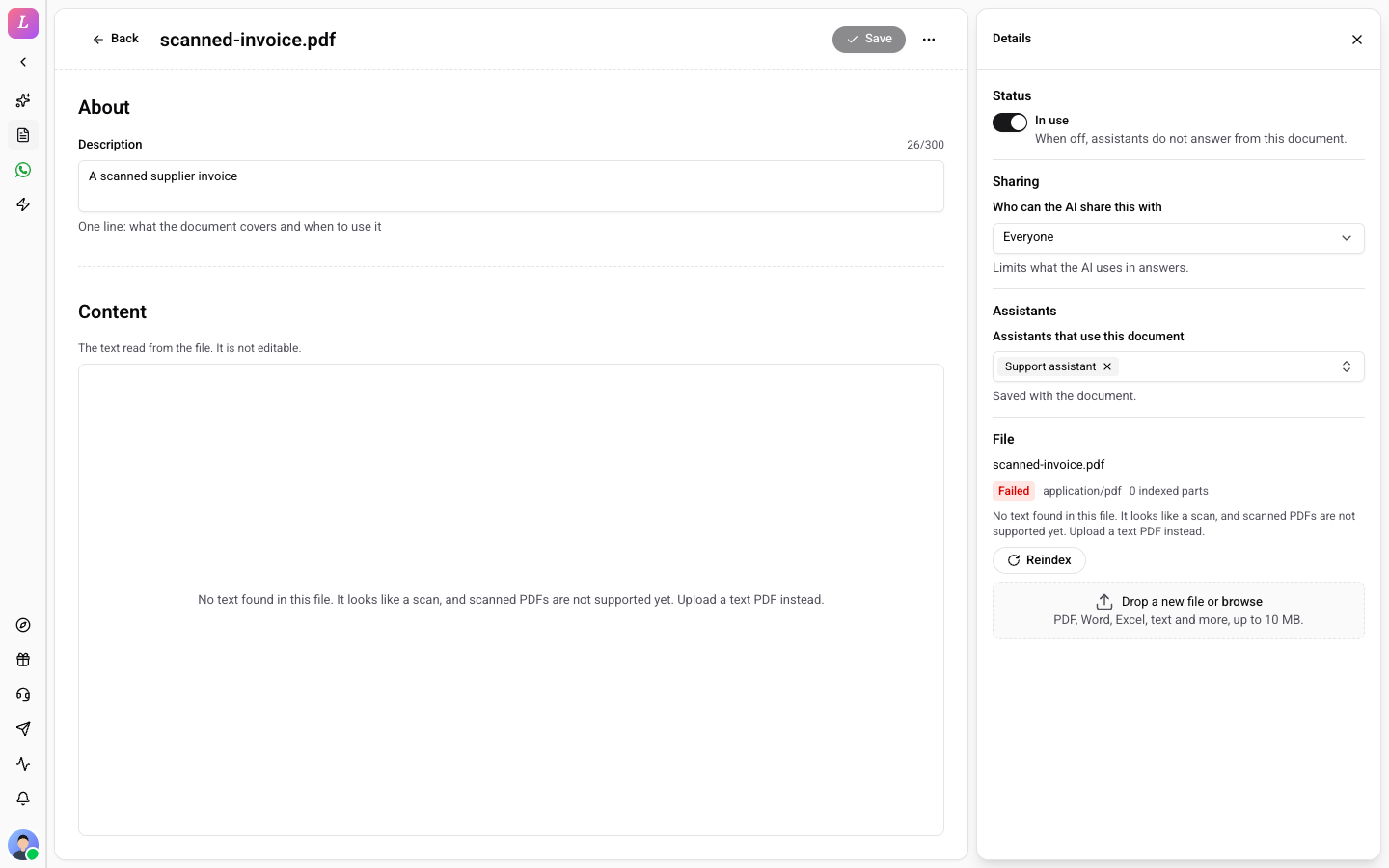
Saving re-indexes the document. It shows Indexing until it can be searched, then Ready. A document that cannot be read shows Failed. See Status.
Tips
- One topic per document. A focused document is found more reliably than a long one that covers everything.
- Say what is true, not what to do. Write "Returns are free within 14 days", not "tell the customer returns are free". The assistant's own instructions decide how it speaks.
- Test a condition from both sides. Ask the assistant the same question as a visitor who matches and one who does not.
- Put the answer near the question. Start a section with the question people ask, then answer it.