Settings
People
Manage profile fields, privacy, and custom fields for contacts
Manage the profile fields that appear on each contact, control their visibility, and create custom fields.
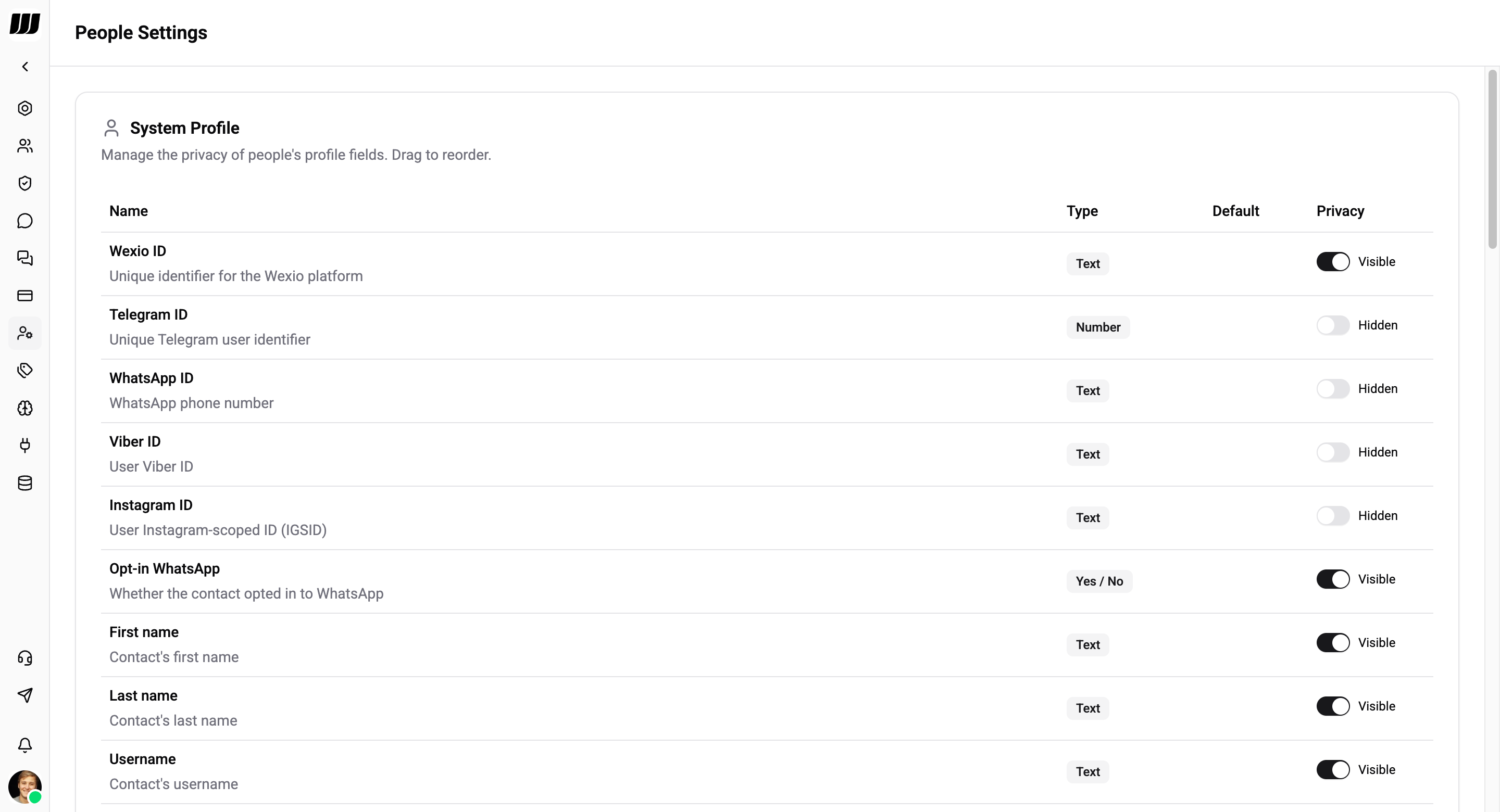
System Profile
System fields are built-in fields that exist on every contact. You cannot delete system fields, but you can:
- Reorder them by dragging
- Toggle privacy (Visible / Hidden)
- Set a default value on select fields (
Is valid,Is blocked,AI available)
Privacy
Each field can be set to Visible or Hidden:
- Visible - the full value is shown in the UI
- Hidden - the value is masked (e.g.
va******@****l.com) so that sensitive data is not exposed to all team members
System Fields
Fields marked Not allowed in the Default column have their default value set by the system and cannot be changed. Only Is valid, Is blocked, and AI available allow you to set a custom default.
Custom Fields
Below the system fields you can create your own custom fields to store any additional data on contacts.
Adding a Custom Field
Click Add Field and configure:
| Option | Description |
|---|---|
| Name | The field label shown in the contact profile |
| Type | Text, Number, Date, Yes / No, or Predefined Options |
| Default | Optional default value for new contacts |
| Privacy | Visible or Hidden |
Managing Custom Fields
- Reorder - drag fields to change their display order
- Edit - change the name, default value, or privacy setting
- Delete - remove a custom field (this deletes the field and its data from all contacts)
Deleting a custom field is permanent and removes its value from every contact.