FlowsCards
Condition Card
Branch the flow based on conditional logic
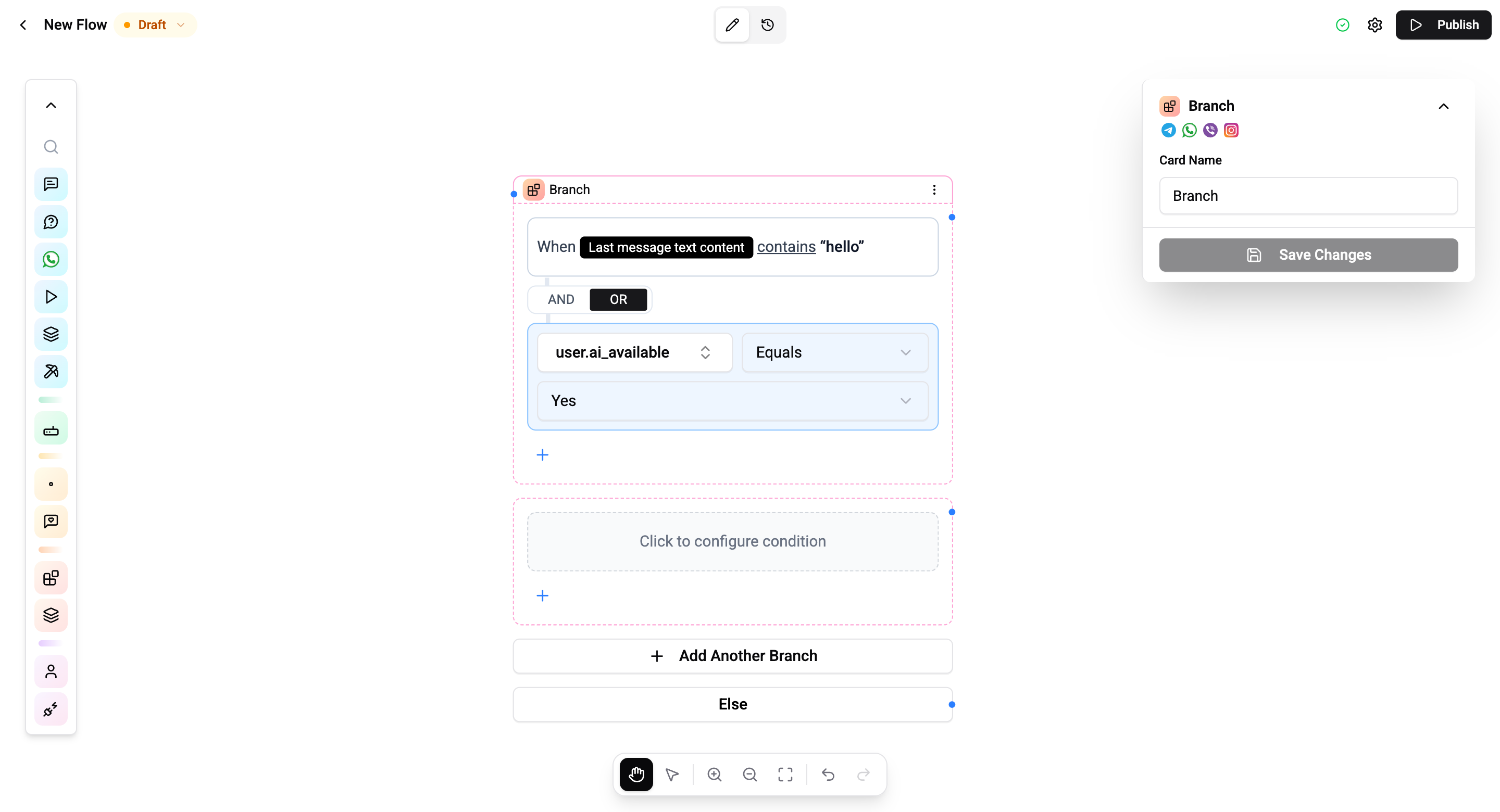
The Condition Card evaluates expressions and routes the flow into multiple branches, enabling if/else logic in your automations. Unlike a simple true/false split, the Condition card supports multiple named branches, each with its own set of conditions, plus a default Else path.
Configuration
Each branch consists of one or more conditions combined with AND or OR connectors.
| Setting | Description |
|---|---|
| Variable | The variable to evaluate (from user.*, chat.*, message.*, flow.*) |
| Operator | Comparison operator |
| Value | The value to compare against |
| Connector | AND or OR to combine multiple conditions within a branch |
Operators
| Operator | Description |
|---|---|
| Equals | Exact match |
| Not equals | Does not match |
| Contains | Text contains substring |
| Not contains | Text does not contain substring |
| Starts with | Text starts with prefix |
| Ends with | Text ends with suffix |
| Greater than | Numeric comparison |
| Less than | Numeric comparison |
| In array | Value is in a list |
| Not in array | Value is not in a list |
| Is empty | Field has no value |
| Is not empty | Field has a value |
| Matches regex | Regular expression match |
Connections
- 1 input port - Receives execution
- Multiple output ports - One per branch, plus an Else (default) port
Branches are evaluated top to bottom. The first branch whose conditions all match is taken. If no branch matches, the Else path is followed.
Multiple Branches
You can add as many branches as needed. Each branch can have multiple conditions combined with AND/OR:
- AND - All conditions in the branch must be true
- OR - At least one condition in the branch must be true
Use Cases
- Routing - Route VIP customers to dedicated support based on a custom field
- Validation - Check if required data was collected before proceeding
- Channel routing - Different responses based on
chat.integrationId(Telegram vs WhatsApp) - Time-based logic - Different responses during business hours using
system.currentHour
Operations Cost
2 operations per execution.