Install Methods
Compare the embed methods and framework packages, the CDN layout, and the version-cache policy
Every embed method delivers the same widget: same runtime, same chat, same visitor identity. Pick the method that fits your host page.
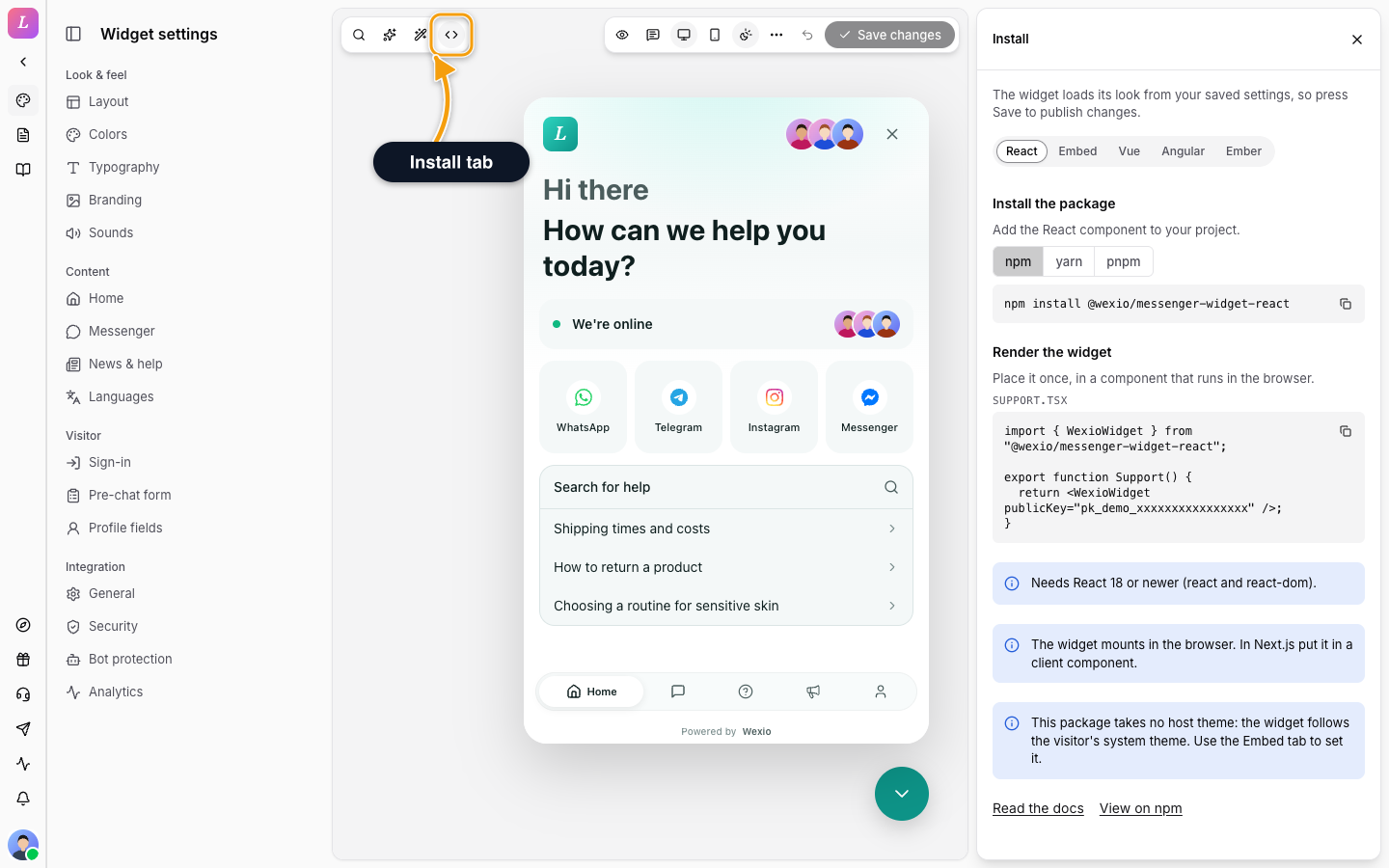
Ready-made snippets, with your public key already in them, are in the Widget settings. Click Install in the top-left toolbar. A side panel opens with one tab per method: React, Embed, Vue, Angular and Ember.
Zero-Build Options
Script loader (loader.js) | Web Component (widget.js) | |
|---|---|---|
| Host API surface | <script> data attributes | HTML attributes + custom events |
| Style isolation | Full document (iframe) | Shadow DOM |
| JS isolation | Full | Shared with host |
| Accessibility tree | Separate | Part of host page |
| Best for | Paste-a-tag installs, CMS / WYSIWYG | Any framework or vanilla, no build step |
Framework Packages
Each framework package is a thin wrapper around the Web Component. It gives you props or inputs and events that fit your framework, and runs the same widget underneath. All packages are published on npm and versioned together.
| Framework | Package | Selector / usage |
|---|---|---|
| React | @wexio/messenger-widget-react | <WexioWidget /> |
| Vue 3 | @wexio/messenger-widget-vue | <WexioWidget /> |
| Angular | @wexio/messenger-widget-angular | <wexio-widget-ng /> (standalone component) |
| Ember | @wexio/messenger-widget-ember | <wexio-widget> (registers the element) |
Choosing a Method
- React, Vue, Angular, or Ember. Use the matching framework package for native props and events.
- Another framework (Svelte, Solid) or plain HTML with a build step. Use the Web Component: one module script and one
<wexio-widget>element. - A one-tag install, or a CMS / WYSIWYG block. Use the Script loader.
Try every option in the hosted Widget Playground, which generates the install code for React, Vue, Angular, Ember and the script tag. See Examples.
CDN Layout
The widget bundles are hosted under https://cdn.wexio.io/widget/:
cdn.wexio.io/widget/
├── loader.js            # Iframe loader (vanilla JS)
├── widget.js            # Web-component bundle (ESM)
├── widget-react.js      # React-component bundle (ESM)
├── widget-wc-<hash>.js  # Code-split chunks (immutable)
├── widget-demo.html     # Demo page (web component)
├── widget-react-demo.html
└── v1.7.9/              # Pinned-version copy (immutable), one folder per release
    ├── loader.js
    ├── widget.js
    └── widget-wc-<hash>.js
Cache Policy
| Path | Cache-Control | Meaning |
|---|---|---|
/widget/loader.js | max-age=300, s-maxage=300, stale-while-revalidate=86400 | 5-minute hard cache plus 24-hour stale-while-revalidate. Bug fixes ship fast. |
/widget/widget.js, /widget/widget-react.js | max-age=60, s-maxage=60, must-revalidate | Revalidated every minute, so a new release reaches visitors quickly. |
Versioned (/widget/v1.7.9/...) and hashed chunks (widget-wc-<hash>.js) | max-age=31536000, immutable | One year, immutable. Never invalidated. |
| All responses | Access-Control-Allow-Origin: * | Loadable from any origin. |
Unversioned paths serve the latest release. To lock a build, see version pinning.
Legacy flat URLs (cdn.wexio.io/loader.js, cdn.wexio.io/loader@1.7.9.js, …) map to the /widget/... paths through CDN rewrites, so existing embeds resolve. Use the /widget/... paths for new integrations.
Demo Pages
- Web Component.
https://cdn.wexio.io/widget/widget-demo.html - React (ESM CDN).
https://cdn.wexio.io/widget/widget-react-demo.html
Related
- Script loader - the one-tag iframe embed.
- Web Component - the custom element, for any framework.
- Version Pinning & Origins - lock a build, restrict origins, rotate the secret.
- Examples - runnable apps for every method.