Broadcasts
Schedule a one-shot send of a flow or WhatsApp template to a filtered audience
A broadcast is a one-shot, scheduled send. You pick a moment in time + a filter + a payload (flow or template) and Wexio fires it exactly once for everyone who matches.
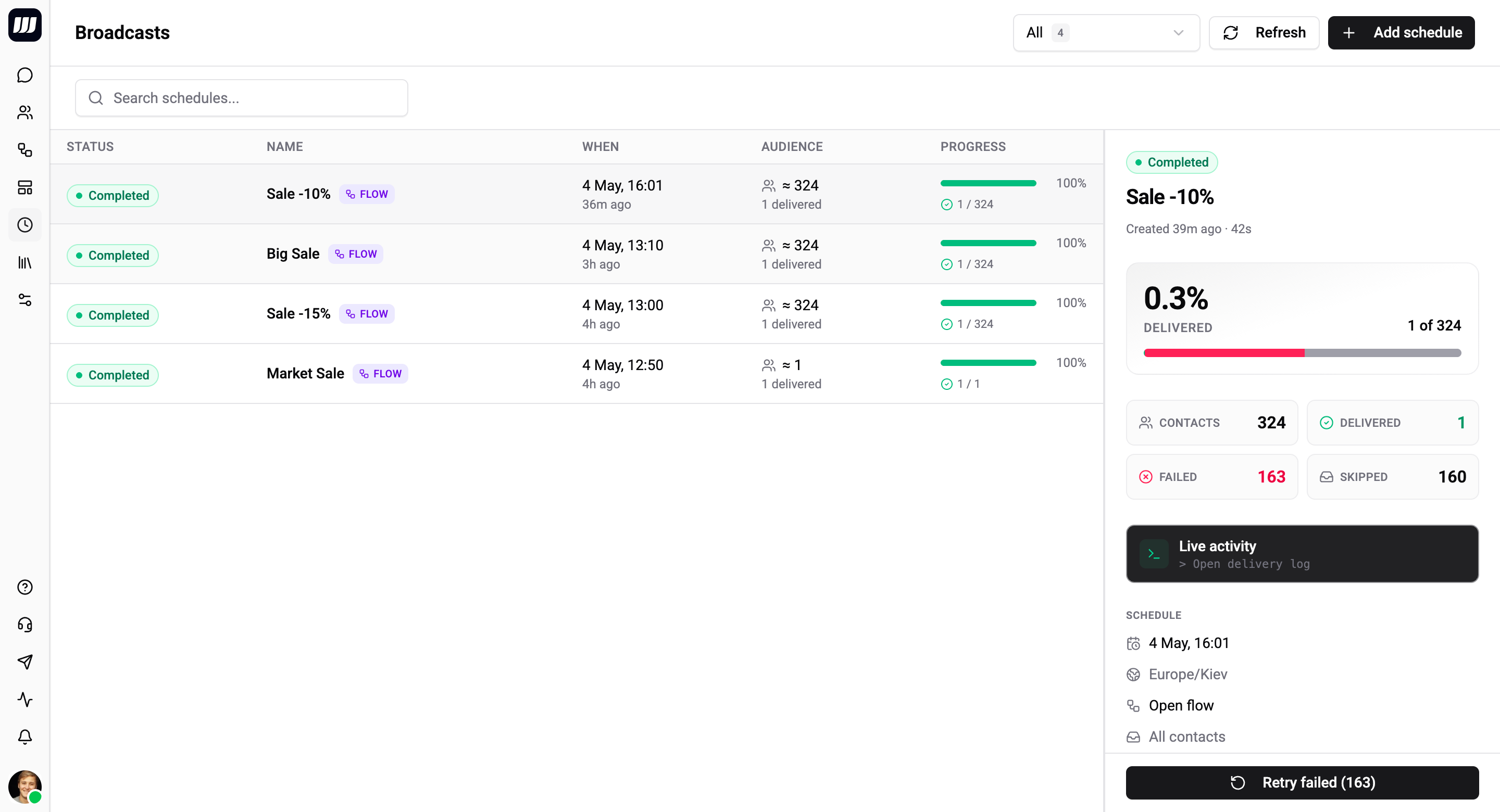
Use a broadcast whenever you want a bounded, auditable one-shot send:
- "Notify everyone tagged
vip30 minutes before the webinar starts." - "Send the seasonal-sale WhatsApp template to all customers in Spain on Thursday at 9am."
- "Run the post-checkout follow-up flow for everyone who bought in the last 7 days, this Friday."
- "Re-engage cold leads on the first of each month" (created as a series of one-shot broadcasts).
Broadcasts are gated to Pro and Enterprise plans. Free / Standard orgs see an upgrade prompt instead of the create button.
Two Kinds
Every broadcast is one of two kinds, picked at creation time:
| Kind | What you set | What runs |
|---|---|---|
| Flow | Pick one of your published flows | The flow runs end-to-end for each contact - supports any cards (text, media, AI, branches, conditions, even templates) |
| Template | Pick a WhatsApp template + a WA integration | A single WhatsApp template is sent per contact through the chosen integration |
When to use which:
- Flow - branched, conversational, captures responses, mixes channels. Optionally attach WhatsApp template fallbacks so contacts the flow can't reach (typically a closed WA 24h window) still receive something.
- Template - static announcement, promotion, or notification. Configure one or more template routes -
(template, integration)pairs - and the system picks the right route per contact. Each route is itself window-safe; no fallback is needed.
How Broadcasts Differ From Schedule Triggers
Same execution plumbing under the hood - different lifecycle and ownership.
| Broadcast | Scheduled Trigger | |
|---|---|---|
| Lifecycle | One-off; disappears from the active list after firing | Permanent while the flow is published |
| Recurrence | Fires once | One-off, recurring (cron), or relative to a contact date field |
| Ownership | Standalone entity | A row in the flow's trigger list |
| Typical use | "Send the Black Friday push on Nov 29 at 10:00" | "Run this flow every Monday at 09:00" or "2h before each booking" |
| Audit view | Per-broadcast history page with stats | Cross-run logs only |
| Cancellable | Yes, until firing starts | Disable by unpublishing the flow |
Reach for a broadcast for bounded, one-shot sends with a per-run audit trail. Reach for a scheduled trigger for ongoing automations that fire whenever a clock or contact date matches.
What Broadcasts Are Not
- Not recurring. Each broadcast fires once. To repeat, create another broadcast (or use a recurring scheduled trigger).
- Not a trigger. Triggers fire in response to an event (message received, field changed, webhook received). Broadcasts fire at a clock time.
- Not transactional. Broadcasts are bulk. For 1:1 receipts, OTPs, or order-status messages, send templates from a flow or webhook handler.
- Not a campaign manager. No A/B split, no journey, no funnel dashboard - just delivered/skipped/failed counts. Cohorting and experimentation belong in the flow editor.
- Not throttled by user-set rate limits. Dispatch speed is paced by the messaging provider (e.g. WhatsApp Business API tier), not by broadcast configuration.
Common Sections
Create a broadcast
Walk through the 5-step wizard: audience, send-kind, picker, schedule, review
Audience filter
Conditions, operators, and how the audience is re-evaluated at fire time
Scheduling
Pick a time and timezone - minimum lead time, late-fire policy, missed windows
Fallbacks & template routes
Add WhatsApp template fallbacks to a flow; configure template routes for multi-region sends
Lifecycle & cancellation
Statuses, transitions, what's editable when, how to cancel
Delivery & logs
DELIVERED / FAILED / SKIPPED outcomes, history table, rate-limit pacing
Retry failed contacts
Spawn a new broadcast targeting only the FAILED rows of a prior one
Limits & permissions
Plan gating, role gating, the combined scheduled-work quota
Glossary
- Audience filter - the list of conditions that defines who receives the broadcast.
- Audience size estimate - the count shown in the wizard, computed against the live directory at the moment you're editing.
- Audience size actual - the count computed at fire time, when the audience is re-resolved.
- Template route - a
(template, integration)pair used by template-mode broadcasts to direct delivery through the right WhatsApp number. - Fire time - the moment the worker dispatches the broadcast (within seconds of the scheduled time).
- Dispatch - the act of sending the flow or template to a single contact during the
SENDINGphase. - Retry of a broadcast - a new broadcast targeting only the failed contacts of a prior one, linked via the source's history.