Scheduled Trigger
Fire a flow at a specific time, on a cron schedule, or relative to a contact's date field
The Scheduled Trigger runs a flow without waiting for a user message. Use it for daily digests, birthday messages, appointment reminders, delayed follow-ups, and any broadcast to a filtered audience.
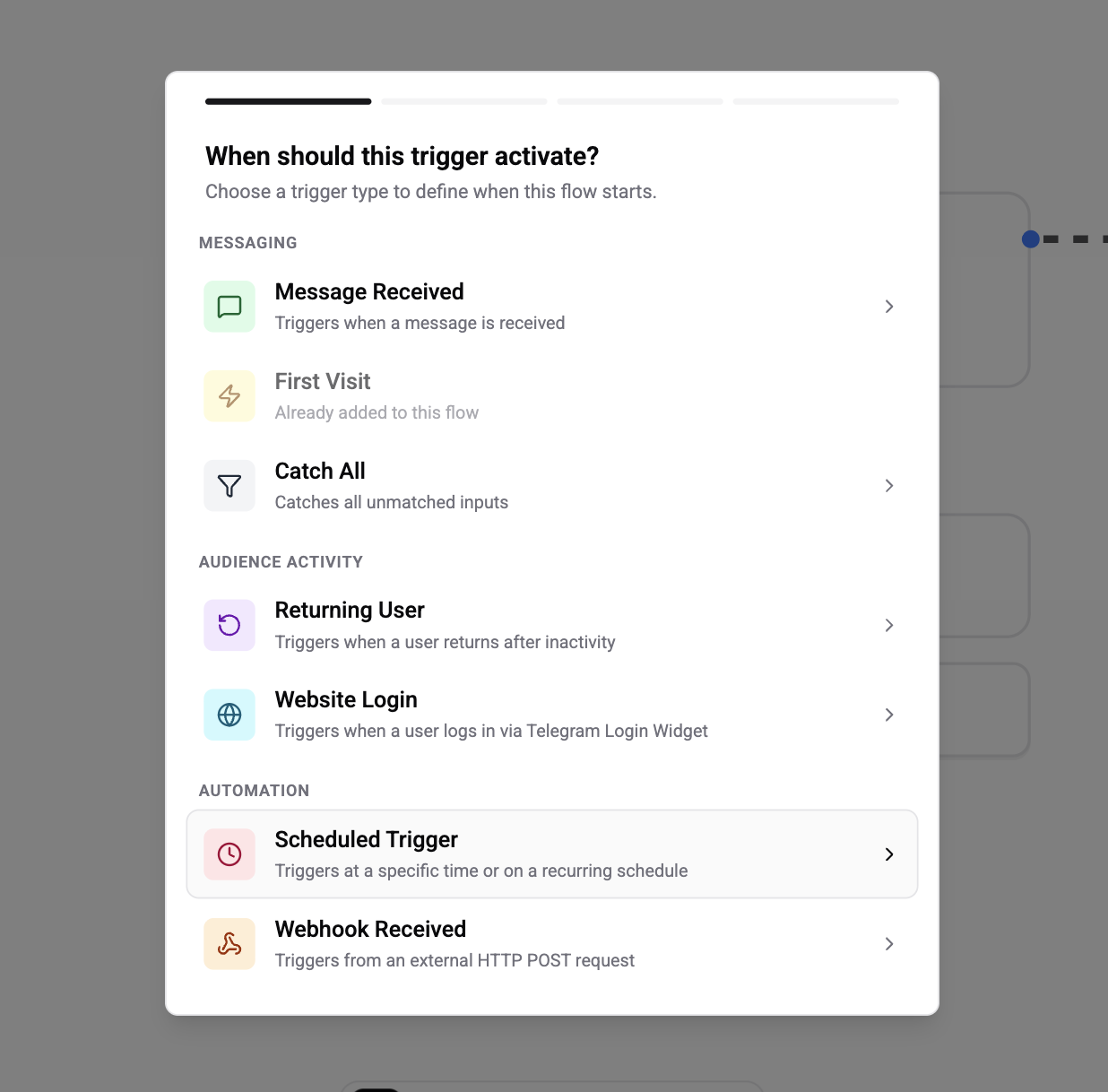
Two Scheduling Modes
The first refinement step asks which mode you want.
| Mode | When the flow fires |
|---|---|
| Specific time | At a fixed datetime (one-off) or on a recurring cron schedule |
| Relative to a contact field | X days/hours before or after a date stored on each contact (e.g. birthday, appointment_date, signup_date) |
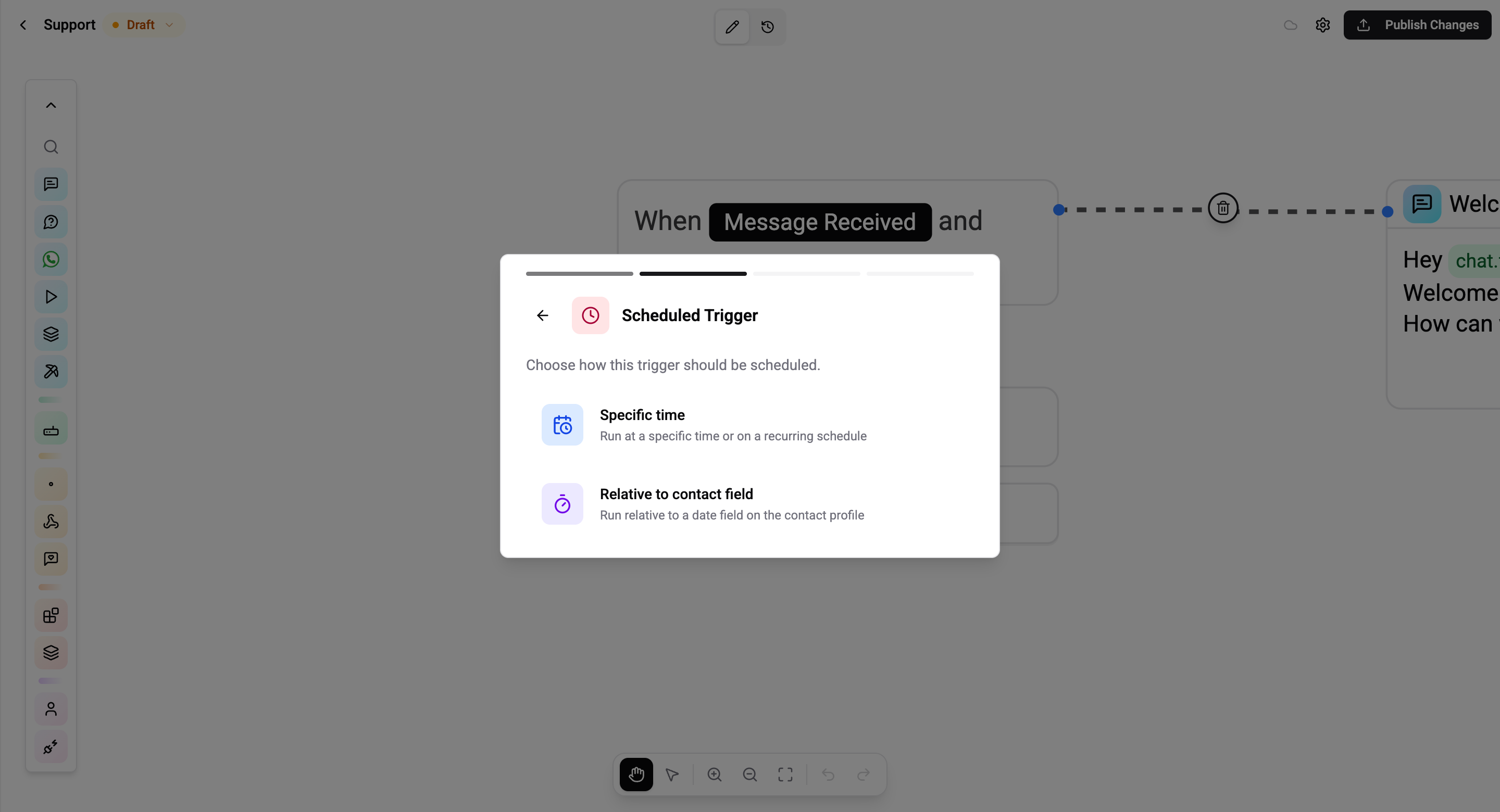
Specific Time
Use this when the firing time is the same for everyone in the audience - a Monday-morning digest, a Black-Friday blast, a 09:00 daily tip.
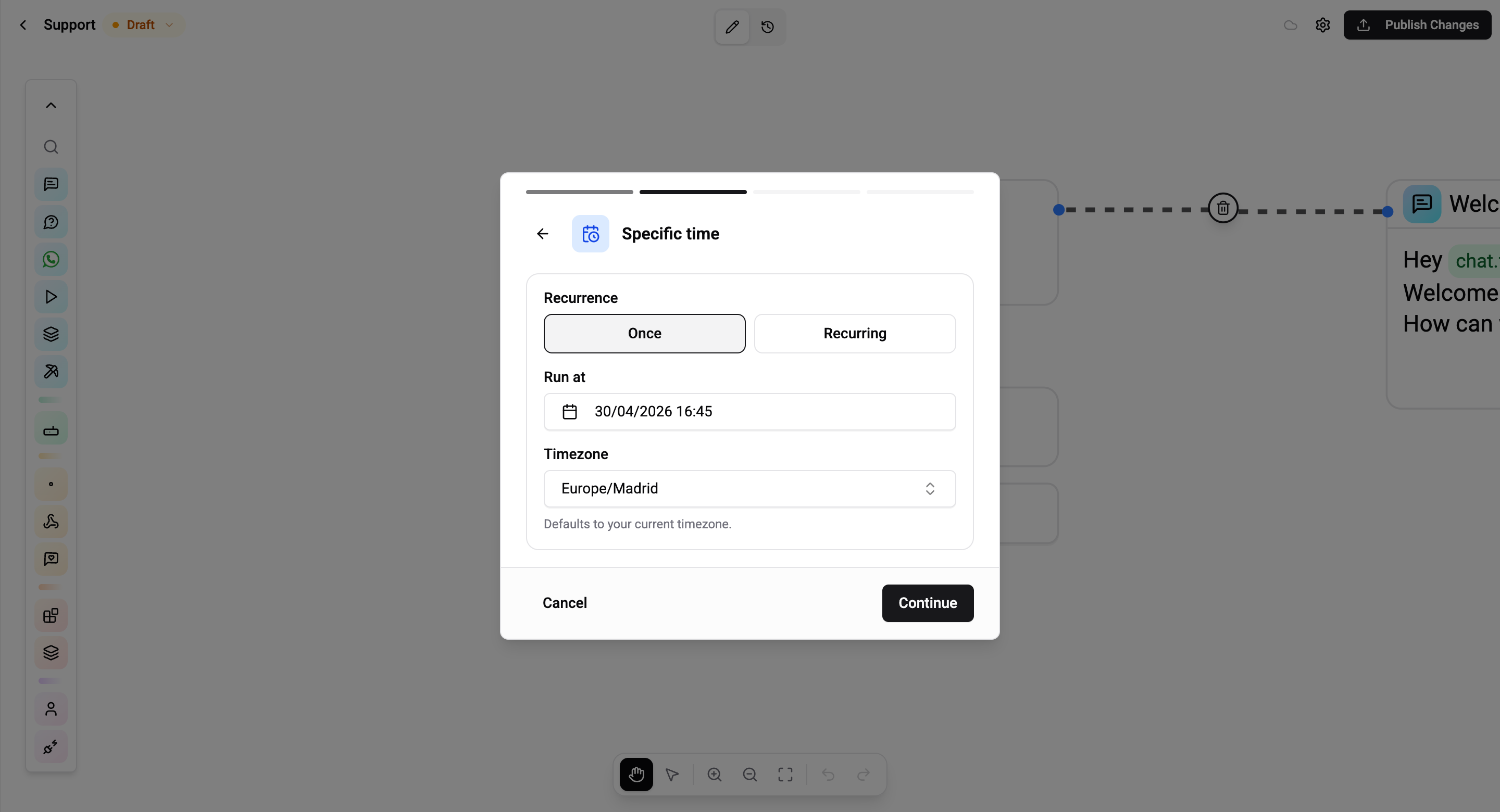
One-off
| Field | Description |
|---|---|
| Date & time | Exact datetime the flow should fire |
| Timezone | IANA timezone (e.g. Europe/Kiev, America/New_York). Defaults to your organisation's timezone |
The flow fires once within a 60-second window of the chosen moment and never again.
Recurring
| Field | Description |
|---|---|
| Cron expression | Standard 5-field cron: minute hour day-of-month month day-of-week |
| Timezone | The cron is evaluated in this timezone |
Supported cron syntax: * wildcards, specific numbers, ranges (1-5), step values (*/5), and comma-separated lists (1,3,5).
| Schedule | Cron | Notes |
|---|---|---|
| Every day at 09:00 | 0 9 * * * | Honours the timezone you pick |
| Every Monday at 09:00 | 0 9 * * 1 | 0 = Sunday |
| Every weekday at 17:30 | 30 17 * * 1-5 | Range |
| Every 15 minutes | */15 * * * * | Fires at :00, :15, :30, :45 |
| First of every month at 08:00 | 0 8 1 * * | Monthly |
Not supported: 6-field (seconds) crons, named shortcuts (@hourly), L/#/W modifiers.
Keep the cron frequency reasonable. */5 * * * * on an audience of 100 000 contacts fires every 5 minutes for everyone - that's 100 000 flow executions per tick. Prefer larger intervals or a RELATIVE trigger when possible.
Relative to a Contact Field
Use this when the firing time depends on something stored on each contact - their birthday, an appointment, a subscription renewal date, a signup timestamp.
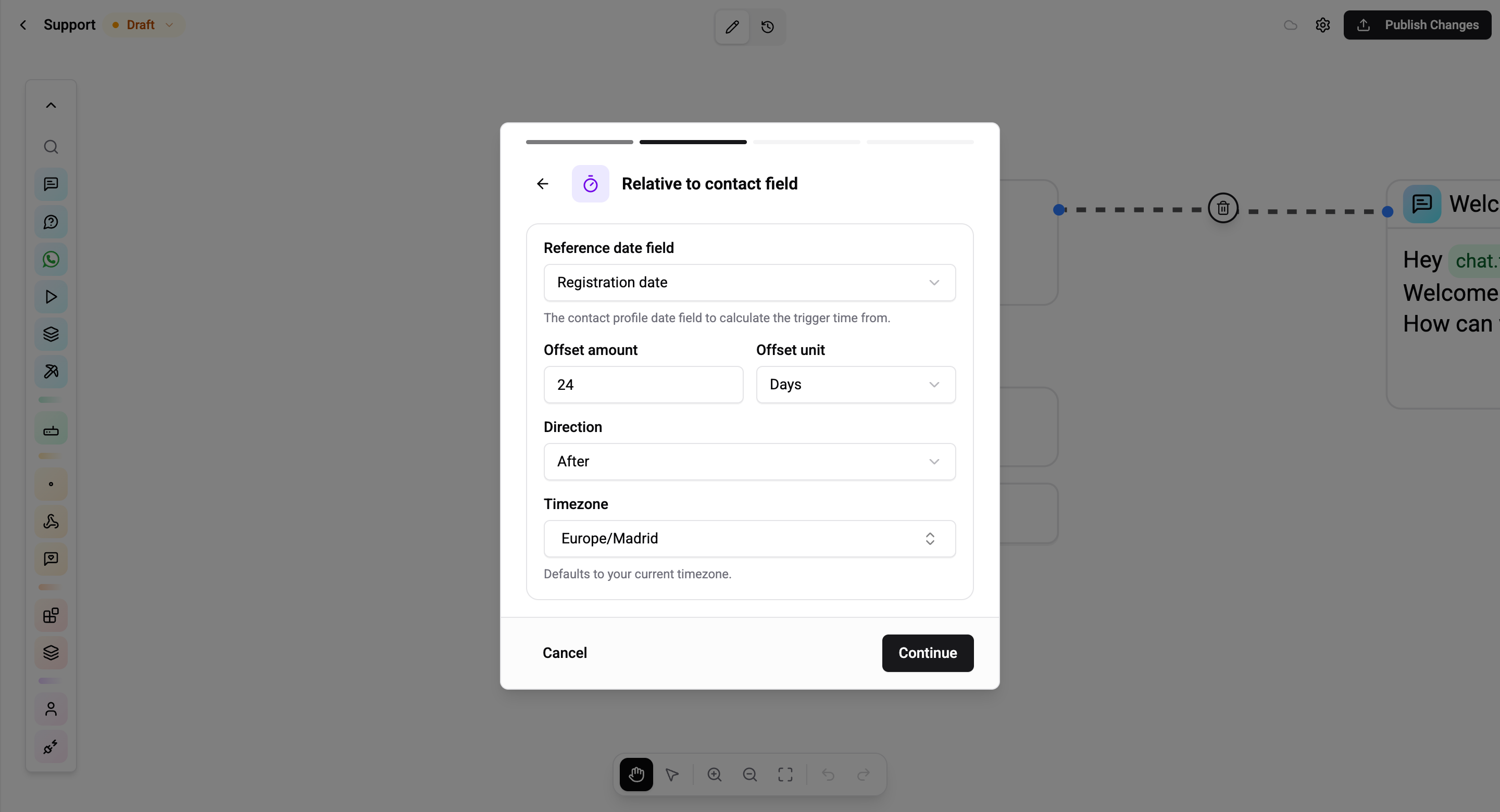
| Field | Description |
|---|---|
| Reference field | The People field that holds the date (e.g. appointment_date, birthday, renewal_date) |
| Offset amount | Numeric offset |
| Offset unit | minutes, hours, days, or weeks |
| Offset direction | before or after the date |
Example - "24 hours before appointment":
reference field   = appointment_date
offset amount     = 24
offset unit       = hours
offset direction  = before
A contact with appointment_date = 2026-05-10T10:00 fires this flow at 2026-05-09T10:00. If they update the appointment, the flow re-arms for the new value.
RELATIVE triggers fire once per reference-field value. If the field never changes, the contact fires only once. Update the field to re-arm.
Audience Filter (Both Modes)
After configuring the schedule you can narrow the audience with an optional filter - a list of profile conditions combined with AND.
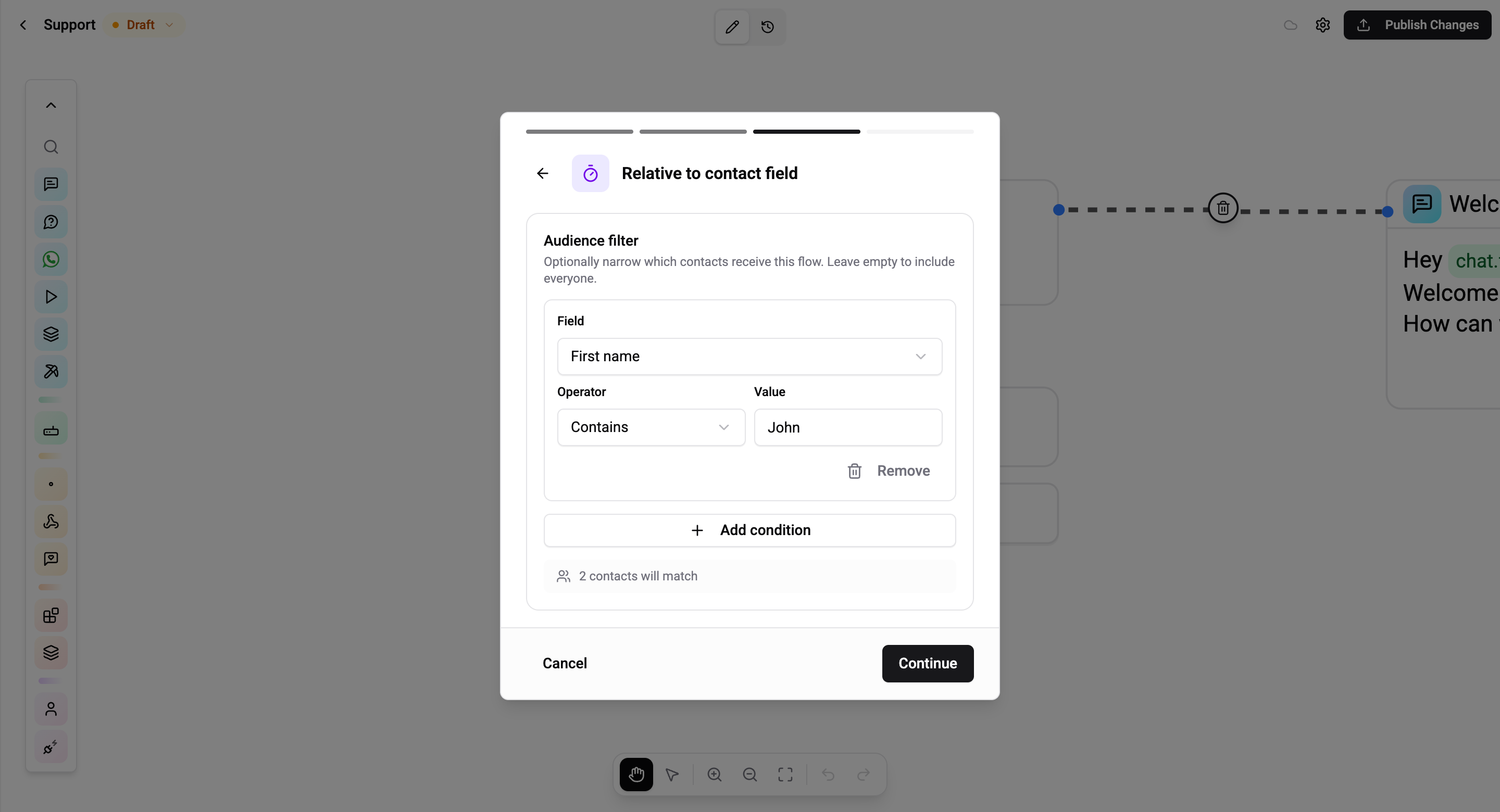
| Example | Meaning |
|---|---|
language EQUALS en | English speakers only |
tags CONTAINS newsletter | Only contacts tagged newsletter |
customFields.plan EQUALS pro | Only Pro-tier subscribers |
Default - no filter:
- Specific time → every contact in the organisation receives the flow.
- Relative → every contact whose reference field falls in the time window - already naturally bounded by the field, but you can narrow further.
Review & Create
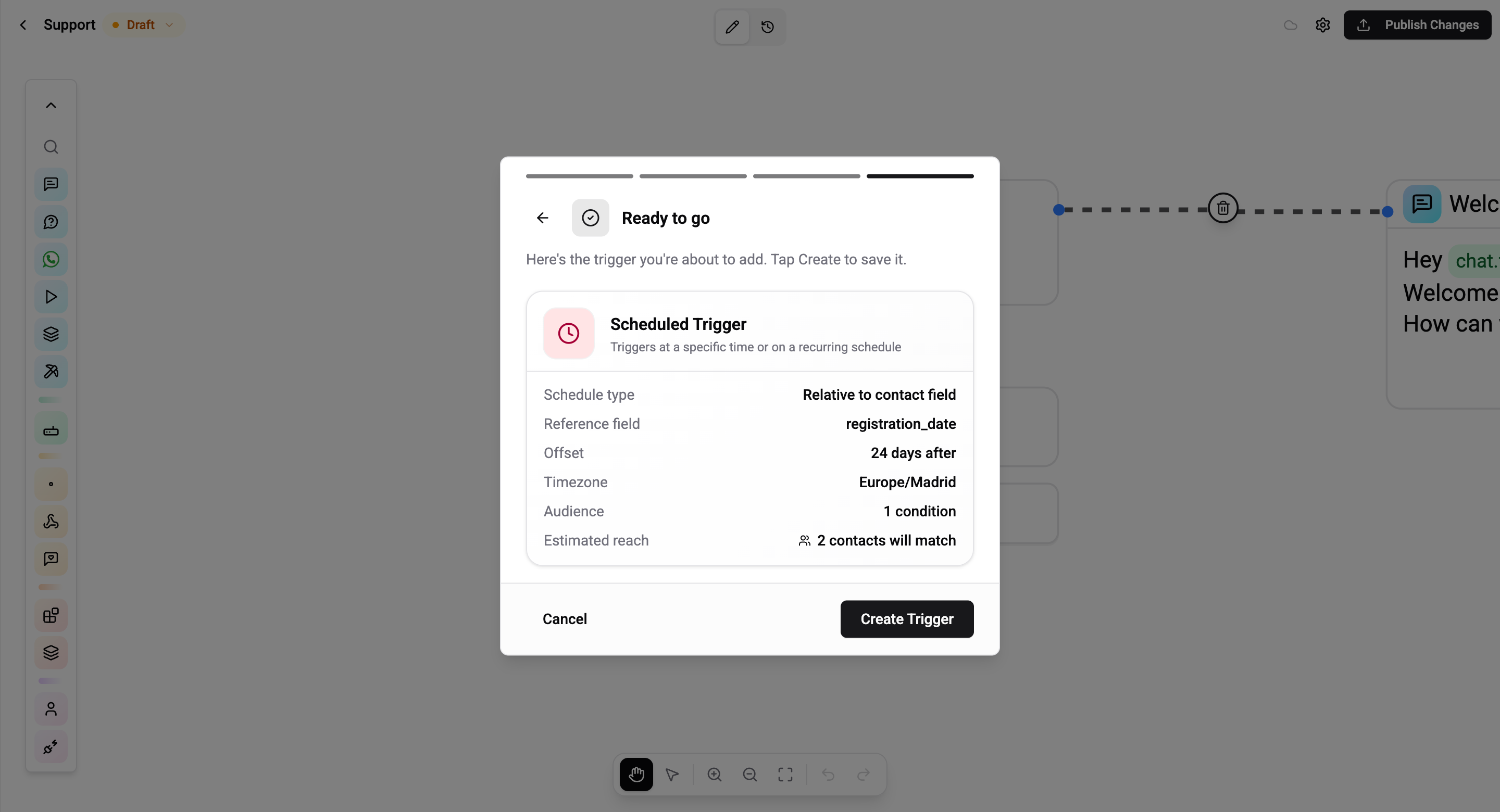
The summary shows the resolved schedule, timezone, and audience filter. Tap Create Trigger to save.
Messaging Window (WhatsApp / Instagram)
Scheduled Triggers are proactive - they fire without a user message, so the 24-hour messaging window may be closed. Design the flow accordingly.
| Channel | Inside 24h window | Outside 24h window |
|---|---|---|
| Telegram | Any card | Any card - no window |
| Viber | Any card | Any card - may be billable out-of-session |
| Any card | Only Template cards - pre-approved by Meta | |
| Any card | Delivery fails. 7-day window with human_agent tag for support replies |
For cross-channel broadcasts, gate the flow on channel in a Condition card and route WhatsApp contacts to a template, everyone else to the plain text.
Rules and Caveats
- Evaluated every 60 seconds. Cron expressions are matched against the minute; sub-minute precision is rounded.
- Rate-limited per channel. Telegram allows 30 msg/s per bot; WhatsApp 80/s per phone; Instagram 80/s per page. Wexio respects these limits with a shared token bucket - a 100k-contact broadcast will spread out over several minutes automatically.
- Dedup is per-firing, not per-lifetime. If you have both a
*/5 * * * *cron and a one-off for 09:00, a contact can match both and receive two flows at 09:00. Filter carefully. - Timezones matter. Cron
0 9 * * *inEurope/Kievfires at 06:00 UTC. Check the preview in the review step to make sure it matches what you expect.
Common Use Cases
- Daily digest -
0 9 * * *with an audience filter oftags CONTAINS daily_digest - Birthday message - RELATIVE with reference field
birthday, offset 0 days, directionafter - Appointment reminder - RELATIVE with
appointment_date, 24h before - Renewal notice - RELATIVE with
renewal_date, 7 days before, filtered byplan IS NOT EMPTY - Monthly recap -
0 8 1 * *with no audience filter (everyone) - Abandoned-cart follow-up - RELATIVE with
cart_last_updated_at, 1 hour after, filtered bycart_total GREATER_THAN 0