AI Settings
Configure AI assistant behaviour and media processing for your inbox
Configure how AI assistants interact with conversations in your inbox.
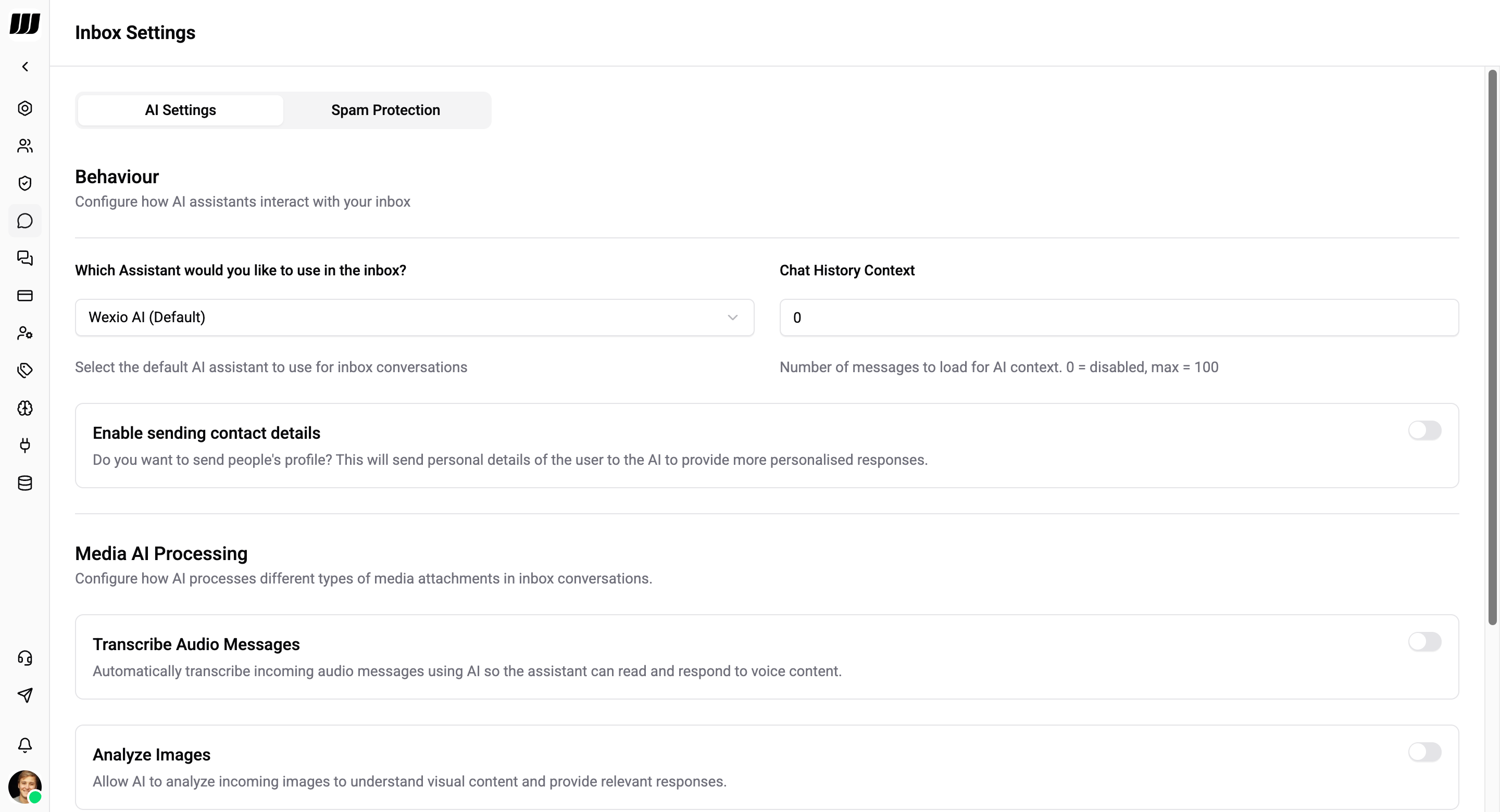
Behaviour
Configure how AI assistants interact with your inbox.
| Setting | Description |
|---|---|
| Assistant | Select the default AI assistant to use for inbox conversations (e.g. "Wexio AI (Default)") |
| Chat History Context | Number of messages to load for AI context. 0 = disabled, max = 100 |
| Enable sending contact details | Send people's profile to the AI to provide more personalised responses. This sends personal details of the user to the AI |
For creating and configuring assistants, managing knowledge base, and setting up providers - see the AI section.
Media AI Processing
These settings have moved. Media AI processing is now configured per assistant, not once for the whole inbox - so one assistant can read images and documents while another handles text only. Find them on the assistant itself under AI → Assistants.
Each assistant has its own four toggles:
| Setting | Description |
|---|---|
| Transcribe Audio Messages | Automatically transcribe incoming audio messages using AI so the assistant can read and respond to voice content |
| Analyze Images | Allow AI to analyze incoming images to understand visual content and provide relevant responses. Enabling this adds image processing to the AI pipeline, which may increase response time |
| Analyze Documents | Allow AI to read and analyze incoming documents (PDF, Word, etc.) for context-aware responses |
| Analyze Videos | Allow AI to analyze incoming video content to understand and respond to visual media. Video analysis requires more processing time and may noticeably increase AI response time |
Transcriptions appear alongside the original audio message in the chat.
Because the setting is per assistant, which media an incoming message gets analysed with depends on which assistant is answering that conversation. An assistant with image analysis off simply does not see the picture, even if another assistant in the same organisation would.