FlowsCards
AI Classification Card
Classify user input into predefined categories using AI
The AI Classification Card uses AI to analyze user input and classify it into one of your predefined categories, routing the flow to the matching branch.
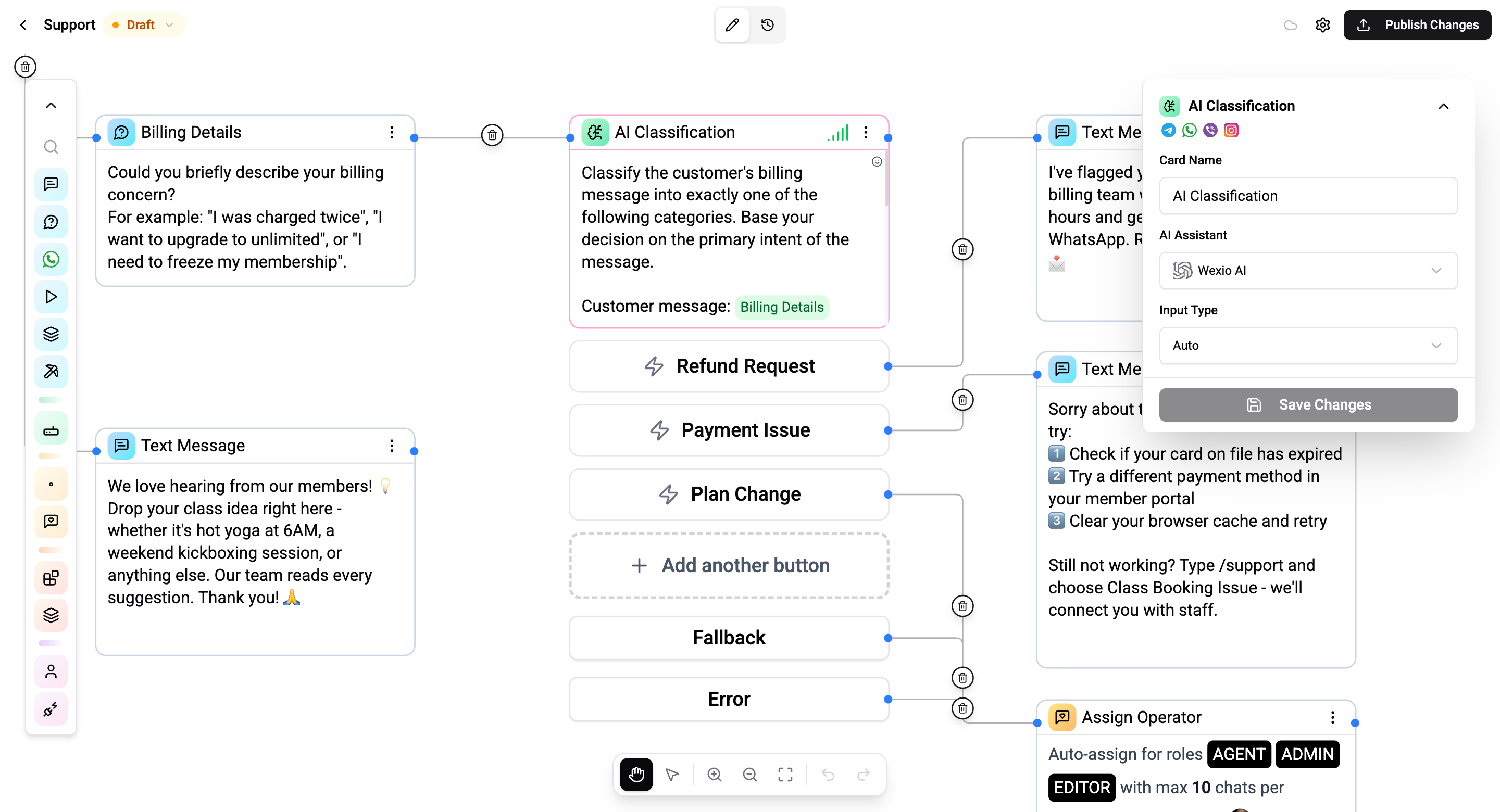
Configuration
| Setting | Description |
|---|---|
| System prompt | Instructions guiding how the AI should classify the input |
| Categories | Define classification categories as buttons - each creates an output branch |
How It Works
- The card receives user input (text, image, audio, or video)
- The AI model analyzes the input using the system prompt as guidance
- It selects the best-matching category
- The flow branches to the corresponding category output
Categories
Define the categories the AI should classify into. Each category creates a separate output connection on the card, just like buttons:
- Sales inquiry → Route to sales flow
- Support request → Route to support agent
- Billing question → Route to billing flow
- General question → Route to FAQ
Add a Fallback category for inputs that don't match any defined category.
Connections
- 1 input port - Receives execution
- Multiple output ports - One per category, enabling branching by classification result
- 1 error output - Triggers if the AI model fails or returns an unrecognized result
Use Cases
- Intent detection - Route support vs. sales inquiries
- Sentiment analysis - Detect customer satisfaction levels
- Content moderation - Flag inappropriate content
- Lead scoring - Classify lead quality
- Topic routing - Direct conversations to specialized flows
Operations Cost
Depends on the AI model and input type.