Examples
The hosted Widget Playground, CDN demos and copy-paste embeds
These examples show each embed method working end to end. Open one in your browser, swap in your public key, and copy what you need.
Playground
The Widget Playground is a hosted page where you configure the real widget live. You can change the theme, layout, fonts, languages and Home blocks, then copy the install code for React, Vue, Angular, Ember or the script tag.
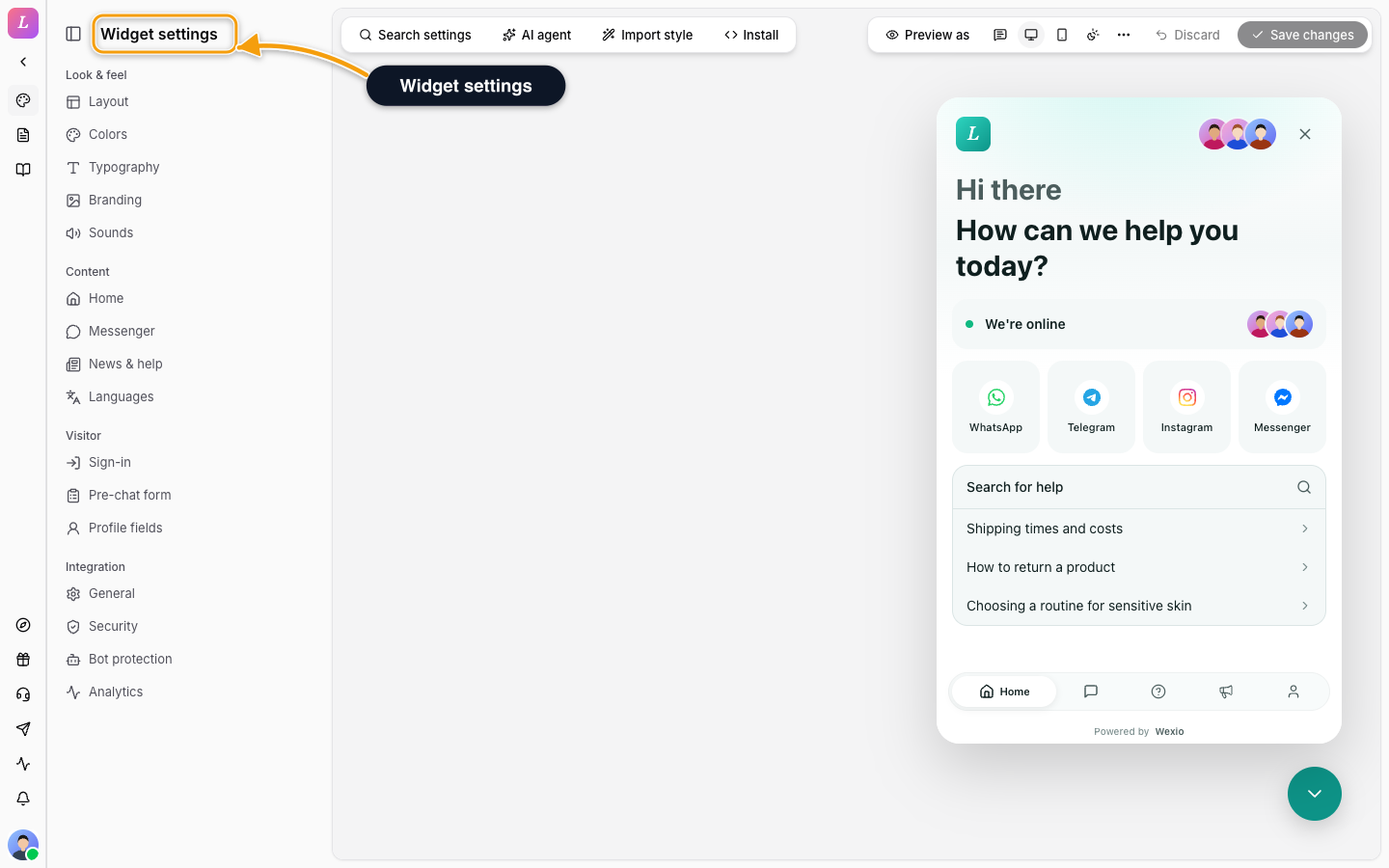
- Demo data by default. The playground starts on built-in demo content, so you can try it without an account or a key.
- Connect your widget. To see your own widget, open Connect your widget and enter your public key (
pk_live_...). The status changes from Not connected to Connected. Connecting starts a live session, which creates real visitors and conversations in that integration. The placeholderpk_demois refused. - Share a link. A connected key is stored in the page URL as
?connect=pk_live_.... Opening a shared link never starts the live session by itself.
The playground replaces the old StackBlitz and CodeSandbox demos. The framework sources are still in the examples repo.
Placeholder keys. The snippets on these docs use pk_live_... as a placeholder. Replace it with your real public key. To attribute conversations to a logged-in user, add an identity proof. See Authentication.
CDN Demos
These demos load the widget from the CDN. View the page source to see a complete embed:
Web Component demo
The <wexio-widget> element on a plain HTML page
React (ESM CDN) demo
The React component loaded over an import map, no build step
Copy-Paste Embeds
These pages hold full snippets you can paste into a page:
Script loader
One-tag iframe embed with the window.Wexio() API
Web Component
Custom element with attributes, events, and identify()
React (ESM CDN)
React component from the CDN with an import map - no npm install
React app (npm)
The @wexio/messenger-widget-react package inside a React app
For Vue, Angular, and Ember, the install pages hold a full quick-start. The Playground generates the install code for each.
Vue install
@wexio/messenger-widget-vue - props, events, build config
Angular install
@wexio/messenger-widget-angular - inputs, outputs, standalone
Ember install
@wexio/messenger-widget-ember - element registration + service
Related
- Install Methods - compare the embed methods.
- Quickstart - create a widget and paste one script tag.
- Authentication - identify visitors in your own app.