Configure
Pre-Chat Form
Ask visitors for details before a conversation starts, and choose which fields are required
The Pre-chat form section in the Visitor group adds a form that appears at the start of a conversation. It follows the draft-and-Save model.
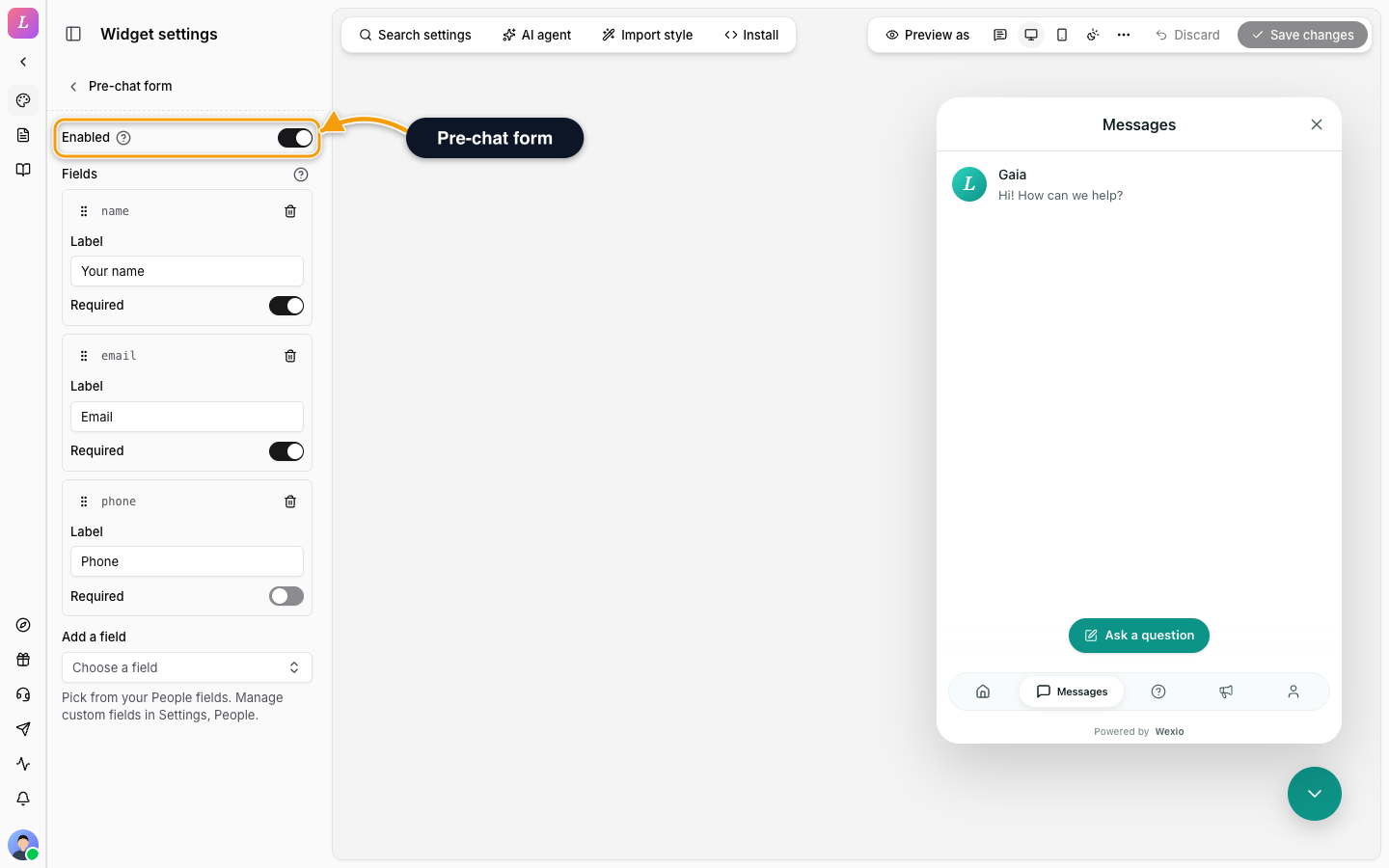
| Setting | What it does |
|---|---|
| Enabled | Shows the form at the start of a conversation. Without fields, visitors write straight from the message box. |
| Fields | The fields the form asks for. Click Add a field and pick from your People fields. Drag to reorder, switch Required per field, and edit its Label. Up to 8 fields. |
System and custom fields are both on offer. To add a custom field, go to Settings, People. See People fields.
Submitting the form fills in the visitor's profile. It is not verification. See Sessions & Prefill.
Translating
With another Editing language selected, you translate the field labels. The fields, their order and which are required stay as in the default language.
Related
- Profile Fields - what the visitor sees on the Profile tab.
- Visitor Sign-In - verify visitors.