Configure
News & Help
Related content under articles, reaction counts, and where the News and Help tabs get their content
The News & help section in the Content group controls what visitors see around an article, and links to the places where the News and Help content comes from. It follows the draft-and-Save model.
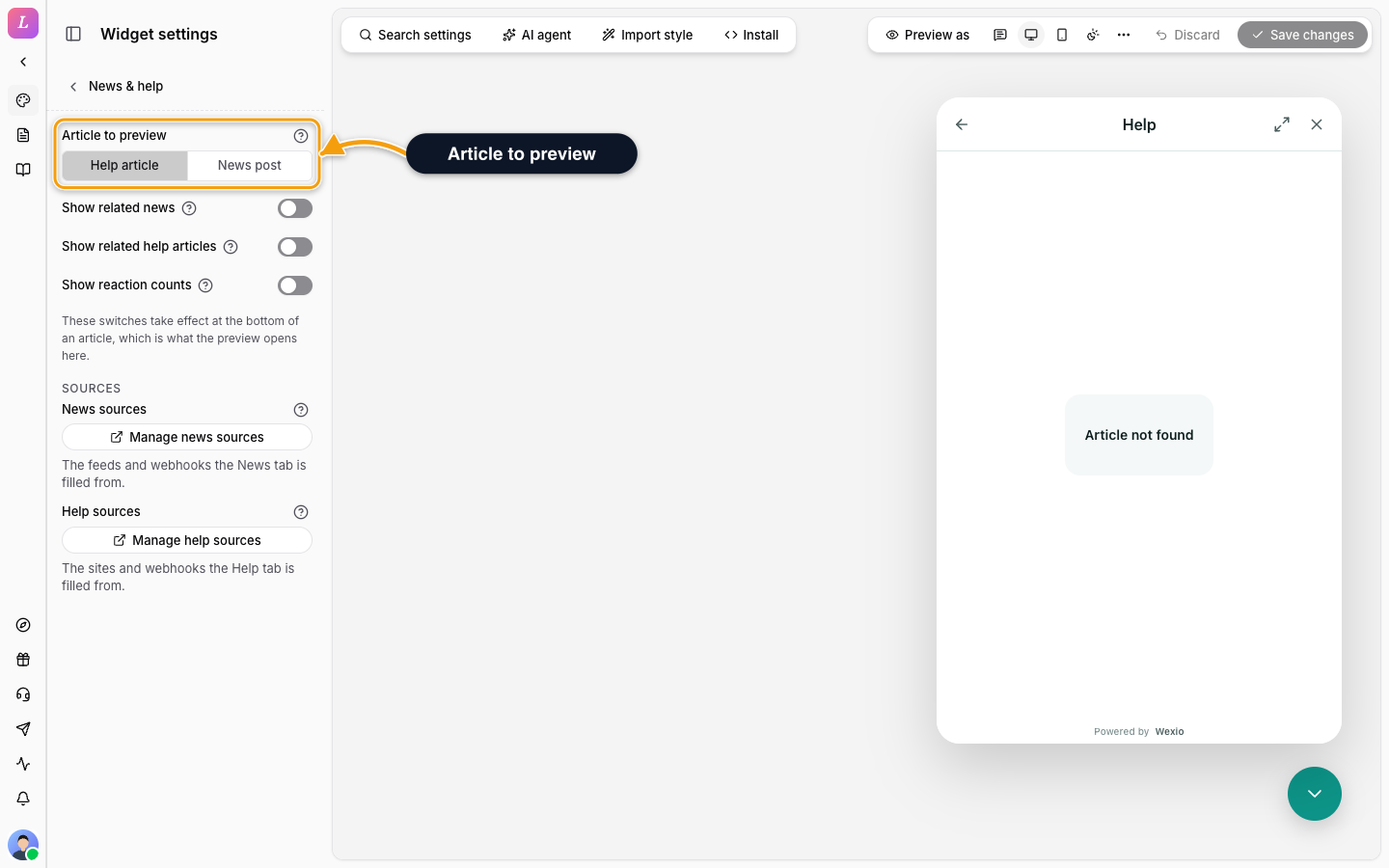
Under an Article
These settings apply at the bottom of an article a visitor is reading, not in the chat.
| Setting | What it does |
|---|---|
| Article to preview | Which demo article the preview opens, a Help article or a News post, so you can see the bottom of an article. If none is published yet, the preview has none to open. |
| Show related news | Shows related news at the bottom of an article. |
| Show related help articles | Shows related help articles at the bottom of an article. |
| Show reaction counts | Shows how many reactions an article has. |
In the widget config these are messenger.showRelatedNews, messenger.showRelatedHelpArticles and messenger.showReactionCounts.
Sources
Under Sources, two links open the pages where the content is managed.
| Link | Opens |
|---|---|
| Manage news sources | The feeds and webhooks the News tab is filled from. See News. |
| Manage help sources | The sites and webhooks the Help tab is filled from. See Help Center. |