Retry Failed Contacts
Spawn a new broadcast that re-targets only the contacts that failed in a prior run
Some contacts will fail in any broadcast - provider 4xxs, blocked bots, expired tokens, transient network errors. Instead of rebuilding the audience filter to find them, Retry Failed Contacts spawns a new broadcast targeting exactly those rows.
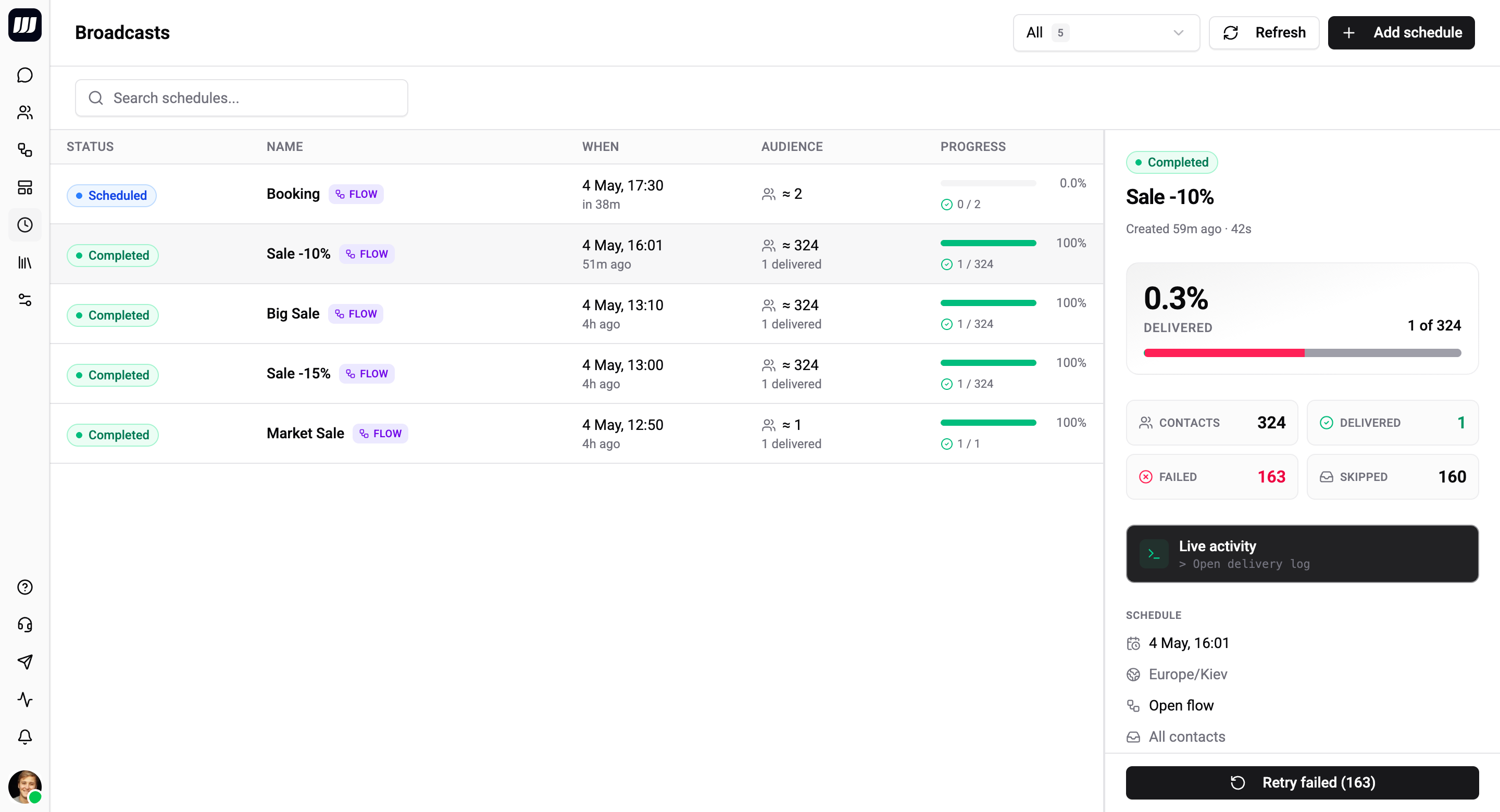
When the Button Appears
The Retry button is enabled on broadcasts that:
- Are in a terminal state (
COMPLETEDorCANCELLED). - Have at least one row with outcome
FAILED.
It is disabled for:
- Broadcasts still
SCHEDULEDorSENDING- wait for the run to finish first. - Broadcasts with zero
FAILEDrows - there's nothing to retry. - Broadcasts whose dispatch rows have aged out (more than 30 days old) - the failed-contact list is gone, see Retention below.
SKIPPED rows are not retried automatically. They represent intentional non-deliveries (no reachable channel, no matching template route, opted out, flow unpublished) and re-running with the same config would produce the same skips. Address the underlying cause and create a new broadcast instead.
What Retry Creates
Clicking Retry opens a small dialog:
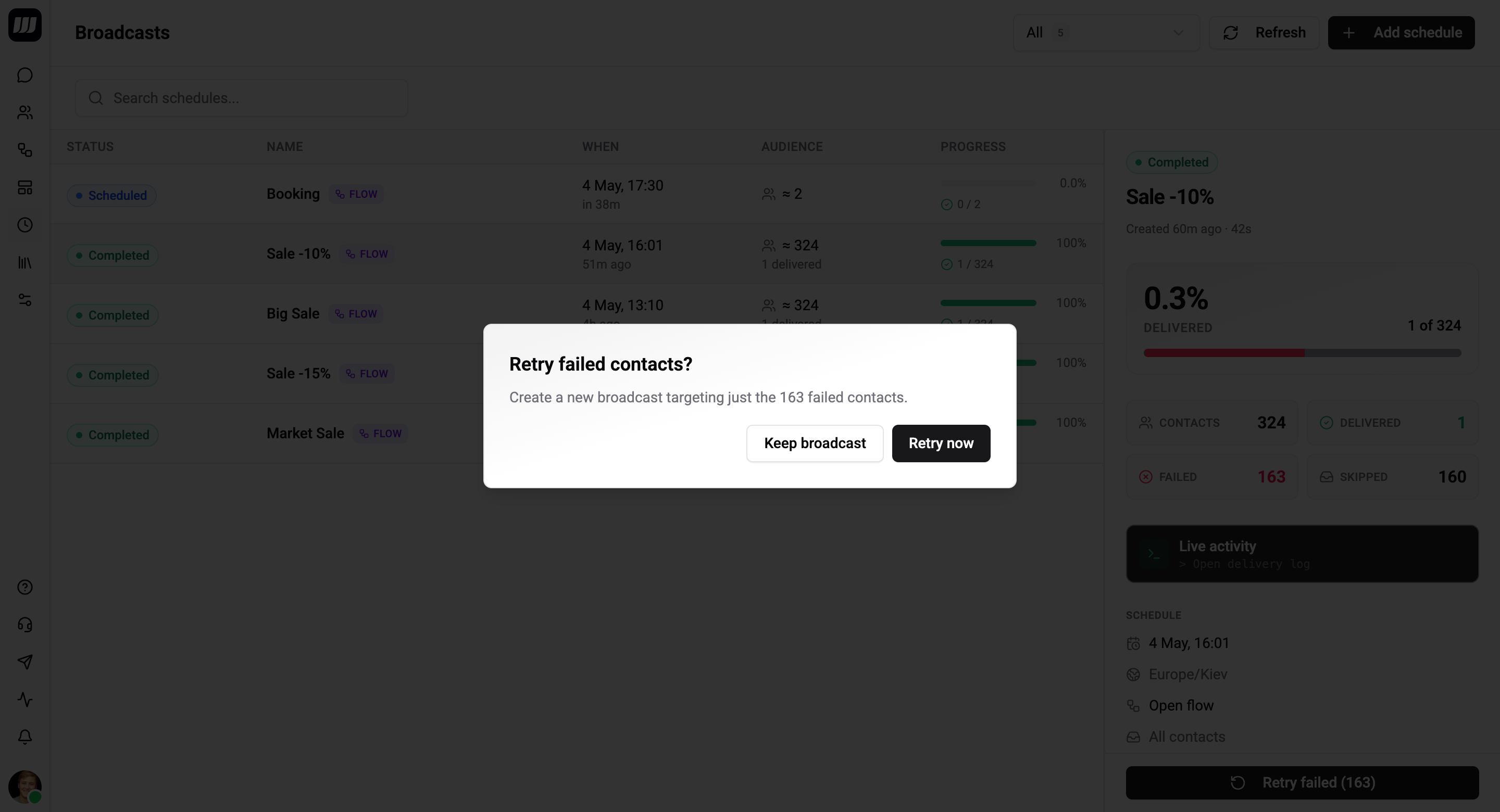
| Field | Description |
|---|---|
| Run at | When to fire the retry. Defaults to now + 2 min. |
| Contacts to retry | Read-only count - the failed contacts from the source broadcast. |
Confirm and Wexio creates a new broadcast:
- Same flow / template / fallbacks / template routes as the source.
- Audience is the explicit list of failed contact IDs - bypassing filter resolution entirely. The retry doesn't re-run the audience filter, so contacts that were in the original failed-set but no longer match the filter are still retried.
- Linked back to the source broadcast for audit (visible on both detail pages).
- Status
SCHEDULED.
The original broadcast is unchanged. Retry chains link via retryOfBroadcastId so you can trace the lineage.
Retry Counts Toward Quota
Each retry is a new broadcast and counts against your combined scheduled quota the same as any other. If you're at the cap, cancel a draft to free a slot first.
Iterative Retries
You can retry the retry. Each subsequent retry targets only the failures from the previous one. Practical pattern:
- Original broadcast: 10 000 contacts. 9 800
DELIVERED, 200FAILED. - Retry #1: 200 contacts. 180
DELIVERED, 20FAILED. - Retry #2: 20 contacts. 19
DELIVERED, 1FAILED. - ...
The chain terminates naturally when failures hit zero or when remaining failures are systemic (the contact blocked your bot - no amount of retry will fix that).
The audit chain lets you trace each retry back to the original, so you can audit "this customer received the campaign on the third retry."
Common Reasons to Retry
| Failure pattern | Diagnosis | Action |
|---|---|---|
whatsapp:131047:re_engagement_message_required | WA 24h window closed and no fallback configured | Edit the source to add a template fallback, then retry. (You can edit the source only when its retry hasn't started yet - otherwise clone and re-create.) |
telegram:429:Too Many Requests | Provider rate-limit; the dispatcher already retried within the run and exhausted its budget. | Retry - fresh budget. |
whatsapp:1:Unsupported message type | Template parameter or media format issue | Don't retry. Fix the template/media in the source flow first, then create a new broadcast. |
<integration>:auth_failed | Integration credentials broken | Fix the integration auth, then retry. |
| Transient 5xx from any provider | Provider blip during the run | Retry - usually clears. |
For systemic failures (blocked bot, deactivated account), retry won't help - the same error will reproduce. The drop rate metric on the original broadcast already accounts for these as best-case losses.
API Surface
Retry Failed Contacts is exposed via GraphQL as a mutation that returns the new broadcast. Programmatic callers can:
- Schedule retries days in advance.
- Chain retries automatically when the original completes (via webhook subscription on broadcast lifecycle events).
- Override the audience entirely with a different ID list (advanced - bypasses both the filter and the failed-contact lookup).
For the standard "I want to redrive my failures" case, use the in-product button - it covers 95% of needs without code.
Retention
Per-contact dispatch rows have a 30-day TTL. After 30 days, the rows are aged out and the failed-contact list is gone - Retry returns a BAD_USER_INPUT error explaining there are no failed contacts to look up.
The aggregate counters on the broadcast (delivered, failed, skipped) don't expire - you can still see the run summary forever. But the per-contact granularity is what Retry needs, and that's the part that ages out.
If you want to redrive a broadcast older than 30 days, you have two options:
- Clone the broadcast as a new one with the same audience filter and run it normally - but you'll re-target everyone, not just the prior failures.
- Capture failures into a custom contact field at run time (advanced - typically done from a flow that runs as part of the broadcast itself), then filter on that field in a follow-up broadcast.
What Retry is Not
- Not automatic. There is no "auto-retry every failure for 24 hours" toggle. Each retry is an explicit operator action (or programmatic call).
- Not a delivery guarantee. Retry attempts the failed contacts again with the same payload. If the underlying cause persists (blocked bot, expired template), the retry fails the same way.
- Not a partial cancel-and-redo. It doesn't cancel, mutate, or replace the original broadcast. The original stays as-is in
COMPLETED/CANCELLED; the retry is a separate, linked broadcast.