Create a Widget
Provision the Web Messenger in the dashboard - the three creation paths, plan & role requirements, and the shared secret
A Web Messenger is a WebIntegration record on your organisation, separate from your messaging channels. Creating one gives you a publicKey (embed identity) and a sharedSecret (server-to-server auth). You get one widget per organisation on every plan. A new widget starts with sensible defaults.
Requirements
| Requirement | Detail |
|---|---|
| Plan | Every plan can build and preview one widget. Going live on a site (embedding) needs Standard, Pro or Enterprise. On Free you can build and preview but not publish. A widget embedded on Free stays hidden: the launcher does not appear. On Free the Connect button on Settings → Integrations is locked with the hint Upgrade your plan to Standard or higher to add the Web Messenger. |
| Role | Owners and Admins can create and delete the widget, and the auto-created widget (path B) is made only for them. Editors can edit widget settings and content (help articles, news). Agents are view-only. |
| Limit | One Web Messenger per organisation. |
Three Ways to Create One
A. From the Integrations Page (Standard and Up)
- Go to Settings → Integrations.
- Find the Web Messenger card and click Connect.
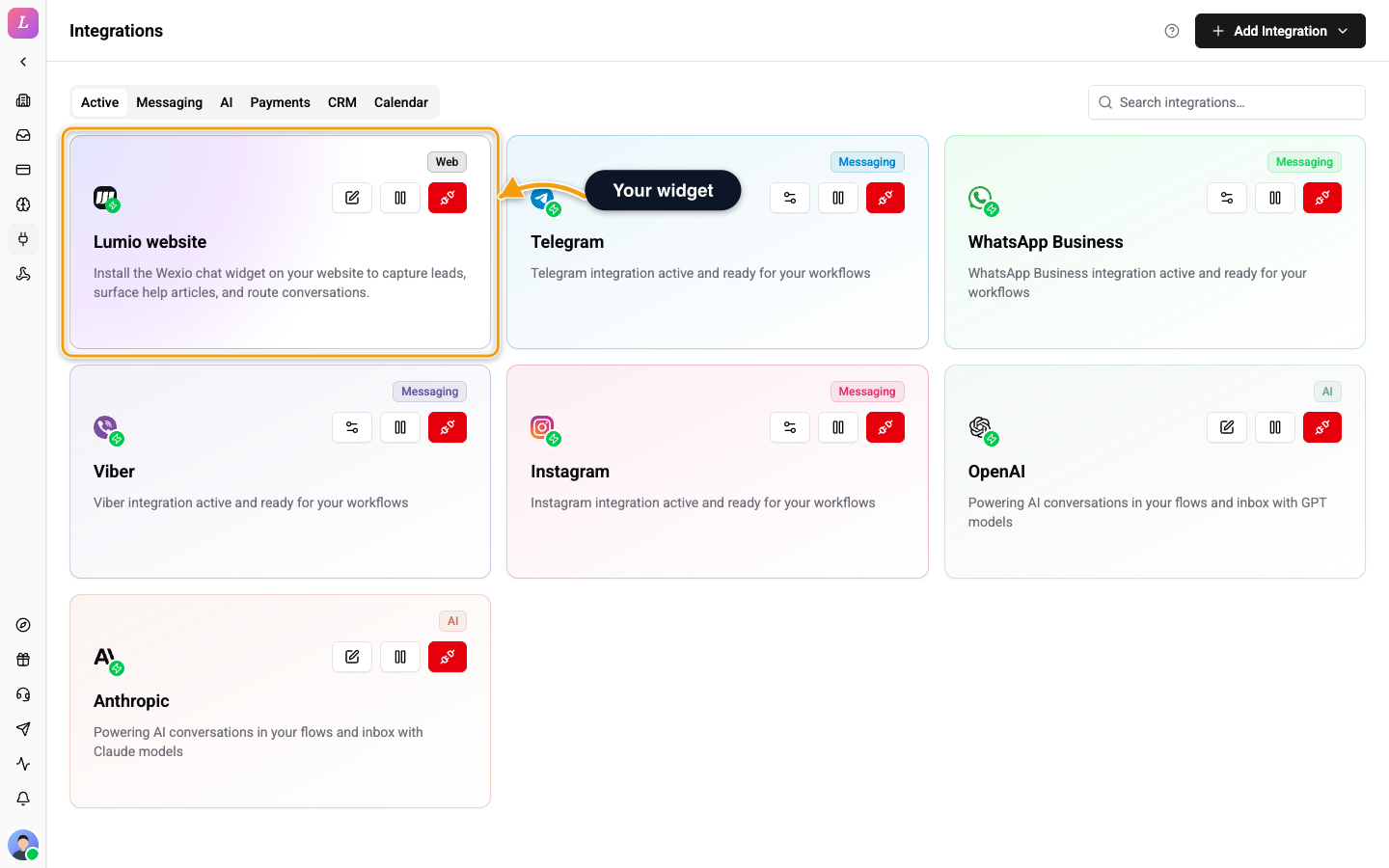
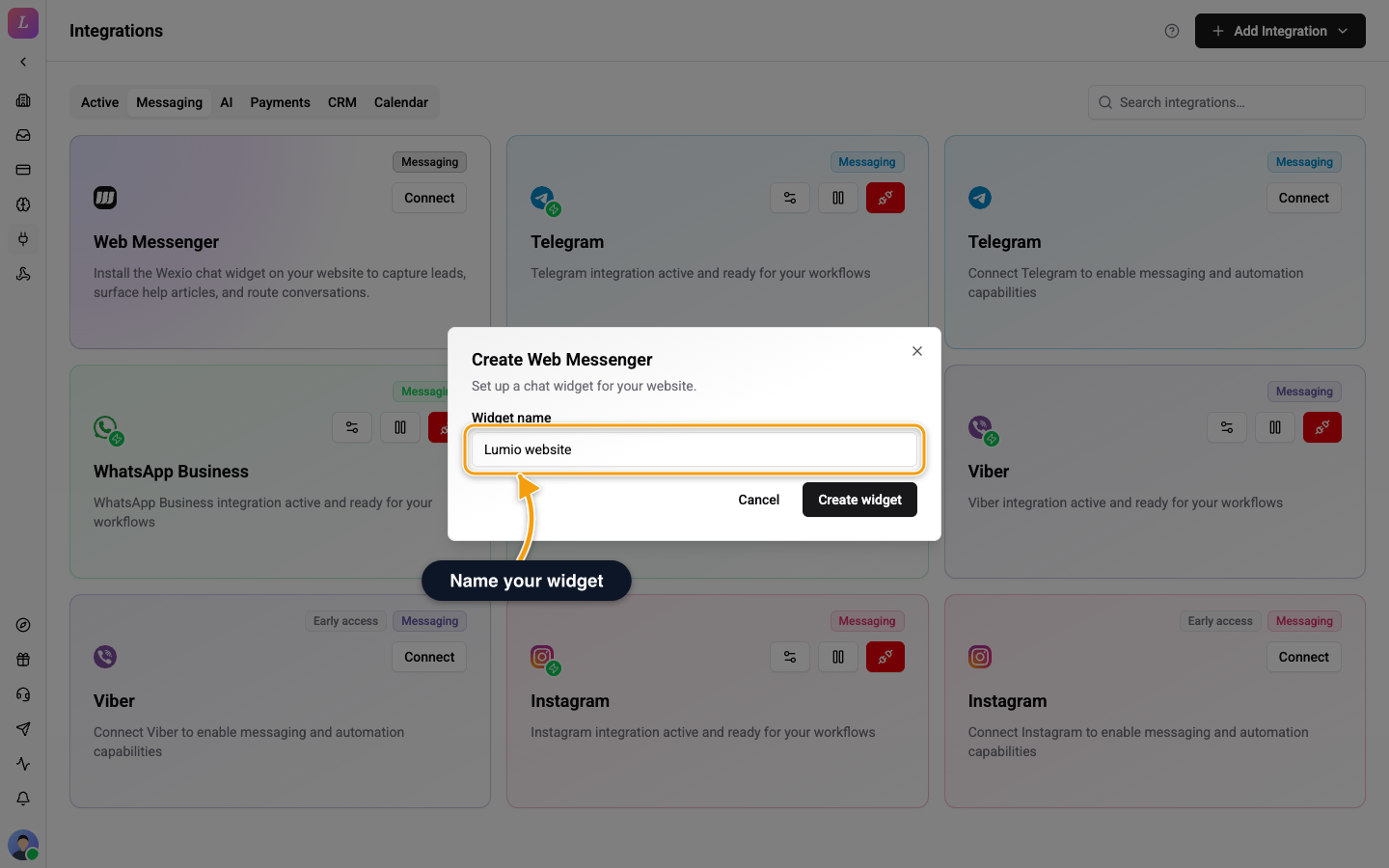
- In the Create Web Messenger modal, enter a Widget name (up to 100 characters, an internal label only) and click Create widget.
- In the Save your shared secret step, click Copy snippet and store the shared secret safely. It is revealed one time. The public key is not secret. It is already inside the snippets in the Install panel.
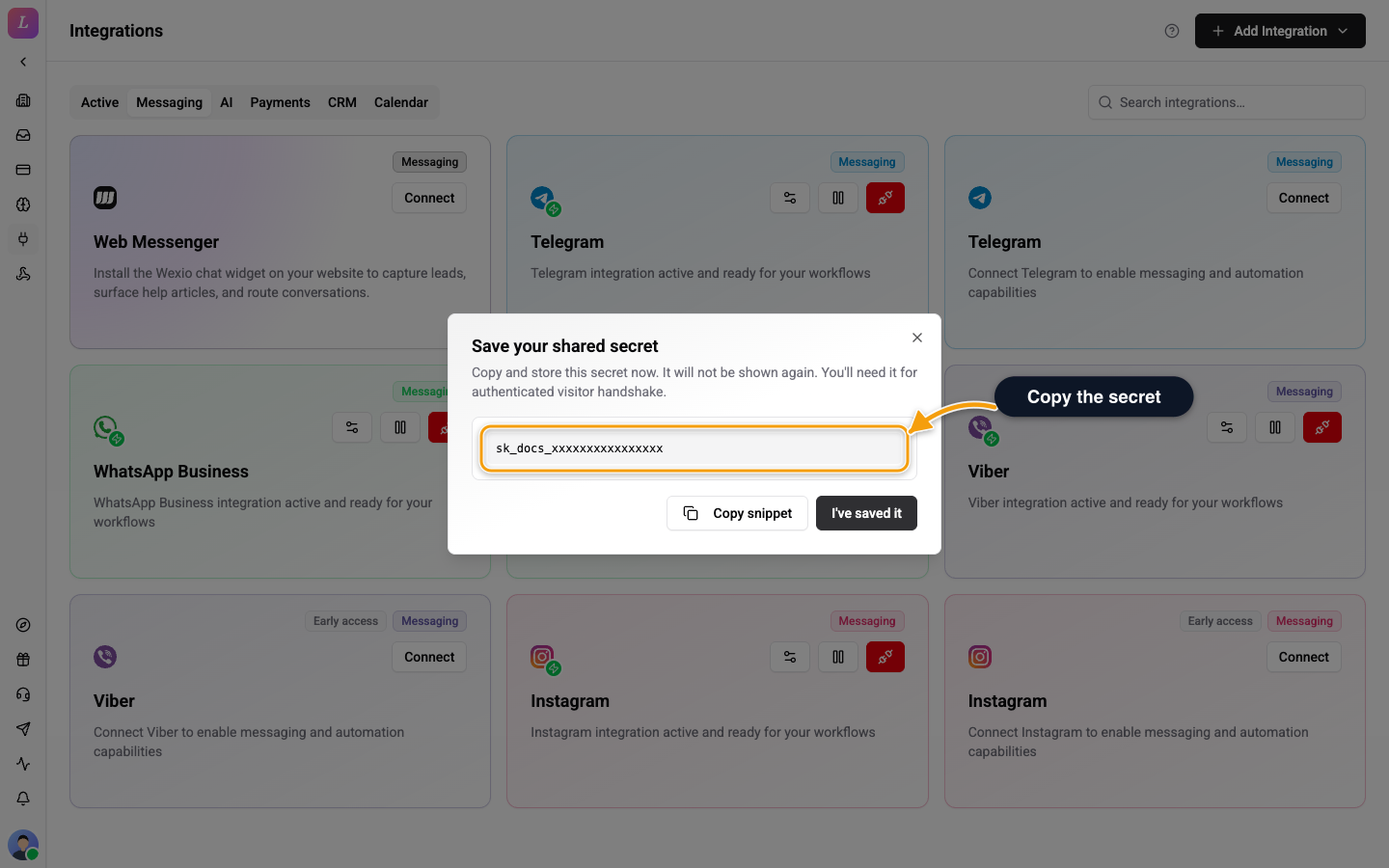
- Click I've saved it. You land in the Widget settings (
/{org}/web/brand).
The shared secret is shown only once. If you lose it, rotate it. Rotating reveals a new value and invalidates the old one.
B. Auto-Created When You Open the Widget Settings
On a plan that cannot embed (Free), the widget is created for you the first time an Owner or Admin opens the Brand page, so you can build and preview straight away. The widget is named "Web Messenger".
The same happens on any plan when an Owner or Admin opens Help (/{org}/web/help) or Articles (/{org}/web/articles) and no widget exists yet, because help and news content belongs to a widget.
This path does not reveal the shared secret. Rotate it in the Widget settings under Security if you need it. On Standard and up, opening Brand with no widget shows Set up your widget and a Set up widget button that leads to path A.
C. From the Inbox Empty State
The inbox "Connect a messaging channel" screen has a Web Messenger card. Its Connect button opens the same modal as path A.
Public Key vs Shared Secret
| Public key | Shared secret | |
|---|---|---|
| Example | pk_live_… | a long random string |
| Where it goes | Client-side HTML (every embed snippet) | Server-side only |
| Visibility | Inside every embed snippet in the Install panel | Shown once at creation or rotation |
| Used for | Identifying which widget to load | Signing visitor-identity proofs server-to-server |
Never put the shared secret in a page. See Authentication for how it is used.
Manage, Pause, or Delete
Once the widget exists, its card on Settings → Integrations shows three icon buttons. Hover one to see its name:
| Action | Effect |
|---|---|
| Edit | Opens the Widget settings. |
| Pause integration / Resume integration | Pauses or resumes the widget. While it is paused, the widget stops serving and embeds load nothing. |
| Disconnect integration | Opens Delete widget. Type DELETE and click Delete widget to confirm. Only the widget itself is removed. The app says Removing the widget hides it from your site. Conversations and help and news content stay in Wexio and follow your data retention settings. You cannot undo it. |
Creating Widgets over the API
You can do everything on this page from your own backend. This is how a tech provider provisions a widget per client without anyone opening the dashboard.
| Operation | Does |
|---|---|
createWebIntegration | Creates the widget. Returns the shared secret, shown only this once besides a rotate. |
updateWebIntegration | Changes name, allowed origins, AI auto-reply mode and assistant. |
rotateWebIntegrationSecret | Issues a new shared secret and invalidates the old one. |
deleteWebIntegration | Deletes the widget. |
webIntegration / webIntegrationById | Reads the current configuration. |
These need an Org API key with the CHANNELS_MANAGE scope. For the full reference, see Channels → Web widget.
Related
- Configure - make the widget match your brand.
- Install - embed it on your site.
- Conversations & threads - how visitors hold several conversations.
- Content - add help articles and news.