AI Agent Card
Multi-turn AI conversation agent with memory and context retention
The AI Agent Card creates an interactive AI-powered conversation that can handle multiple back-and-forth exchanges with the contact, maintaining context throughout.
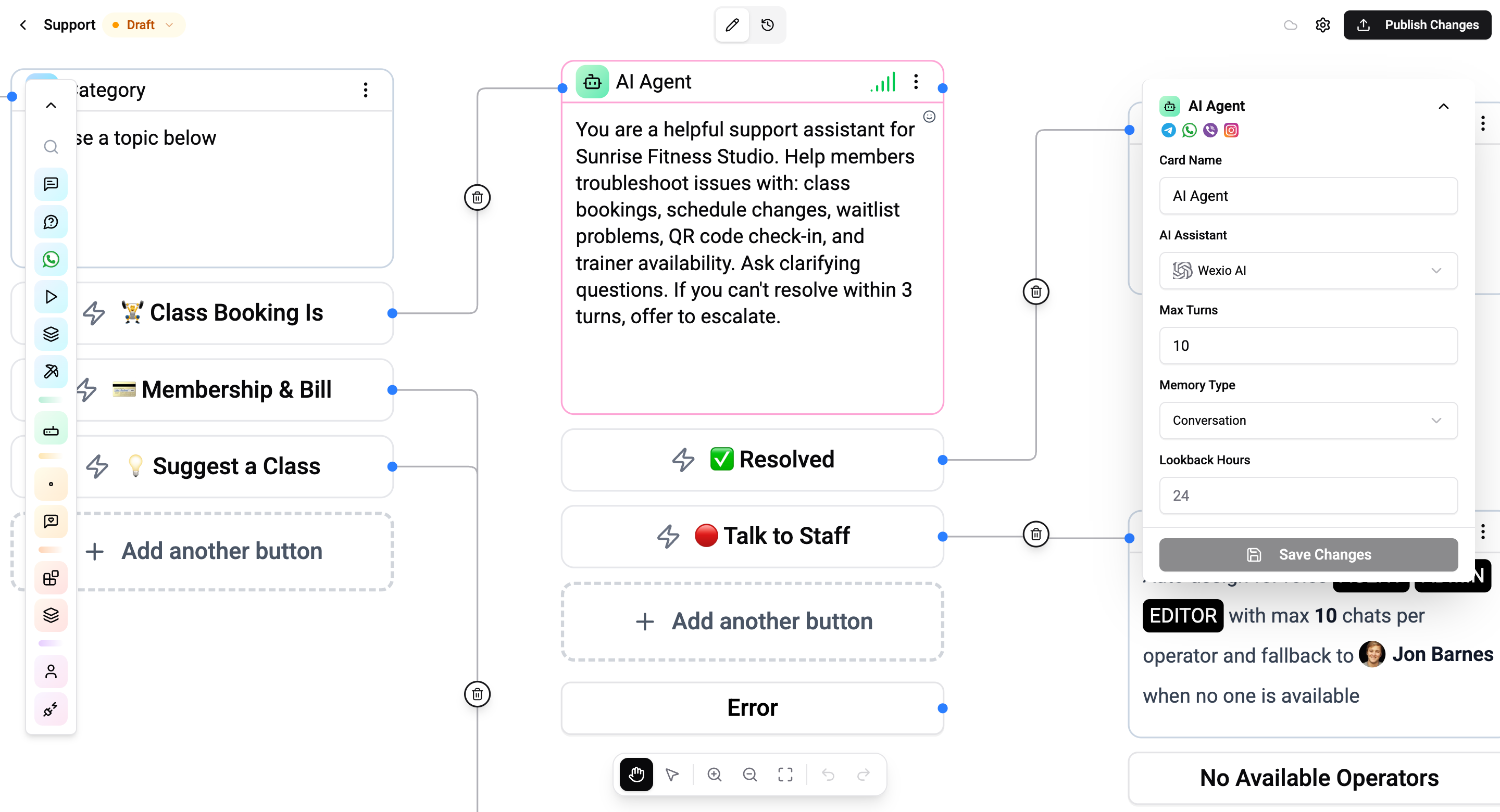
Configuration
| Setting | Description |
|---|---|
| System prompt | Instructions that define the agent's identity, objective, tone, and capabilities |
| Memory type | How conversation context is maintained - conversation or session |
| Lookback hours | How far back to include chat history (conversation mode) |
| Max turns | Maximum number of exchanges before the agent exits (default: 50) |
| Buttons | Optional response buttons shown to the contact |
How It Works
- The AI Agent takes over the conversation
- It responds to each contact message using conversation context and system prompt
- The conversation continues until:
- The max turns limit is reached
- An exit condition is triggered (e.g., contact clicks a button)
- The agent decides to hand off
- The flow continues to the next connected card after the agent exits
Memory Types
| Type | Description |
|---|---|
| Conversation | Includes recent chat history based on lookback hours - the agent can reference messages from before the flow started |
| Session | Only includes messages from the current flow execution - no prior history |
Context & Knowledge
The AI Agent has access to:
- System prompt - Identity, objective, tone, capabilities, and constraints
- Conversation history - Previous messages based on memory type
- Contact data - Contact variables and custom fields via
{{user.*}} - Knowledge base - Uploaded documents attached to the assistant for domain-specific knowledge
Buttons
You can add response buttons to the AI Agent card. Each button creates a separate output connection, allowing the flow to branch based on which button the contact clicks (or when the agent conversation ends).
Output Variable
The AI Agent's conversation result is stored in {{flow.{cardId}}} - where {cardId} is the unique ID of this AI Agent card.
See Variables for details on all variable namespaces.
Connections
- 1 input port - Receives execution
- Multiple output ports - One per button, plus a default "completed" output
Operations Cost
Each turn costs operations based on the AI model and token usage.
AI Agents work best when the system prompt has detailed instructions. Be specific about what the agent should and shouldn't do, what tone to use, and when to escalate.