Appearance
Theme presets and colours, the widget font, and notification sounds in the Widget settings
The Colors, Typography and Sounds sections in the Look & feel group control how the widget looks and sounds. All of them follow the draft-and-Save model. For the launcher, corners and tabs, see Layout. For logos and avatars, see Branding.
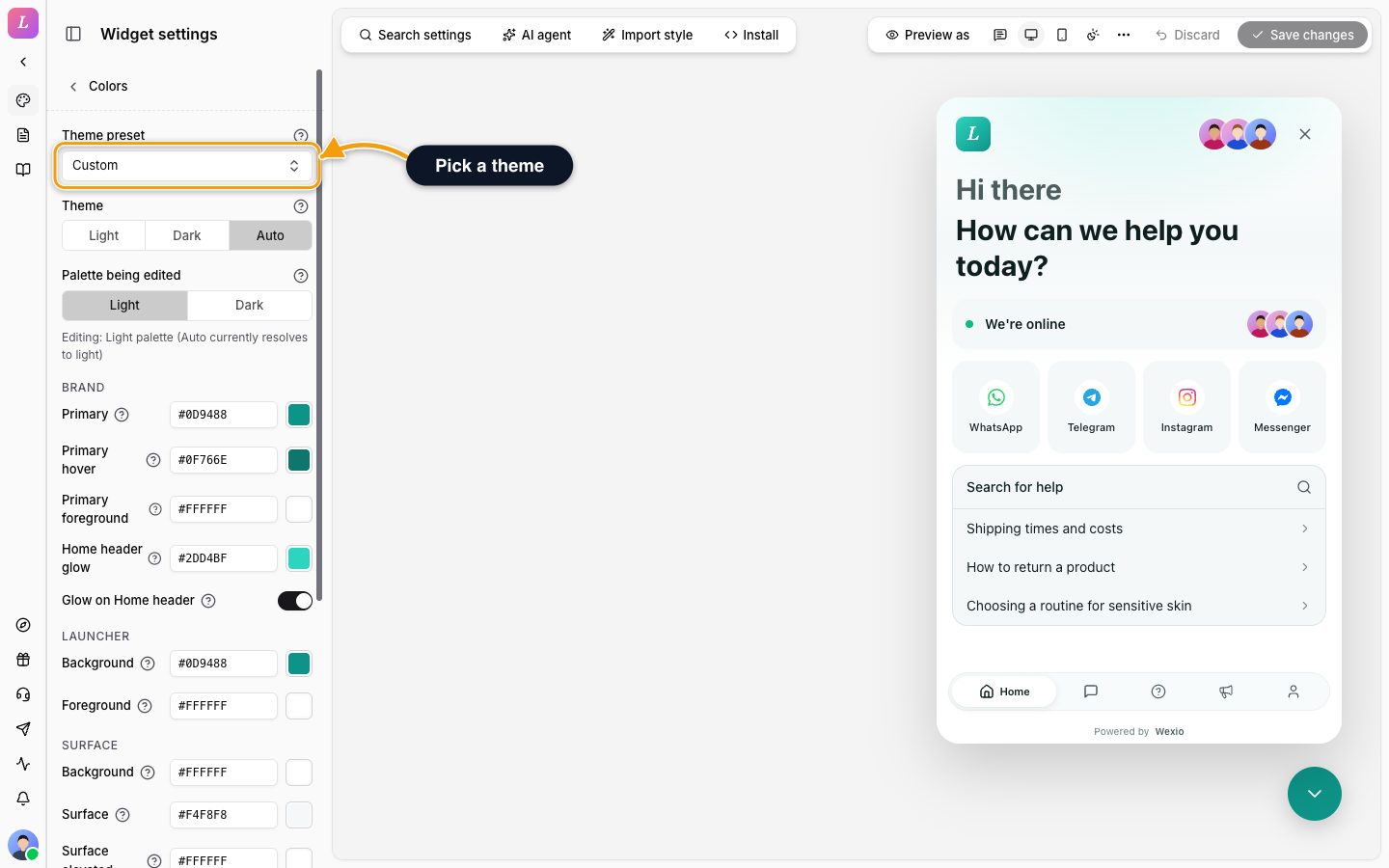
Colors
To set the palette:
- Open Colors.
- Pick a Theme preset, or start from your own colours. To read colours from your site, use Import style.
- Set Theme to Light, Dark or Auto.
- Use Palette being edited to choose which palette the colours below change: Light or Dark.
- Click a colour and enter a hex value. The preview updates at once.
- Switch to the other palette and tune it too, then Save changes.
A note under Palette being edited says which palette you edit and which one the widget currently shows. With Auto, the visitor's system decides which palette they see.
Theme preset has a search box and groups: Neutral, Cool, Warm, Nature, Vivid, Pastel, Dark-first, High contrast and Brand-like. A palette you changed by hand shows as Custom.
Each palette has 15 colours, in six groups:
| Group | Colour | What it sets |
|---|---|---|
| Brand | Primary | The send button, your visitors' message bubbles and links |
| Primary hover | Primary while the pointer is over a primary button | |
| Primary foreground | Text and icons on top of the primary colour | |
| Launcher | Background, Foreground | The fill and the icon of the launcher button |
| Surface | Background | The main background of the widget panel |
| Surface | Cards, inputs and the composer | |
| Surface elevated | Hover highlights and placeholders | |
| Border | Border | Thin outlines and dividers |
| Border strong | A stronger outline. It has no visible effect today. | |
| Text | Text, Muted, Subtle | Main text, secondary text, and the quietest text such as timestamps |
| Status | Success, Danger | The online dot, and errors |
Two more settings sit in the Brand group:
- Home header glow. The colour behind the top of the Home tab. Leave it empty and the widget derives it from your primary colour. It is set separately for light and dark.
- Glow on Home header. On gives a soft glow. Off gives a plain, flat background.
Reset in the More actions menu puts the theme back to the default. See Settings Files.
Developers can set the same colours from code. See Theming & CSS variables.
Import Your Style
To skip entering colours by hand, click Import style in the toolbar. It reads your website, a screenshot or a brand PDF. See Import Your Style.
Typography
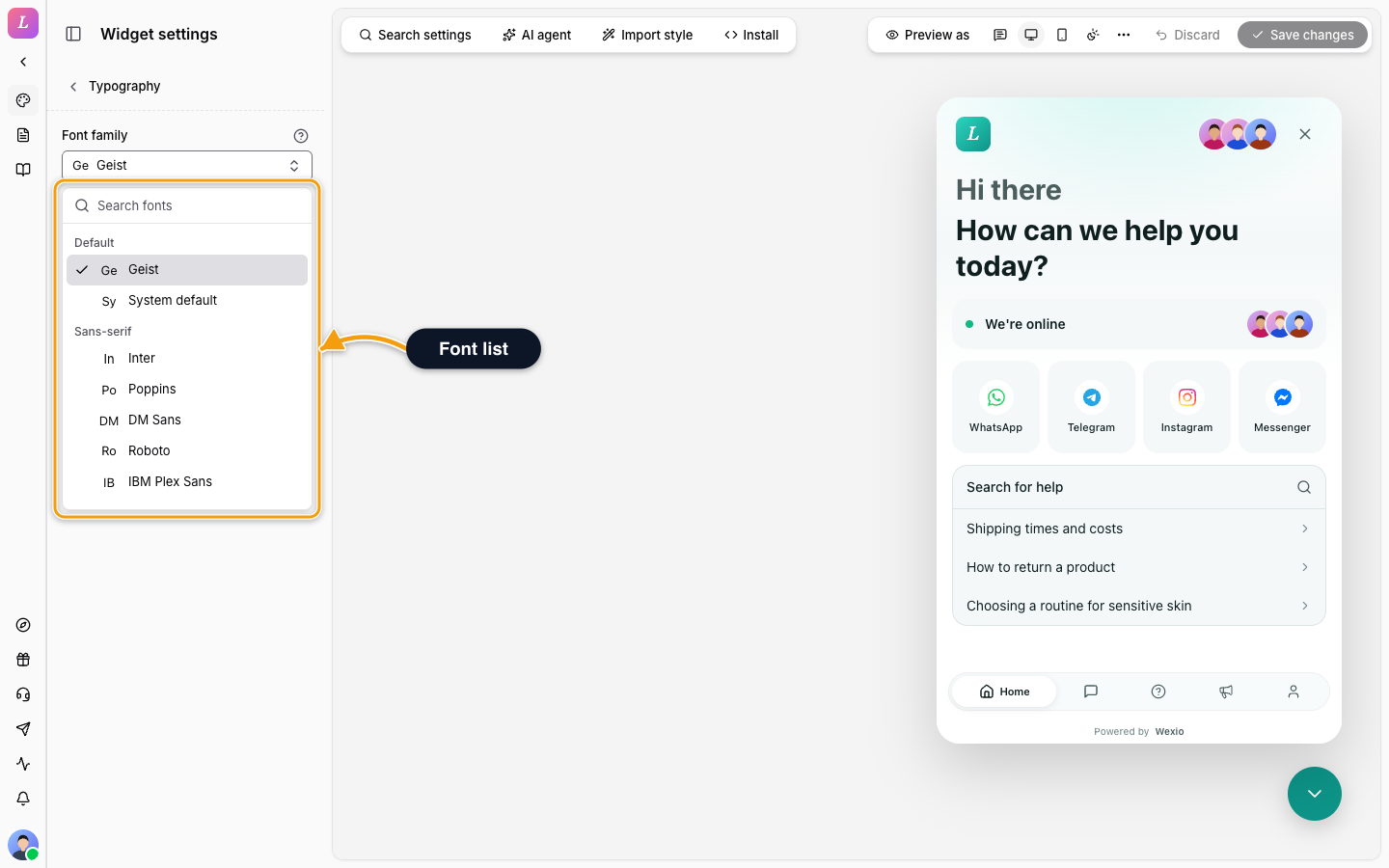
| Setting | Detail |
|---|---|
| Font family | The typeface of all widget text. Search the list, grouped as Default, Sans-serif, Serif and Monospace. The default is Geist. The widget loads the font when you pick it, so the preview shows it at once. |
Sounds
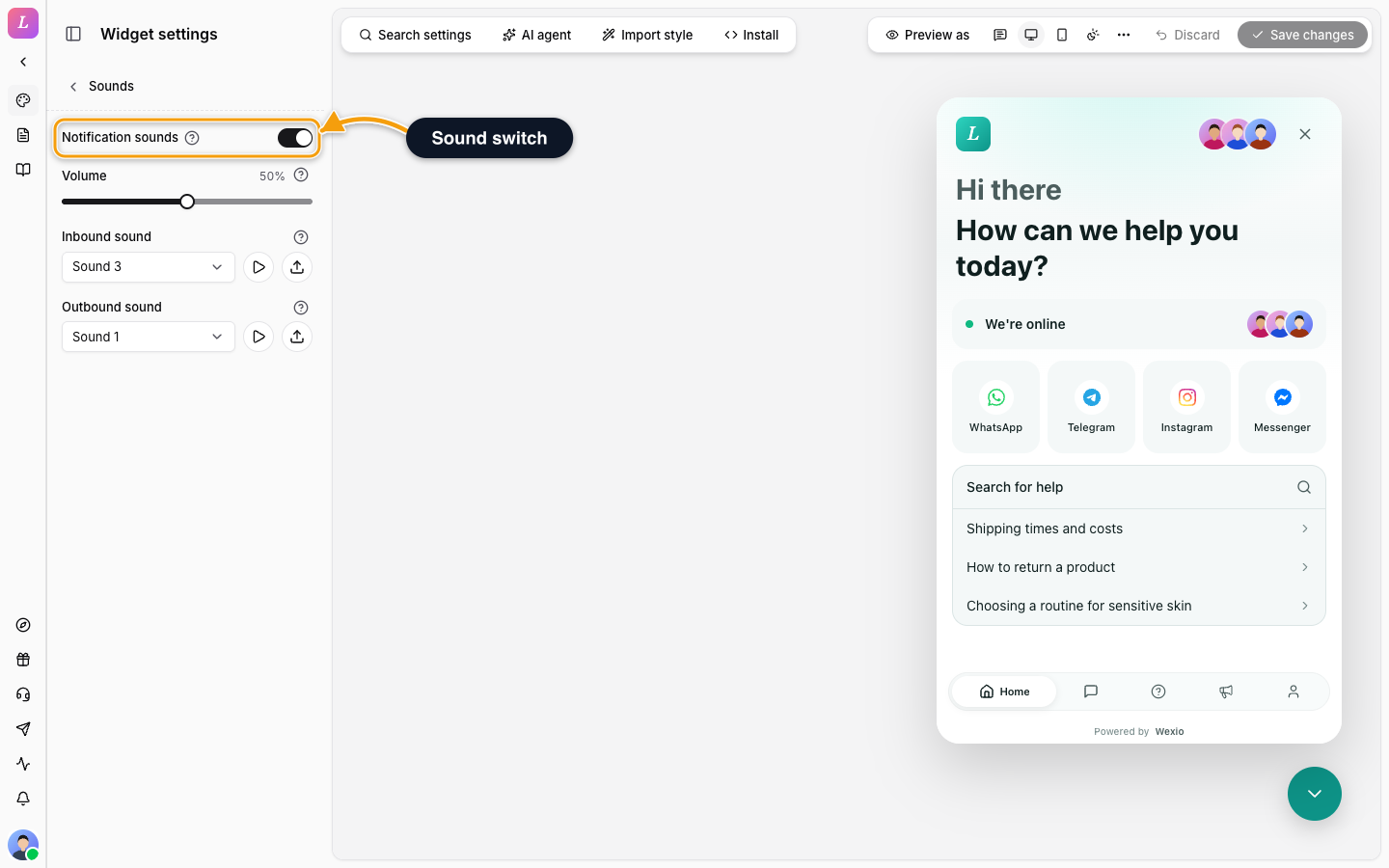
| Setting | Detail |
|---|---|
| Notification sounds | The master switch. On by default. |
| Volume | A slider from 0 to 100 percent. The default is 50. |
| Inbound sound | Plays when a message arrives. Choose Silent, one of the 21 bundled sounds, or upload your own audio file. |
| Outbound sound | Plays when the visitor sends a message. Same choices. |
Press the play button next to a sound to hear it. An uploaded sound can be up to 5 MB. A visitor can mute sounds in their own browser, and that wins over your switch.
Related
- Layout - launcher position, corners and tabs.
- Import Your Style - take colours, fonts and logo from your website.
- Theming & CSS Variables - set the same tokens from code.