AI
AI
AI-powered assistants and automation tools
Wexio's AI features let you automate conversations, enhance operator productivity, and leverage large language models from OpenAI and Anthropic.
Capabilities
| Feature | Description |
|---|---|
| AI Assistants | Configure autonomous AI bots with custom context and knowledge |
| AI Actions | Suggest replies, translate, rephrase, generate images, text-to-speech |
| Knowledge Base | Upload documents for domain-specific AI responses |
| Flow AI Cards | AI Text, Agent, Classification, and TTS cards in flows |
How AI Works in Wexio
Resolution Chain
When an AI assistant receives a message, it uses a 4-level resolution chain:
- Knowledge base - Search uploaded documents for relevant information
- Conversation context - Use recent message history for continuity
- Assistant instructions - Follow configured identity, objective, and tone
- General model knowledge - Fall back to the model's training data
Per-Purpose Models
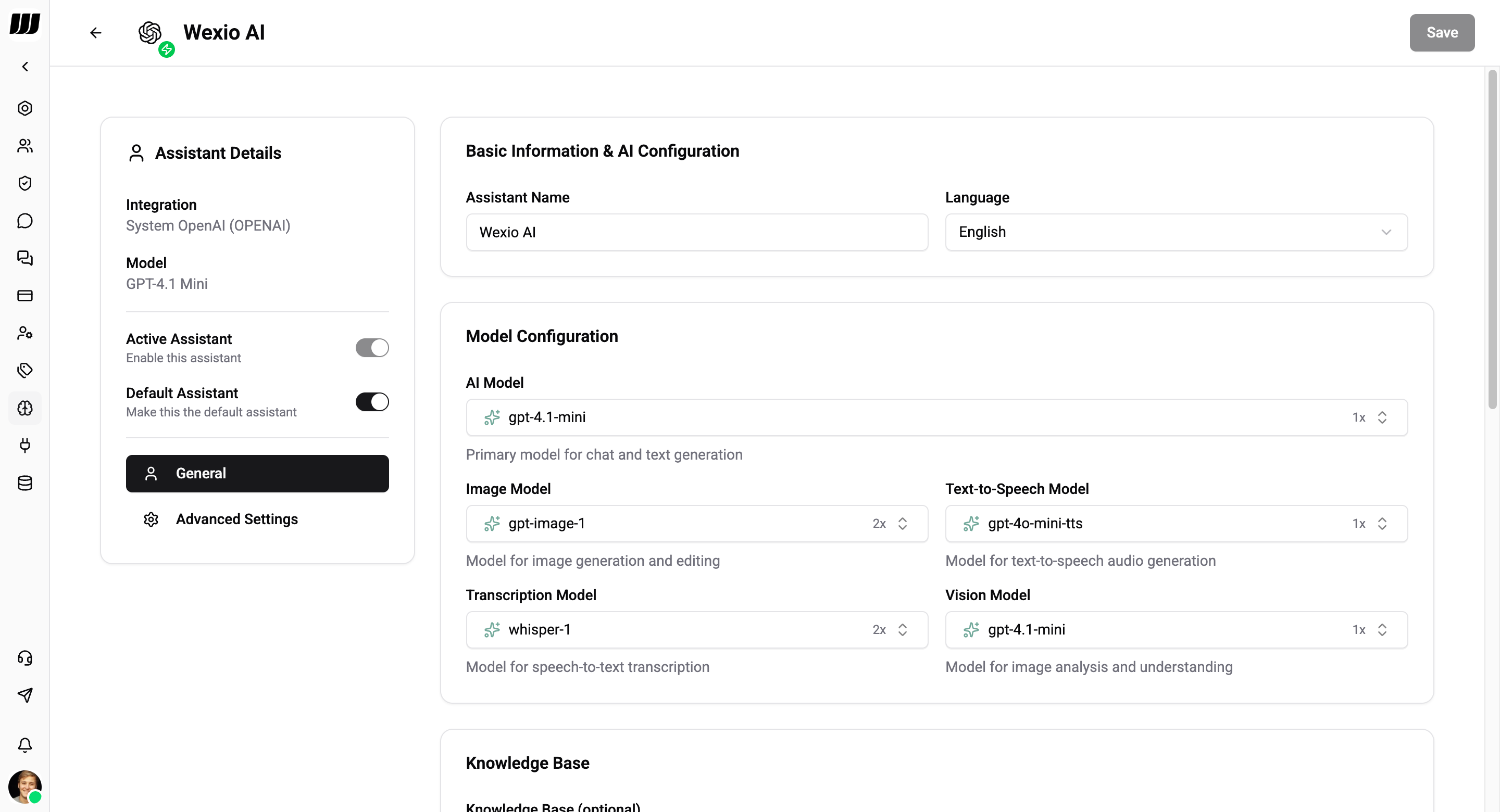
Configure different AI models for different tasks:
| Purpose | Description |
|---|---|
| Chat | Primary model for conversation replies |
| Image generation | Model for creating images (DALL-E, GPT Image, etc.) |
| Text-to-speech | Model for voice generation |
| Audio transcription | Model for speech-to-text (Whisper) |
| Vision | Model for understanding images |
Assistants
Create and configure AI assistants
AI Actions
Suggest replies, text enhancement, image gen, TTS
Knowledge Base
Upload domain-specific documents
Providers
Connect OpenAI and Anthropic
Best Practices
- Be specific in your context - define the tone, knowledge boundaries, and escalation rules
- Set temperature low (0.1–0.3) for customer support to get consistent, factual responses
- Include escalation instructions - Tell the AI when to hand off to a human operator
- Upload relevant docs to the knowledge base for domain-specific accuracy
- Test thoroughly before deploying to production conversations