Flow Settings
Configure flow metadata, execution behavior, and integrations
Flow settings control how a flow behaves, which integrations it applies to, and its execution parameters. Open settings from the gear icon in the editor header.
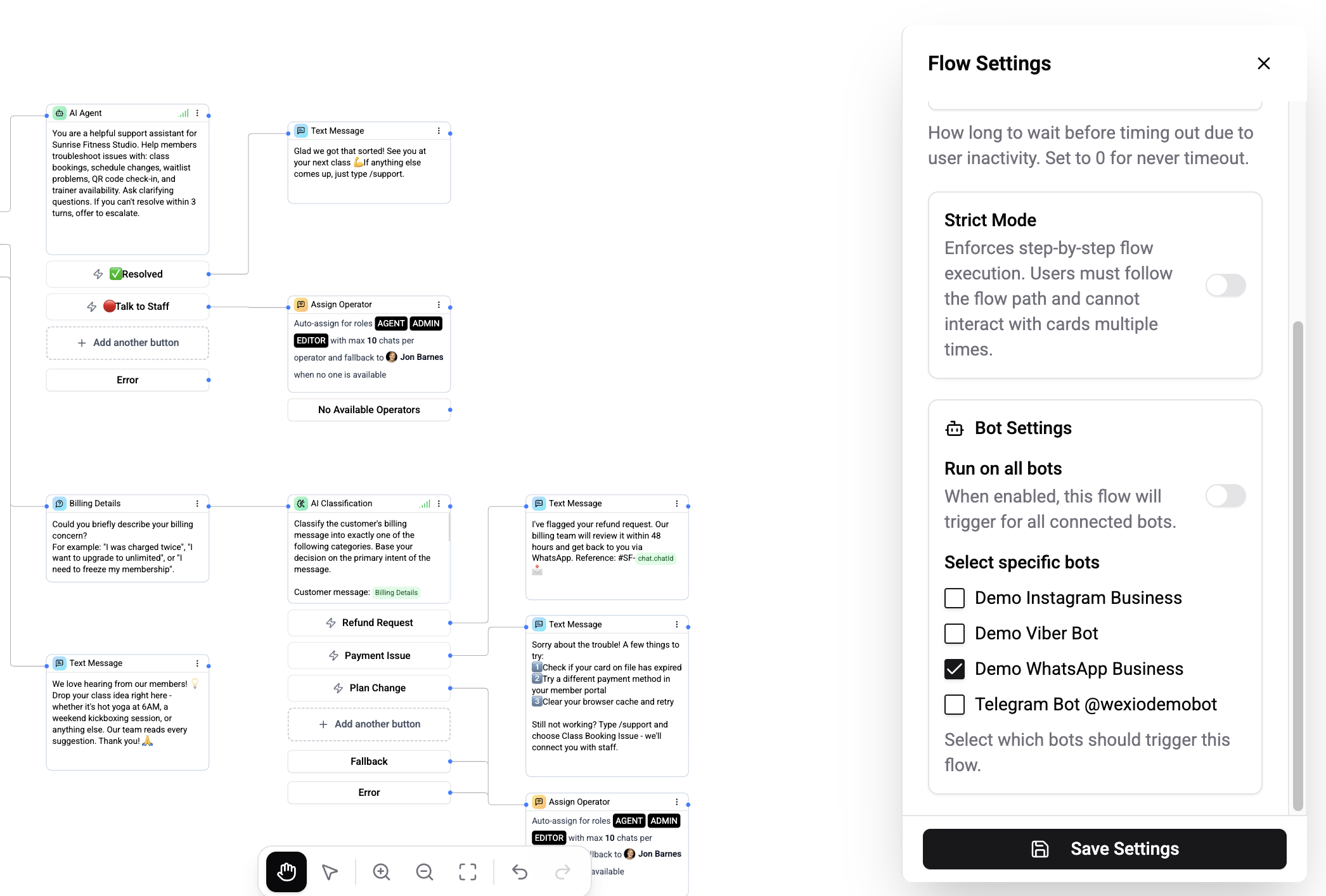
General Settings
| Setting | Description |
|---|---|
| Title | Flow name displayed in the flows list (required, max 100 characters) |
| Description | Optional description of the flow's purpose (max 500 characters) |
Execution Settings
| Setting | Description | Default |
|---|---|---|
| Execute timeout | Maximum time (in minutes) the flow can run before being terminated. Set to 0 for no timeout. Range: 0–1440 minutes. | 5 min |
| Strict mode | When enabled, the flow stops on any card error instead of silently continuing to the next card | Off |
| Strict mode error message | Custom message shown to the contact when strict mode stops the flow | - |
Timeouts
The execution timeout protects against flows that get stuck (e.g., waiting for a user reply that never comes). When the timeout expires:
- The flow execution is terminated
- Any pending messages are not sent
- If this is a sub-flow, the parent flow is notified and can resume from its timeout or error handler
Sub-flows have their own independent timeout (default: 1 minute), separate from the parent flow's timeout.
Strict Mode
By default, if a card encounters an error during execution (e.g., invalid variable, failed API call), the flow skips the card and continues to the next one. With strict mode enabled:
- The flow stops immediately on any card error
- The configured error message is sent to the contact
- The execution is marked as failed
Integration Scope
Control which connected channels this flow triggers on:
| Setting | Description |
|---|---|
| Run on all integrations | Flow triggers on every connected channel (default) |
| Specific integrations | Select individual Telegram bots, WhatsApp numbers, etc. |
This is important when you have multiple bots or WhatsApp numbers connected and want different flows for each.
Publishing
| Action | Description |
|---|---|
| Publish | Activate the flow - creates a new version and the bot starts executing it |
| Unpublish | Deactivate the flow - the bot stops triggering it, but draft and version history are preserved |
When you unpublish a flow, any active executions are allowed to complete gracefully. New executions are not started.