FlowsCards
WhatsApp List Message Card
Send an interactive list menu on WhatsApp
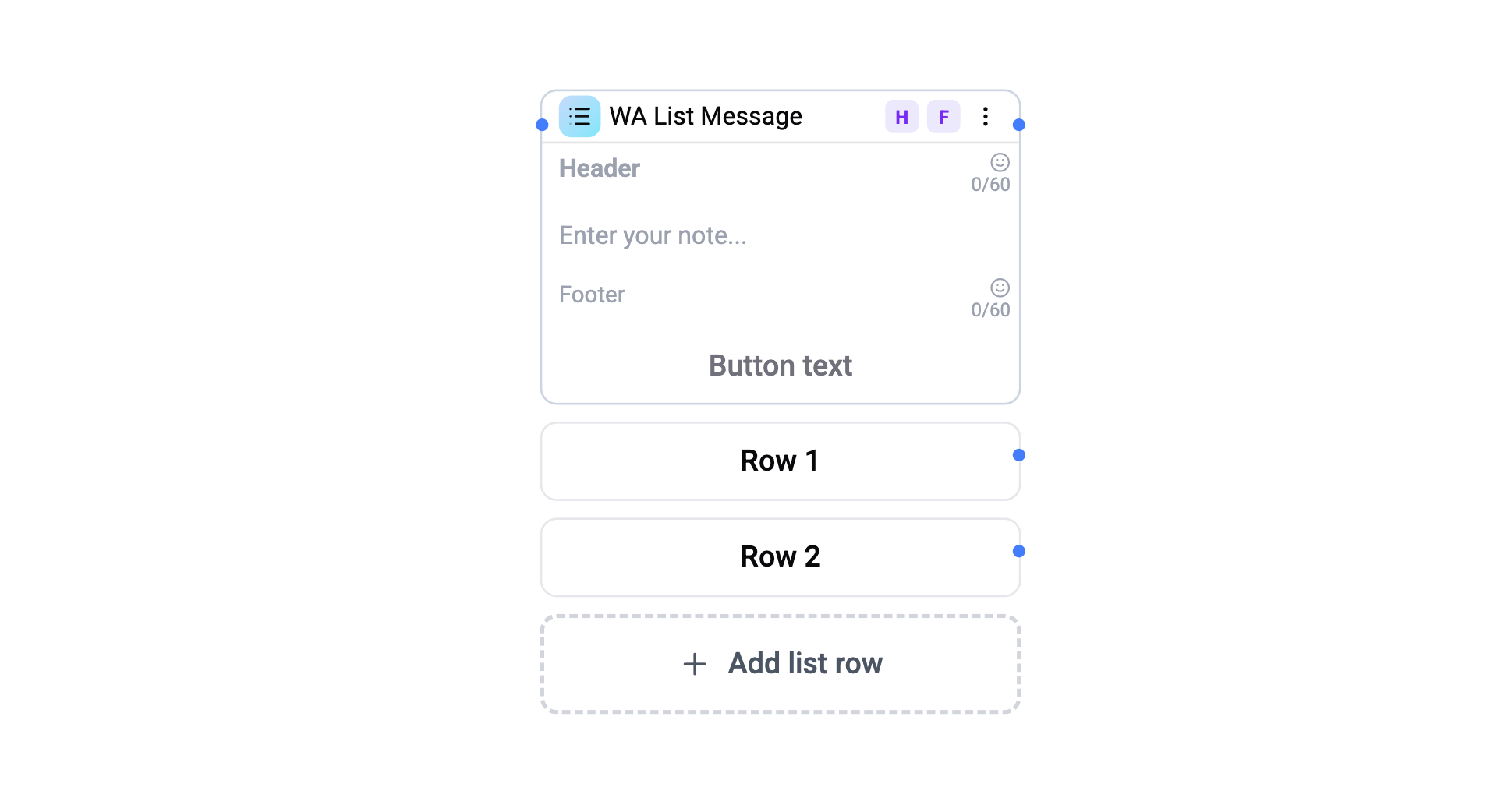
The WA List Message Card sends a scrollable list of selectable options. The flow pauses until the contact picks a row, then routes to the matching branch.
Configuration
| Setting | Description |
|---|---|
| Body text | Main message text (required, max 4096 chars) |
| Button label | Text on the CTA button that opens the list (max 24 chars) |
| Header | Optional header text (toggle in settings panel, max 60 chars) |
| Footer | Optional footer text (toggle in settings panel, max 60 chars) |
| Rows | Up to 10 selectable items |
Row Fields
Each row contains:
| Field | Limit | Description |
|---|---|---|
| Label | 24 chars | Row title (required) |
| Description | 72 chars | Optional description text |
Connections
- 1 input port - Receives execution.
- 1 default output port - Fallback when no row matches.
- Per-row output ports - Each row creates its own connection handle for branching.
How It Works
- The list message is sent with a CTA button.
- The contact taps the button to open the list modal.
- They select a row.
- The flow routes to the branch connected to that row's output port.
- If no matching branch is found, the default output is used.
Operations Cost
1 operation per execution.