Web Widget
Embed a customisable chat widget on your website - install, theme, authenticate, and manage content
The Wexio Web Widget (Web Messenger) is a chat widget you embed on your website. Visitors get a launcher that opens a panel with up to five tabs - Home, Messages, Help, News, and Profile - backed by your AI assistant, help articles, and news posts.
You set its look, content, and behaviour in the Widget settings, then embed it with one script tag, a Web Component, or a framework package.
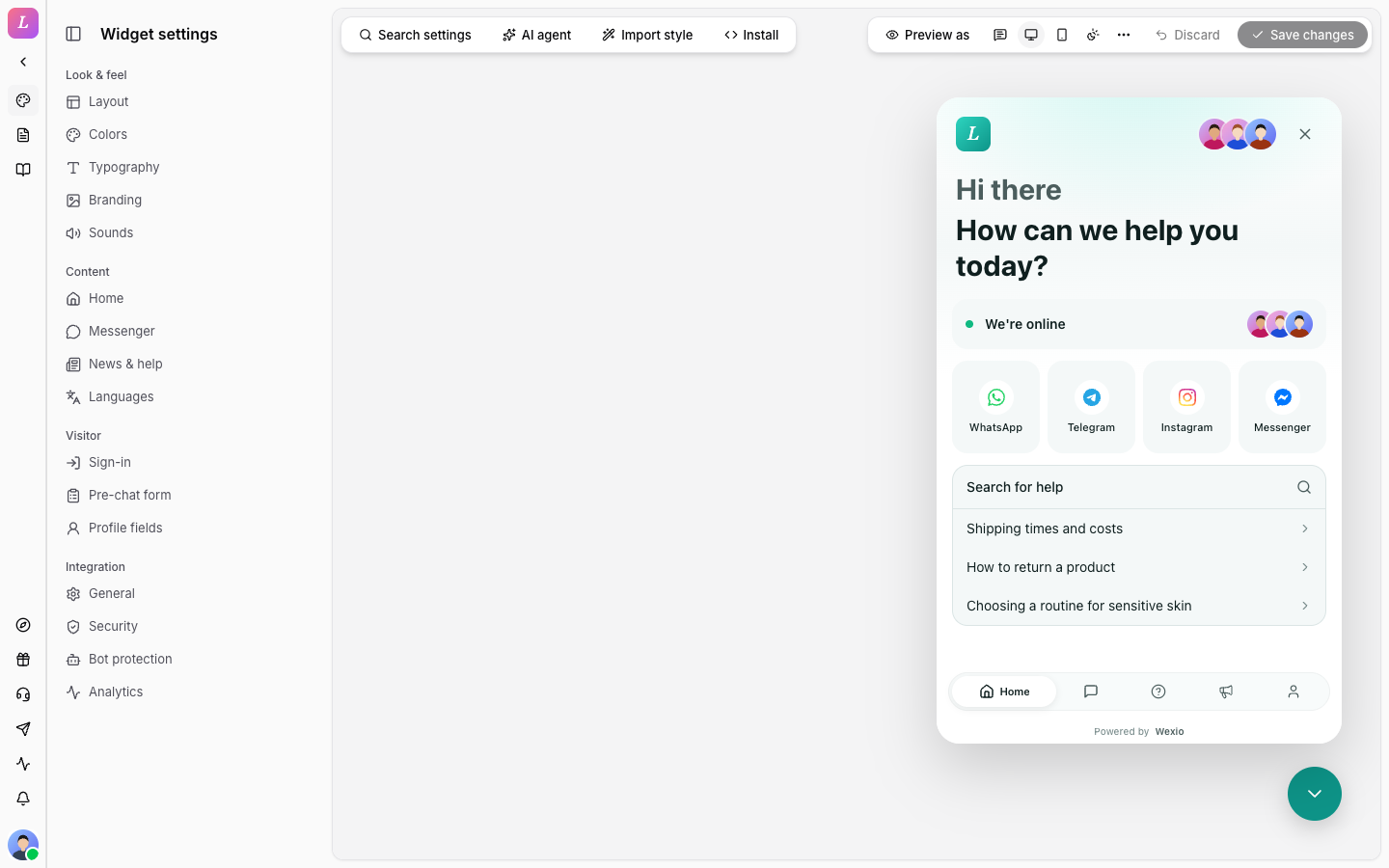
This section covers embedding and configuring the widget. To reply to web conversations, see the main Documentation tab.
Two Audiences, One Widget
| You are | Start here |
|---|---|
| An admin setting it up in the dashboard | Create a widget → Configure |
| A developer embedding it on a site | Quickstart → Install → Authentication |
Delivery Modes
The widget uses one runtime, loaded by the loader from https://cdn.wexio.io. The runtime is the same in every mode. Only where it mounts changes.
| Mode | Host embeds with | Runs in | Pick it when |
|---|---|---|---|
| Script loader | <script src=".../loader.js"> | Iframe | One-line install, full sandbox. Non-technical operators. |
| Web Component | <wexio-widget> element | Shadow DOM | Any framework or vanilla, no build step. |
| Framework package | npm install + native component | Shadow DOM | Idiomatic props/events in your framework. |
The framework packages are thin wrappers around the Web Component. They exist for React, Vue 3, Angular, and Ember.
To choose a method, read Install Methods. To see working code, open the examples.
How It Fits Together
- Its own entity. A Web Messenger is a
WebIntegrationrecord, separate from your messaging channels (Telegram, WhatsApp, and so on). It has apublicKey(embed identity, safe to expose) and asharedSecret(server-to-server auth, shown once). You get one widget per organisation currently. - Plan-gated. It is available from the Standard tier upward. Hiding the Wexio badge requires Pro or Enterprise.
- Role-gated. Creating or deleting the integration and editing widget settings requires Admin/Owner. Editors manage help articles and news. Agents can only view the web pages.
- Dashboard routes. Widget settings (Brand in the sidebar):
/{org}/web/brand. Help center:/{org}/web/help. News:/{org}/web/articles.
The public key (pk_live_…) is safe to put in client-side HTML. The shared secret is server-to-server only - never embed it in a page. See Authentication.
Related
Quickstart
Create a widget and paste one script tag - live in 5 minutes
Create a widget
Provision the widget in the dashboard, plan & role requirements
Install
Script loader, Web Component, and React / Vue / Angular / Ember packages
Configure
Widget settings, theming, CSS variables, localization
Authentication
Identify visitors with JWT, HMAC, Google, or passkeys
Content
Help center, news, and RSS / webhook ingestion
Reference
WidgetConfig schema, full API, WebIntegration data model