Message Targeting
Show a welcome message to chosen audiences, sites and pages, how page rules match, and variants with different text for different visitors
By default a welcome message is shown to everyone. Use the rule on a message to narrow it by audience, site or page, and use variants to give one message different text for different visitors.
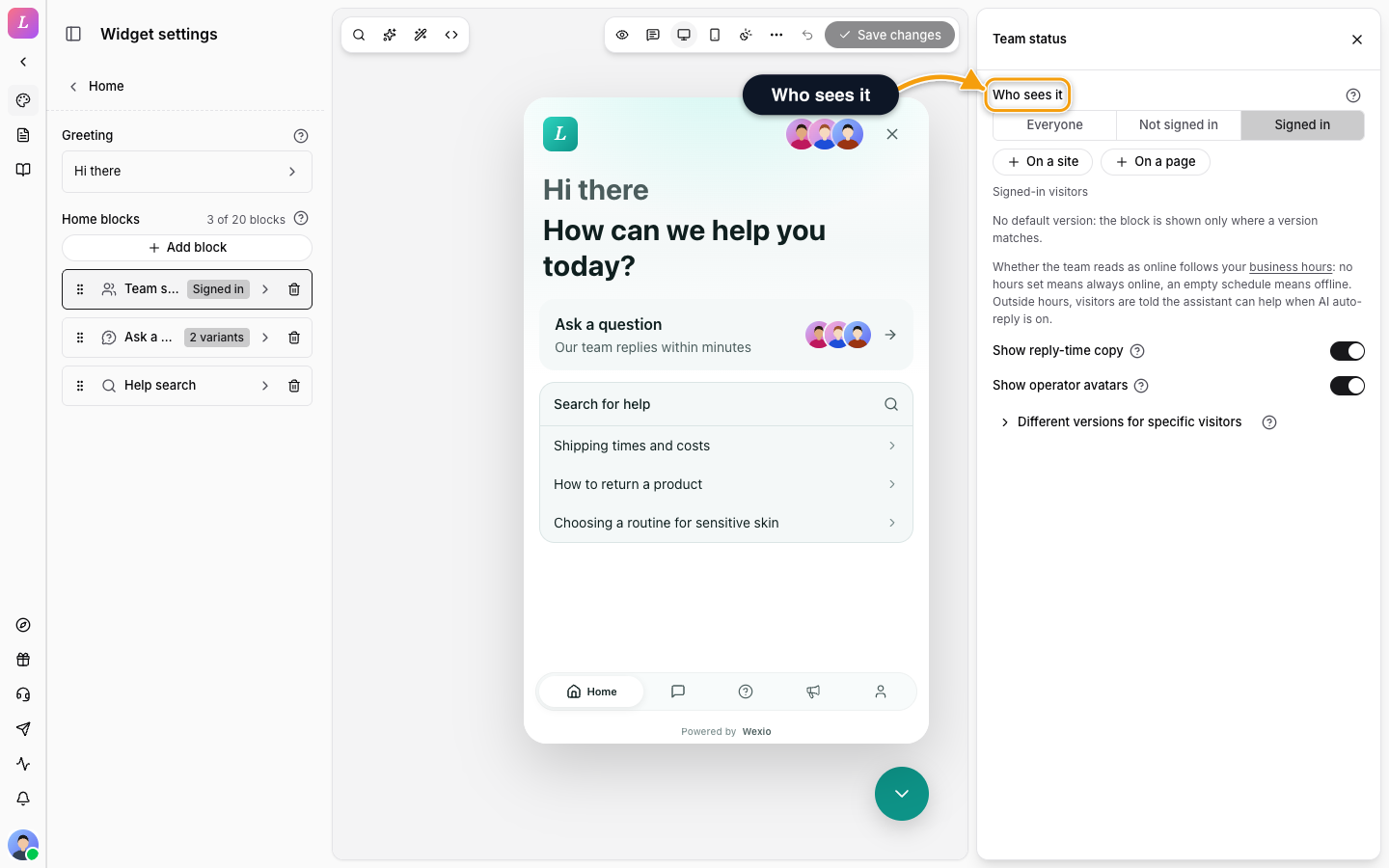
Choosing Who Sees a Message
| Setting | Effect |
|---|---|
| Who sees it | Everyone, Not signed in or Signed in. Signed in means verified with a JWT, HMAC, Google or passkey. Not signed in is everyone else. |
| On a site | Show the message only on the sites you add. No sites means every site. Use https://example.com, or https://*.example.com for all subdomains, with no path. Up to 20 sites. |
| On a page | Show the message only on pages whose address matches. No page rules means every page. Up to 10 page rules. See How page rules match. |
Every condition you set must hold: the right audience, and an allowed site, and a matching page. Inside one list, any entry is enough.
A name typed into the pre-chat form, or prefilled by your page, is not verification. That visitor is still Not signed in.
Targeting is not security. Do not put secrets in a message. Messages for Signed in visitors are never part of the widget's public configuration; they are delivered only after the visitor signs in. A restriction to specific sites or pages is applied by the widget in the visitor's browser, so anyone who loads the configuration can read the text of such a message.
How Page Rules Match
A page rule looks only at the path, the part after the site name. The query string (?utm=x), the # part, capital letters and a trailing / are ignored. Each rule has a type and a value:
| Type | Matches when the path | Example |
|---|---|---|
| Is exactly | is exactly the value | /pricing matches /pricing and /Pricing/, but not /pricing/team |
| Starts with | begins with the value, as plain text | /docs matches /docs/api, but not /documents |
| Contains | has the value anywhere in it | checkout matches /en/Checkout/step-1 |
| Watch out for | Detail |
|---|---|
| Plain text prefix | Starts with is a plain text prefix. /doc matches /docs and /documents. To match only the /doc/ section, write the trailing slash: /doc/. Then /docs no longer matches. |
| Leading slash | Is exactly and Starts with values begin with /. Contains can be any text. |
| Wildcards | None. A * is a plain character. |
| Hash-based routing | On a site whose pages look like /#/pricing, a rule cannot tell the pages apart. |
| Length | A value can be up to 200 characters. |
Different Text for Different Visitors (Variants)
One message can hold up to 5 variants, shown in the editor as Version 1, Version 2 and so on, each with its own text, buttons, translations and conditions. The widget tries them from the top and shows the first one that matches. Use variants when the same message needs a different face: one greeting for visitors, another for signed-in customers, a third for your pricing pages.
| Rule | Detail |
|---|---|
| The default variant is optional | A default variant has no conditions and covers everyone the others did not catch. Remove it, or give it a rule, and the message appears only where a version matches. |
| A single conditional variant hides the message | A message with one variant and a condition is hidden from everyone outside it, and nothing takes its place. The editor warns you. |
| Covered variants never show | A variant that an earlier one already covers can never be shown. The editor warns you about that too. |
How a Message Is Picked
- When it is fixed. An Agent message or Hint is fixed for a conversation when that conversation first shows it. System notes are checked again as the visitor moves around your site.
- No flicker. Until the widget knows whether the visitor is signed in, an Agent message waits behind the typing indicator. A visitor never watches "Hi there" turn into "Hi Olena".
- Version. Audience, site, page and variant rules need widget version 1.7 or later. Older widgets, such as an npm package pinned to an earlier version, show only the messages that apply to everyone. A widget loaded from the script tag updates itself.
Related
- Messenger - welcome message types, variables and quick-reply buttons.
- Chat button bubble - which message shows above the closed chat button.
- Authentication - what makes a visitor signed in.
- Testing - check a rule without publishing it.