Sending and Reply Windows
What each channel allows when you reply, and what the editor shows when it blocks you
Each channel has its own rules for when and how you can reply. Wexio enforces them in the editor, so you see a notice before a message fails.
Reply Windows
Only WhatsApp and Instagram close the editor on a timer. The window opens when the contact writes and runs from their last message.
| Channel | Window | When it closes |
|---|---|---|
| Telegram | None | You can always reply. |
| 24 hours | The editor is blocked. Send an approved template. | |
| 24 hours, or 7 days for a person once Human Agent is on | The editor is blocked until the contact writes again. | |
| Viber | 24 hours, not enforced | You can reply, but a banner warns about charges. |
| Web widget | None | You can always reply. |
AI and flows stop when the 24-hour window closes on WhatsApp and Instagram. Only a person can reply after that, and only on Instagram once Human Agent is on.
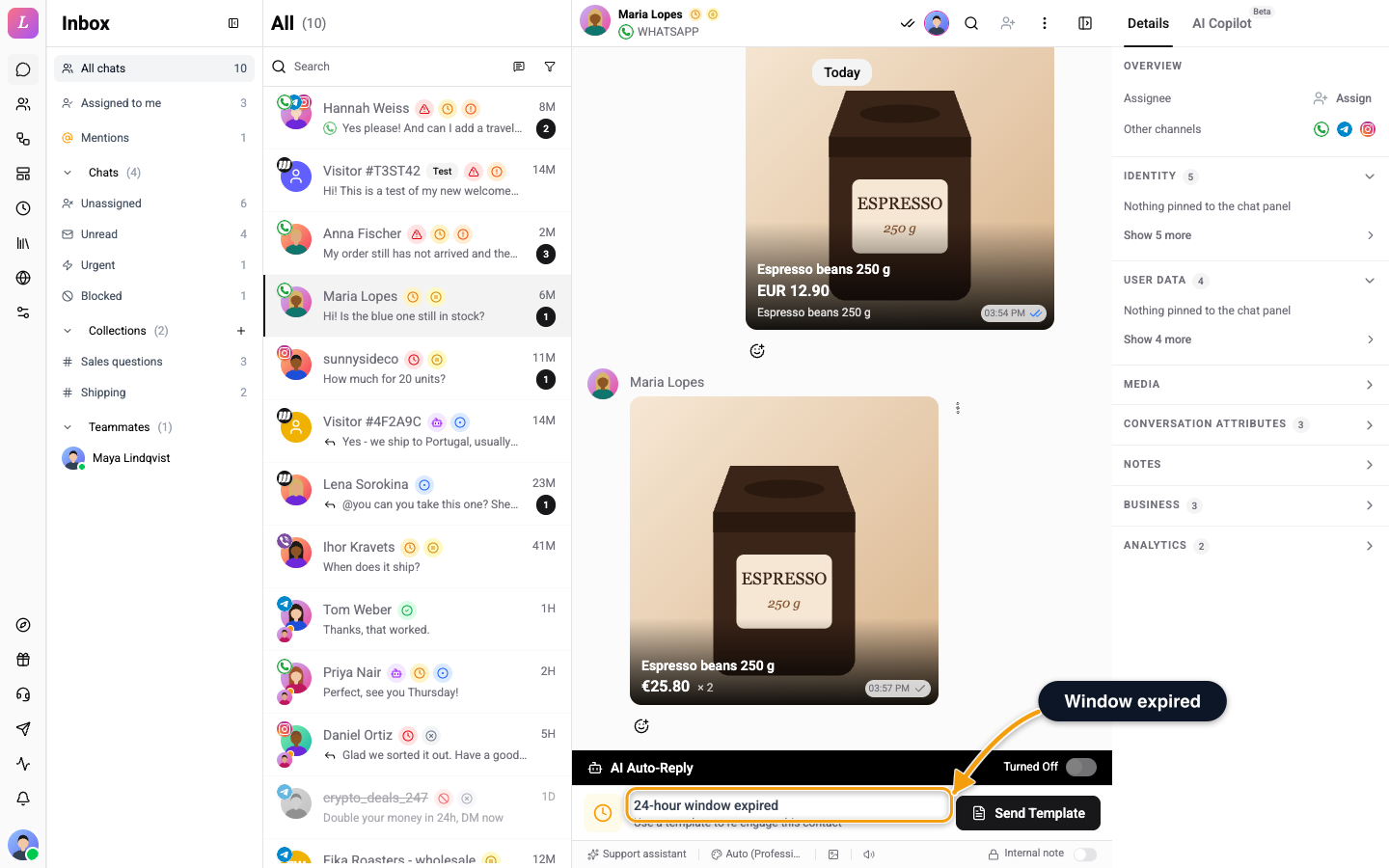
After 24 hours, the editor shows 24-hour window expired and Use a template to re-engage this contact, with a Send Template button. Click it to open Select Template. WhatsApp can also close the window earlier, when it rejects a free-form message because the window is over. When the contact writes again, the editor opens.
After 24 hours the editor stays locked unless Human Agent is switched on (it is off until Meta approves it) and Instagram approved Human Agent for the account. Replies then go out with Meta's Human Agent tag. AI, flows and broadcasts never send after 24 hours. See Instagram.
Between 24 hours and 7 days, a banner above the editor reads Outside the 24-hour window: you can reply for up to 7 days after the customer's last message, but AI and flows are paused for this chat. After that, the editor shows 7-day reply window closed and Instagram allows a reply for 7 days after the customer's last message. Wait for them to write again to re-open the conversation.
If a person replies more than 7 days after the customer's last message, Wexio refuses the reply instead of failing at Meta, and the failed message shows More than 7 days since the customer's last message. Wait for them to write again. If the 24-hour window has closed and no person is replying, it shows The 24-hour messaging window with this customer has closed. Wait for the customer to message again. If Meta has not approved Human Agent for the account, it shows Instagram has not approved the Human Agent feature for this account yet, so replies after 24 hours cannot be sent.
Viber
Past 24 hours, a banner reads 24h session expired - messages sent now are classified as initiated messages and may incur charges. The editor stays open. If the contact has unsubscribed from your Viber bot or is not on Viber, the message fails with This contact has unsubscribed from your Viber bot or isn't on Viber.
When the Editor Is Blocked
A notice replaces the send controls. An internal note still works when only the reply window is closed. The other blocks stop everything.
| What you see | Cause | What to do |
|---|---|---|
| Operations limit reached and Your plan's monthly operations are used up. Upgrade or wait for the next billing period to resume sending. | The plan's monthly operations are used up. | Click Manage billing. |
| Outbound paused and Outbound messaging has been paused for this chat due to spam protection. | Spam protection paused this chat. | Click Resume. It shows only for people who can manage inbox settings. You see Outbound messaging resumed, or Failed to resume outbound messaging. |
| User blocked and This user has been blocked due to spam protection. Messaging is disabled. | The contact is blocked. | Nothing to do in the editor. |
| Organisation blocked and Outbound messaging has been blocked for your organisation due to spam protection. | Sending is blocked for the whole organisation. | Click Contact Support. |
| Bot is paused - messaging disabled | The channel is paused. | Resume it in Settings → Integrations. |
| Bot disconnected - messaging unavailable | The channel lost its connection. | Reconnect it in Settings → Integrations. |
| This chat is waiting for you. Connect to reply. | The chat waits for a person. | Click Connect to chat. AI auto-reply pauses while you are connected. |
If you click send when the operations limit is reached, a message reads Operations limit reached. Please upgrade your plan.
Failed Messages
A message that did not go out shows a red icon. Hover over it to see Failed to send, the reason, the channel's error code as Code {code}, and Click to retry. Click the icon to send again. See Message Actions.
Typing Indicator
In the thread, Contact is typing shows while the contact writes, and a teammate's typing shows as {name} is typing. Two teammates show as {name1} and {name2} are typing, and more show as {name} and {count} others are typing. When the AI is working, a bubble in the thread is labelled AI Agent, AI, Classifying or Auto-reply. While a teammate runs an AI action, your message box shows what they are doing, or A teammate is using AI. Your own typing and AI generation reach the contact on Telegram, Instagram and the web widget. WhatsApp and Viber have no typing indicator. See Provider Typing Relay.
Related
- Message Editor - the parts of the editor.
- Template Sending - reopen a WhatsApp conversation with a template.
- Instagram - the 7-day Human Agent window and its errors.
- Provider Typing Relay - which apps show a typing indicator.