Notifications
The bell in the sidebar - what it tells you, how to read, archive and clear notifications
The bell collects things that need your attention across Wexio: mentions, team changes, billing, spam protection and support replies. It belongs to your login, so it follows you into every workspace.
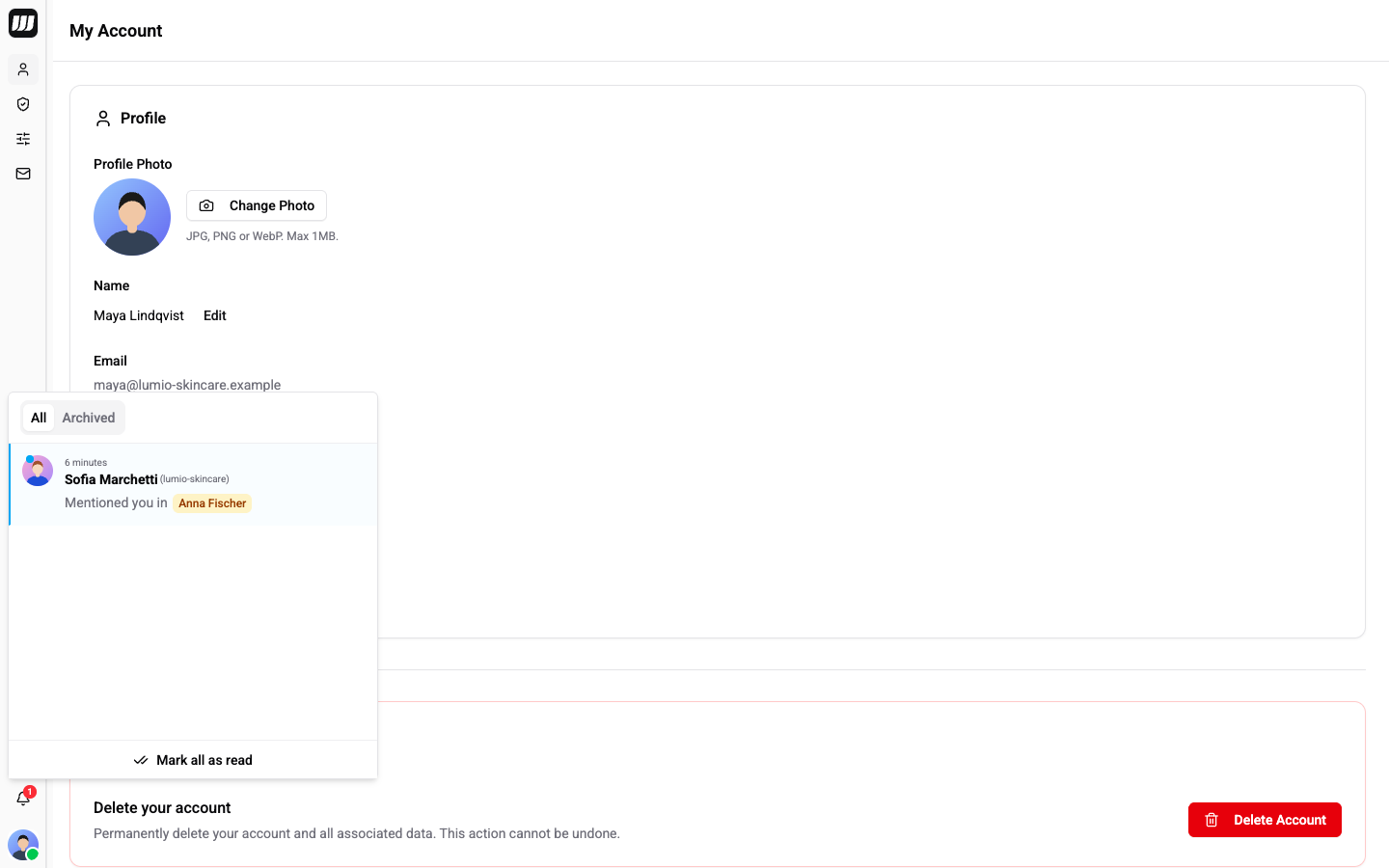
Open the Bell
Click Notifications in the sidebar. A red badge on the bell shows how many notifications are unread, up to 99+. New notifications arrive in real time.
The panel has two tabs: All and Archived. When nothing is there you see No notifications or No archived notifications.
What You Are Notified About
| Group | You are told when |
|---|---|
| Mentions | A teammate mentions you in an internal note. The row shows Mentioned you in and the chat name. |
| Team | You receive an invitation, someone accepts or declines yours, a member joins or leaves, you are removed, or your role changes. |
| Billing | A subscription starts, a payment arrives, a payment is overdue, or the account is suspended. |
| Spam protection | Outbound messages are blocked (Outbound Blocked) or allowed again (Outbound Resumed). |
| Support | A support ticket you opened changes status, is assigned or resolved, or gets a comment. |
| Templates | A template you submitted is approved, rejected or needs changes. |
| System | Wexio sends you a welcome or an announcement. |
Read and Archive
- Click a row to mark it read and jump to the place it is about: the chat for a mention, Billing for a payment, the spam settings for a block, the ticket for a support reply.
- View opens the same place from the row. Not every notification has one.
- Mark as read clears one unread notification without opening it.
- Mark all as read clears every unread one at once.
- Archive moves a notification out of All. Open Archived and choose Unarchive to bring it back.
Unread notifications have a blue bar on the left and a dot on the avatar.
Settings
The bell has no settings page. You cannot choose which notifications you receive.
A spam block shows a countdown, Unblocks in, while the block is active. See Spam Protection.