HTTP Request Card
Make HTTP requests to external APIs
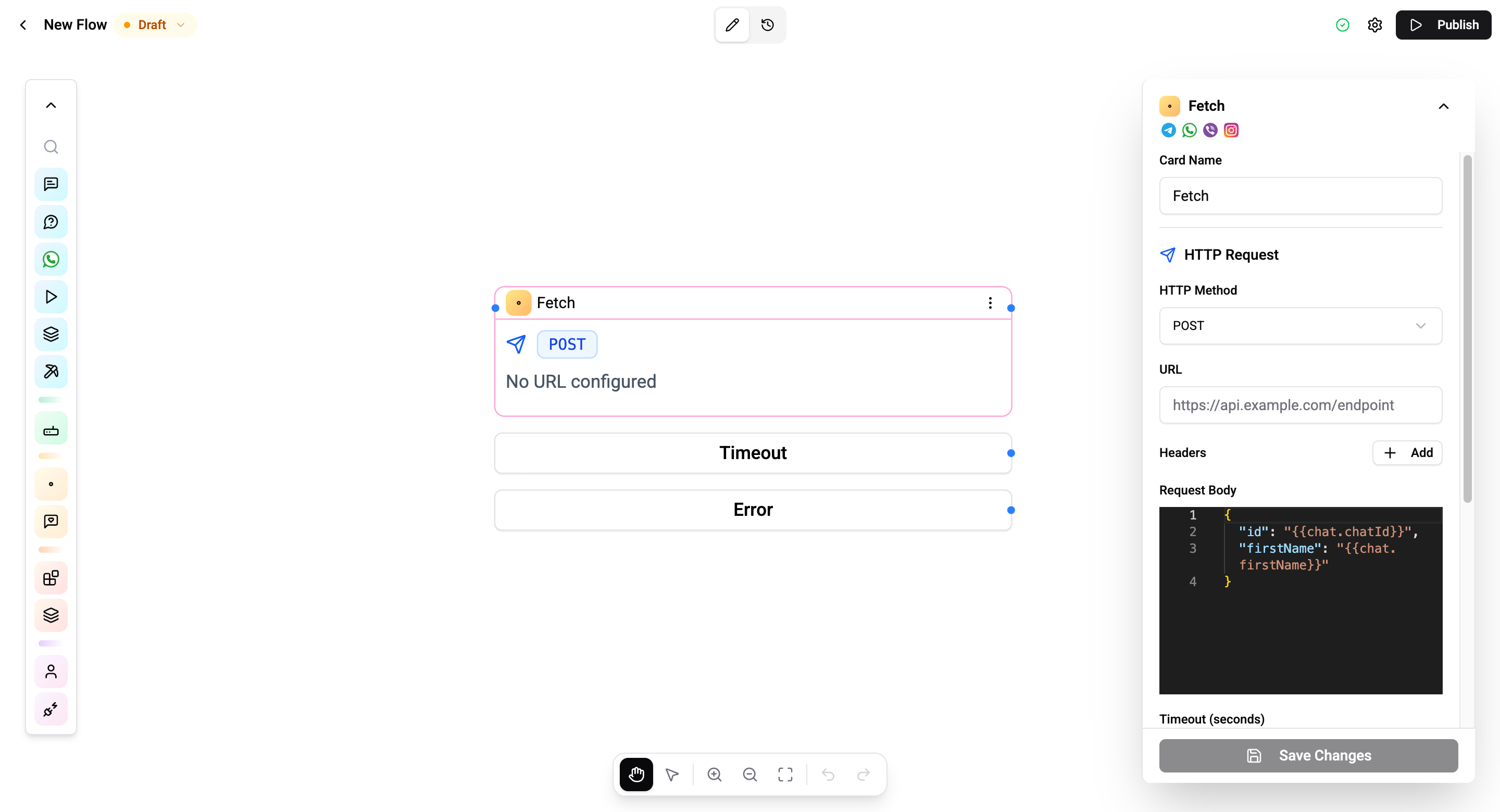
The Fetch Card (HTTP Request) allows your flow to call external APIs, send data to webhooks, and retrieve information from third-party services.
Configuration
| Setting | Description |
|---|---|
| Method | GET or POST |
| URL | The endpoint URL (supports flow variables) |
| Headers | Custom HTTP headers - dynamic key-value pairs with variable support |
| Body | Request body (shown for POST only - JSON editor with variable support) |
| Timeout | Maximum wait time in seconds (1–300, default 30) |
Response Mapping
Map parts of the API response to flow variables:
| Field | Description |
|---|---|
| Variable name | Name of the flow variable to store the value |
| JSON path | Path to the value in the response JSON |
| Default value | Fallback value if the path doesn't match |
Output Variables
Each mapping entry creates a variable at {{flow.{cardId}.{variableName}}}. For example, if you add a mapping with variable name userName and JSON path data.name:
Hello {{flow.674000000000000001.userName}}See Variables for details on all variable namespaces.
Allowed Destinations
The card can only call public addresses. A request to a private or internal address is blocked before it is sent, and the card takes its error path with a BLOCKED_TARGET result.
Blocked:
- loopback and private ranges -
127.0.0.1,10.x,192.168.x, and the rest - link-local metadata endpoints such as
169.254.169.254 - hostnames that resolve into private space
- non-HTTP schemes
A misspelled domain also reads as blocked. If a hostname does not resolve to a public address, the card cannot tell "typo" from "internal host" - both come back as BLOCKED_TARGET. Check the spelling before assuming a firewall problem.
If the service you need to reach is genuinely internal, expose it through a public HTTPS endpoint of your own and call that. There is no allowlist to add a private host to.
Error Handling
Configure fallback variables that are set when the request fails:
| Field | Description |
|---|---|
| Variable name | Fallback variable name |
| JSON path | Path in the error response |
| Default value | Value to use on failure |
Connections
- 1 input port - Receives execution.
- 3 output ports:
- Next - Request succeeded.
- Timeout - Request exceeded the timeout.
- Error - HTTP or network error.
Operations Cost
2 operations per execution.
For built-in CRM integration, use the CRM Card which handles authentication and field mapping automatically.