Button Card
Send text messages with interactive callback and URL buttons
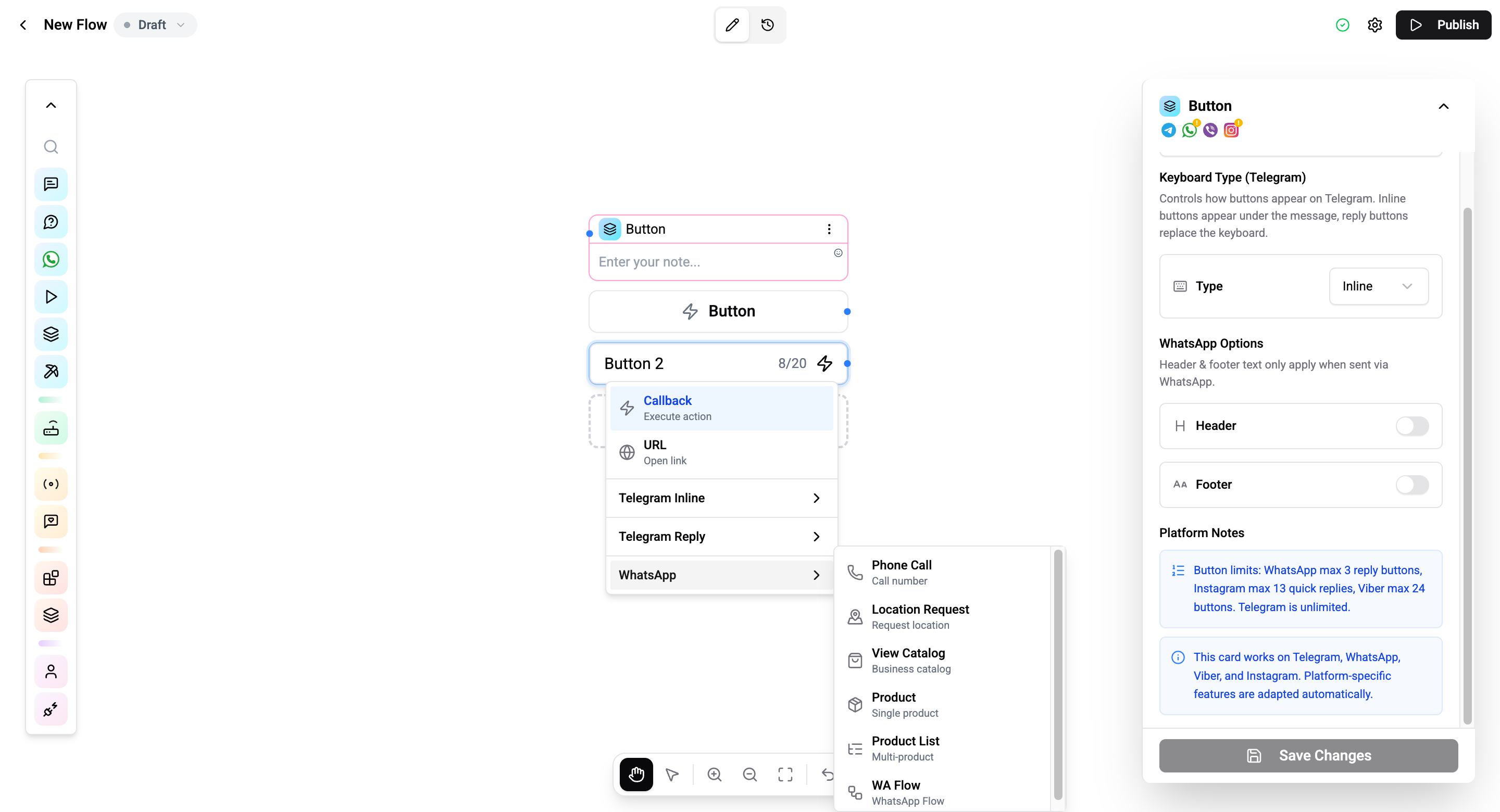
The Button Card sends a text message with interactive buttons. Contacts can tap buttons to navigate flow branches, open URLs, or perform channel-specific actions.
Configuration
| Setting | Description |
|---|---|
| Message text | Rich-text content above the buttons |
| Buttons | Configure button labels, types, and actions |
| Telegram Keyboard | Inline or Reply keyboard (Telegram-specific, in settings panel) |
| Header | Optional header text (WhatsApp only, toggle in settings panel) |
| Footer | Optional footer text (WhatsApp only, toggle in settings panel) |
Button Types
Cross-platform
| Type | Description |
|---|---|
| Callback | Triggers a specific branch in the flow |
| URL | Opens a link in the user's browser |
Telegram
| Type | Description |
|---|---|
| Login | Telegram Login authentication |
| Web App | Opens a Telegram Mini App |
| Switch Inline | Switch to inline query |
| Pay | Initiate Telegram payment |
| Request Contact | Ask to share phone number |
| Request Location | Ask to share location |
| Request Poll | Request a poll |
| Request Users | Request user selection |
| Request Chat | Request chat selection |
| Type | Description |
|---|---|
| Phone | Display phone number to call |
| Location Request | Ask to share location |
| Catalog | Open product catalog |
| Product | Show a specific product |
| Product List | Show product cards |
| WhatsApp Flow | Launch a WhatsApp Flow |
Output Variable
When a contact clicks a callback button, the selected button's value is stored in {{flow.{cardId}}} - where {cardId} is the unique ID of this Button card.
You can reference the clicked button's value in any subsequent card:
You selected: {{flow.674000000000000001}}See Variables for details on all variable namespaces.
Connections
- 1 input port - Receives execution.
- Per-button output ports - Each callback button creates its own connection handle for branching.
The Button Card does not have a single default output port - routing is entirely through button branches.
Operations Cost
1 operation per execution.
Button limits vary by channel. Telegram supports up to 100 inline buttons, while WhatsApp supports up to 3 quick reply buttons per message.