InboxChatMessages
Chat Update Messages
Platform notices such as someone joining or leaving, or a title or photo change
A chat update message is a compact card in the thread, titled Chat Update. It carries a notice from the platform, for example that someone joined or left, or that the title or photo changed.
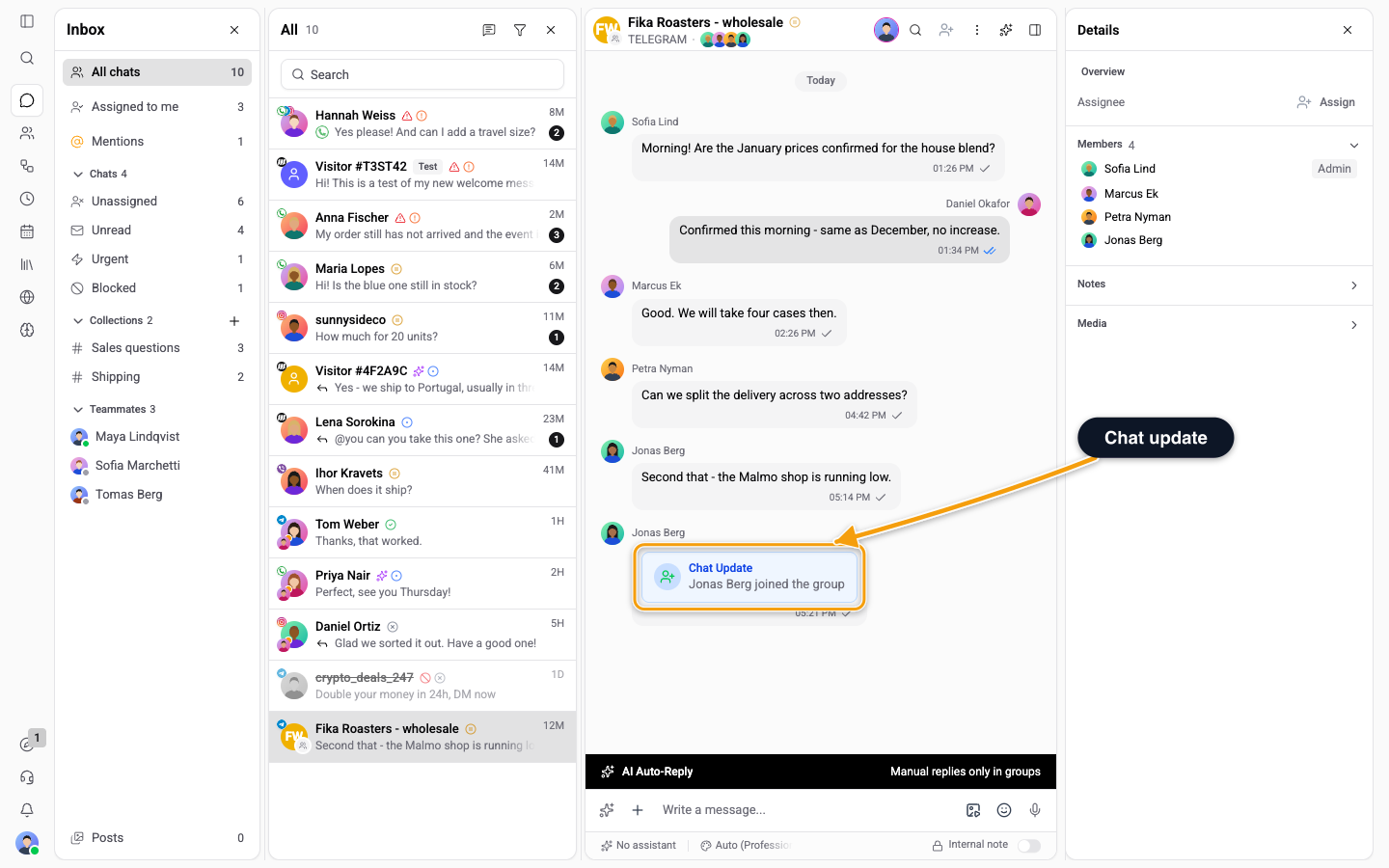
What You See
The text is free text that comes from the server. Wexio does not create these messages in the inbox. It picks the icon from the words in the text:
| Text mentions | Icon |
|---|---|
| Joined or added | Green person-plus |
| Left or removed | Red person-minus |
| Photo or image | Purple image |
| Settings, title or changed | Grey settings |
| Anything else | Blue refresh |
In the chat list, the last-message preview reads Chat update.
Good to Know
- Not a reply. Chat updates are context only. AI assistants skip them when they read the conversation history.
- Not an assignment log. Assignment, status and label changes are not shown as chat updates.
- Groups. For how group chats work in the inbox, see Group Chats.
Related
- System Messages - system notices in the thread
- Pinned Messages - pin notices in a group