Chat Button Bubble
The welcome message shown above the closed chat button, which message wins, what a click does, and how reading hides it
An Agent message is also what a visitor sees as a bubble above the closed chat button. There is no separate setting: the bubble is your welcome message. Hints and system notes do not appear there.
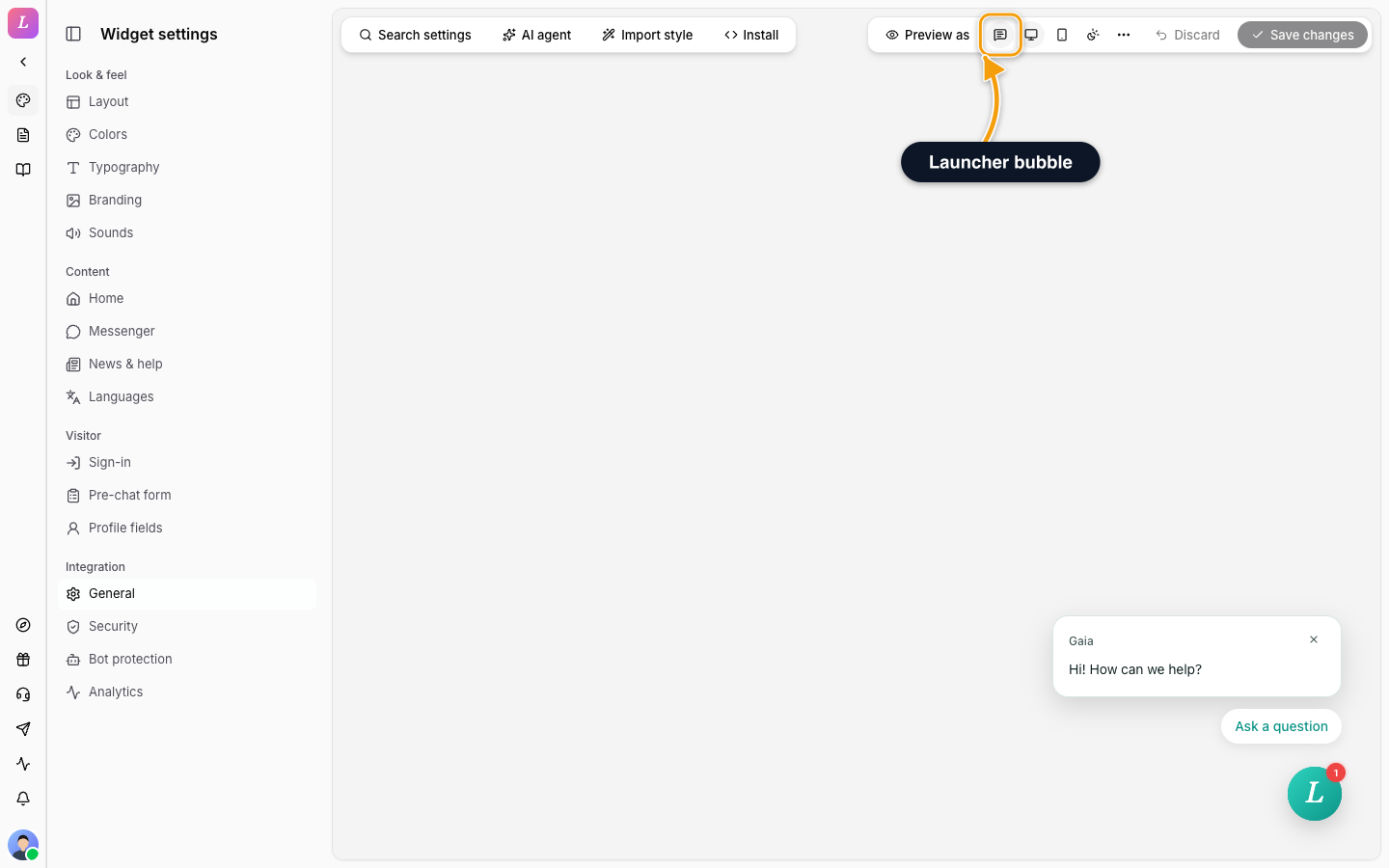
Above the Chat Button
Only one bubble shows at a time. When several messages fit the visitor, the most specific one wins:
- a message limited to specific pages, which beats
- a message limited to specific sites, which beats
- a message limited to an audience (Not signed in or Signed in), which beats
- a message with no conditions.
Between equally specific messages, the one higher in the editor wins, so reorder them to change what comes first. For the conditions themselves, see Message targeting.
The ranking uses the variant that matched this visitor on this page, not the message as a whole. Say a message has a variant for /pricing and a default variant with no conditions. On /pricing it ranks as page. On /about it falls back to its default variant and ranks as no conditions, so another message with a page or site variant that matches /about beats it there.
What a Click Does
Each variant of a message has its own conversation. Clicking the bubble, one of its buttons, or the chat button itself on a site where that message applies opens the conversation of the variant the visitor sees.
- The message text is the first message from your team in it. The conversation is named after that text, in the widget and in the inbox.
- Clicking the bubble leaves the visitor to write in their own words.
- Clicking a button also sends its label as the visitor's message in the same conversation.
- Different messages, and different variants of one message, open different conversations, so a visitor who answers "Questions about pricing?" and one who answers "Need help with an order?" land in conversations you can tell apart.
| Case | What happens |
|---|---|
| Editing a message | Editing does not rewrite old conversations. A conversation keeps the first message it started with. If you change the text later, existing conversations keep the old opening message, while the bubble shows the new text. |
| No message fits | The chat button opens the visitor's most recent conversation, or a new chat if they have none. |
Reading Hides the Bubble
The bubble counts as read when the visitor closes it with its X, clicks it or one of its quick replies, or opens the widget while it is showing. Closing the widget on its own changes nothing.
- Once read, the bubble stays hidden and no other message takes its place. By default it comes back only if you change that message's text or buttons.
- The chat button still opens that message's conversation, because the bubble and the button always point to the same message.
- Closing the bubble with the X does not start a conversation.
Showing It Again After a While
Set a number of days, from 1 to 365. After a visitor closes the bubble with the X, it stays hidden for that many days, or until you change the text, whichever comes first. A click, or opening the widget, hides it until the text changes, whatever you set.
Related
- Messenger - welcome message types, variables and quick-reply buttons.
- Message targeting - audiences, sites, pages and variants.
- Testing - preview the bubble as a visitor.