Assign Operator Card
Assign the conversation to a specific team member or auto-assign based on roles
The Assign Operator Card automatically assigns the current conversation to a team member based on your configuration - either a specific person or the next available operator matching role and capacity criteria.
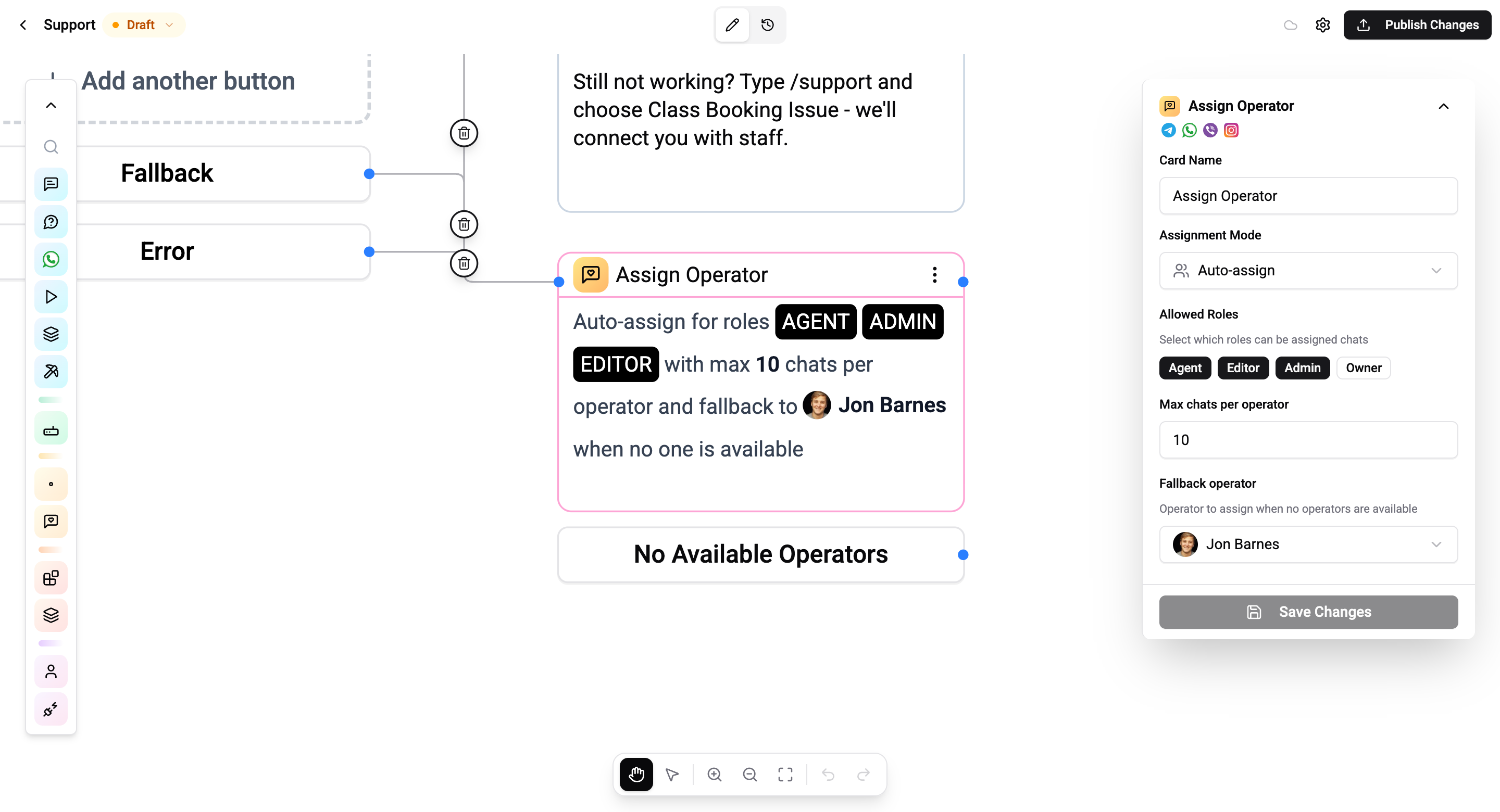
Assignment Modes
Auto Mode
Automatically assigns the conversation to the first available operator based on:
| Setting | Description |
|---|---|
| Allowed roles | Which roles can receive assignments - select from Agent, Editor, Admin, Owner |
| Max chats per operator | Maximum concurrent chats an operator can handle (default: 10) |
| Fallback operator | Specific team member to assign to when no one else is available |
The system checks each operator's current chat count against the max limit and assigns to the first available match.
Specific Mode
Assign directly to a named team member. Select the operator from a dropdown of accepted organisation members.
Connections
- 1 input port - Receives execution
- 1 output port - Continues after assignment
- 1 error port - "No Available Operators" - routes when the queue is full or no operator matches the role criteria
Always connect the error port to handle the case when no operators are available. You can route to a message card that informs the contact, or to another Assign Operator card with different criteria.
Operations Cost
2 operations per execution.