FlowsCards
AI Text-to-Speech Card
Convert text to spoken audio with configurable voice and speed
The AI Text-to-Speech Card converts text content into a spoken audio message and sends it to the contact as a voice note.
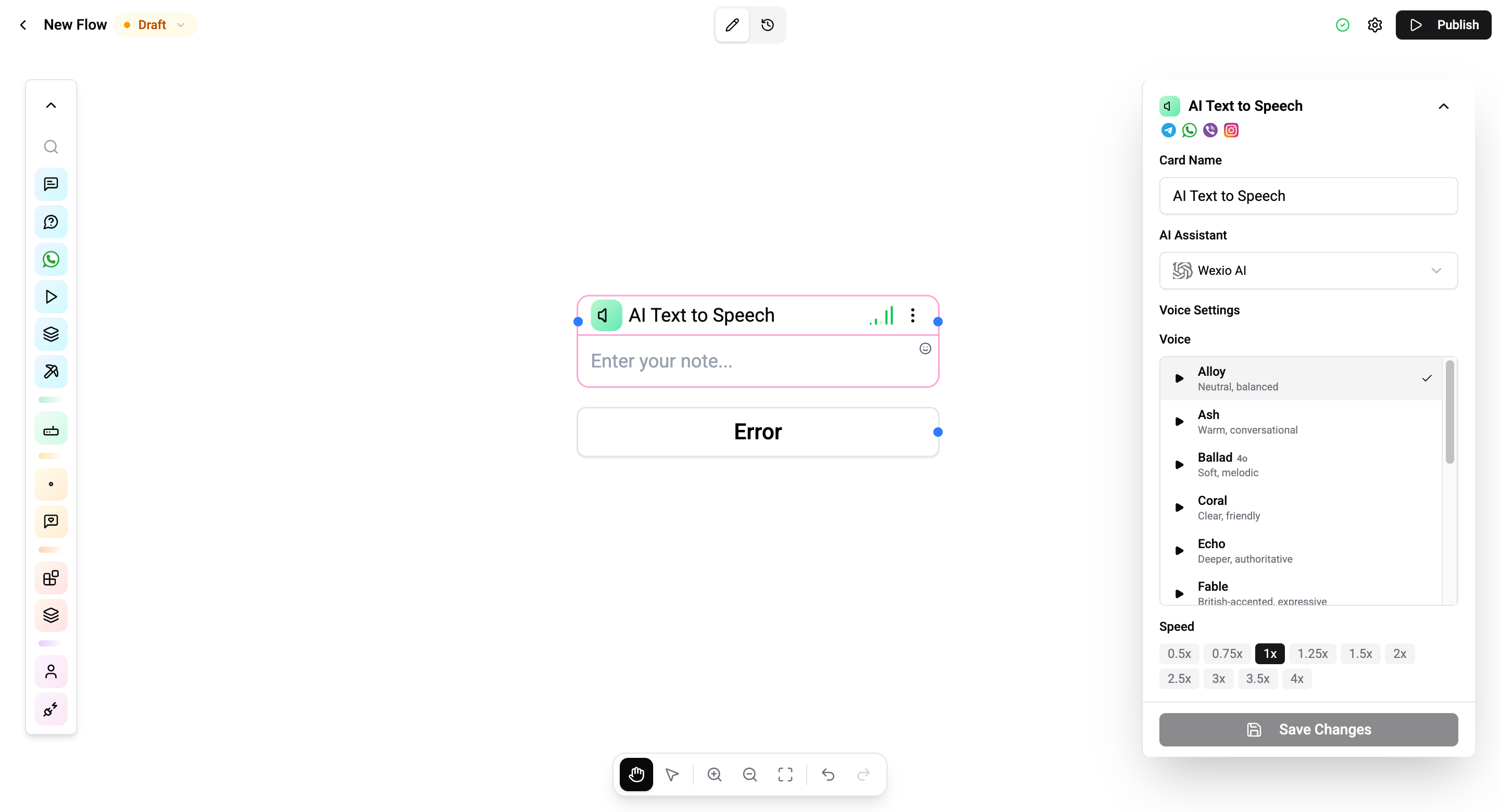
Configuration
| Setting | Description |
|---|---|
| Text | The text to convert to speech (supports variables) |
| Voice | Select from available TTS voices |
| Speed | Playback speed multiplier (0.25x to 4x) |
| Instructions | Optional instructions for voice style and delivery |
How It Works
- The text content is resolved (variables are substituted)
- The text is sent to the TTS model with voice, speed, and instruction settings
- Audio is generated and sent as a voice message to the contact
- The flow continues to the next card
Connections
- 1 input port - Receives execution
- 1 output port - Continues after the audio is sent
- 1 error output - Triggers if the TTS generation fails
Use Cases
- Accessibility - Provide audio versions of important messages
- Personalization - Dynamic voice responses based on contact data
- Alerts - Urgent notifications via voice
Operations Cost
Depends on text length and the TTS model used.