n8n
Connect self-hosted or cloud n8n to Wexio
n8n's HTTP Request node can POST to a Wexio inbound URL at the end of any workflow. n8n also works as a proxy for providers Wexio does not support natively (PayPal v2, Discord, SendGrid signed events and others). n8n verifies the provider's signature, reshapes the payload and forwards it to Wexio.
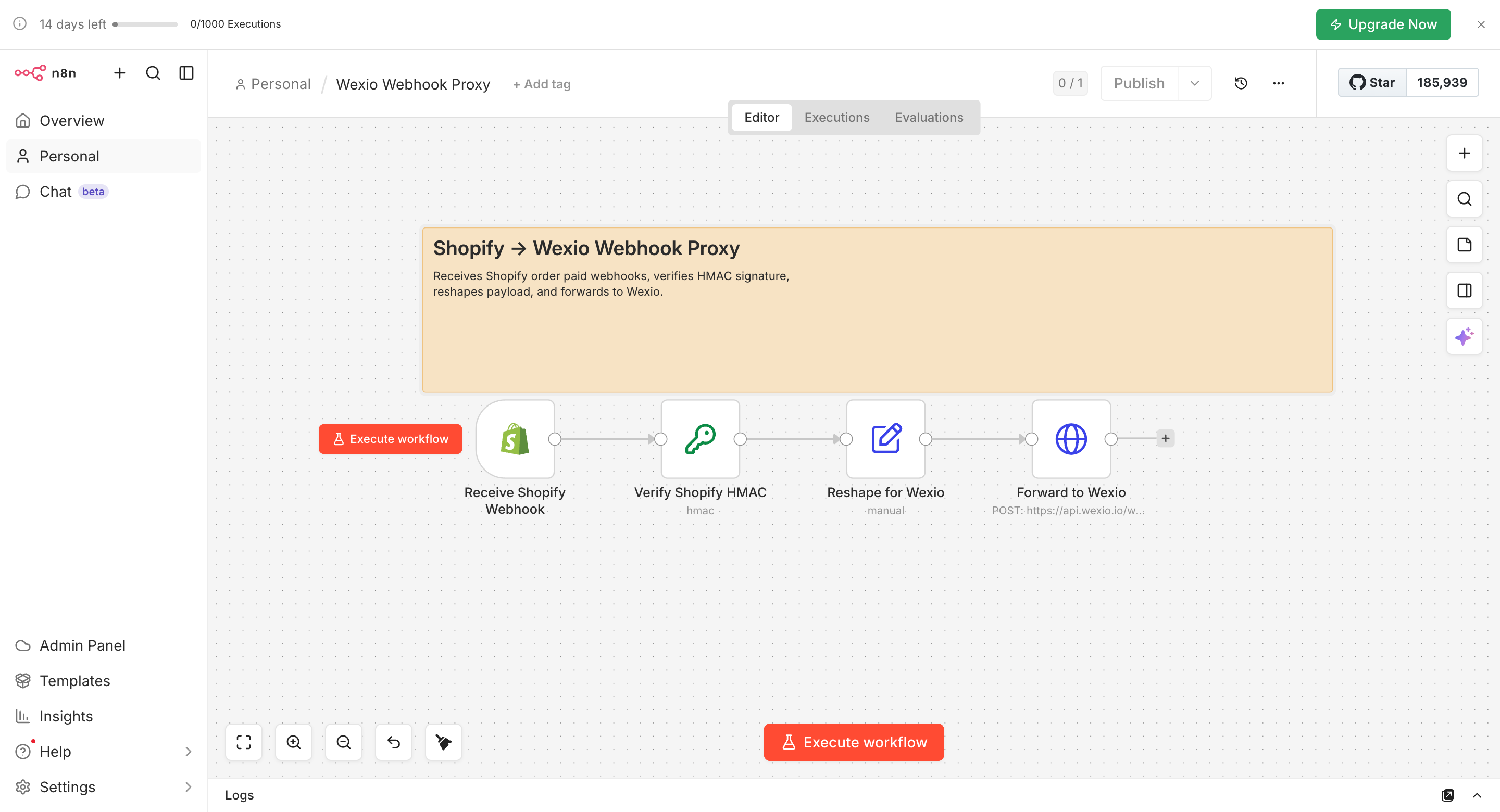
Provider docs: Setting up webhooks in n8n
Setup (Direct)
1. Connect It in Wexio
Go to Settings → Webhooks and API → Webhooks → New connection → Inbound and keep Authentication mode on Shared secret (default). Copy the endpoint URL and the webhook secret.
2. Add an HTTP Request Node in n8n
At the end of the n8n workflow, add HTTP Request.
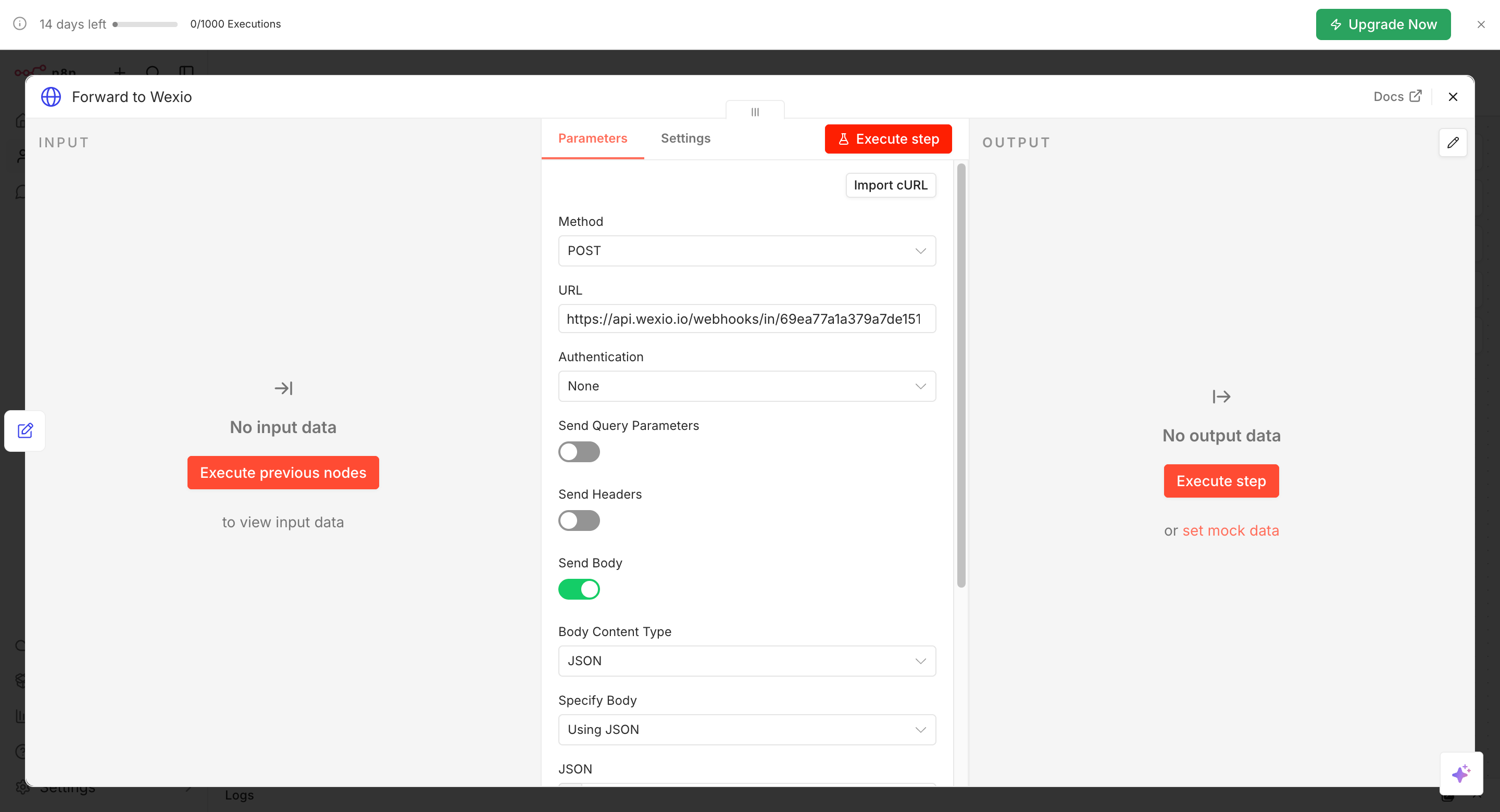
| Field | Value |
|---|---|
| Method | POST |
| URL | The Wexio endpoint URL |
| Authentication | None (you use a custom header instead) |
| Send Headers | Enable |
| Headers | x-webhook-secret → Wexio webhook secret; Content-Type → application/json |
| Send Body | Enable |
| Body Content Type | JSON |
| Specify Body | Using JSON (raw). Paste your JSON with {{ $json.fieldName }} interpolation |
3. Resolve Contacts, Capture the Schema and Bind a Flow
This is the same as for any inbound connection.
- Set the identifier and path on the Wexio connection.
- Tap Capture schema, run the n8n workflow once and let Wexio learn the fields.
- Add a Webhook Received trigger on a flow and pick this connection.
Setup (Proxy for Unsupported Providers)
Use n8n to accept the partner's webhook, verify their signature locally (n8n has built-in crypto nodes), reshape the payload, then forward it.
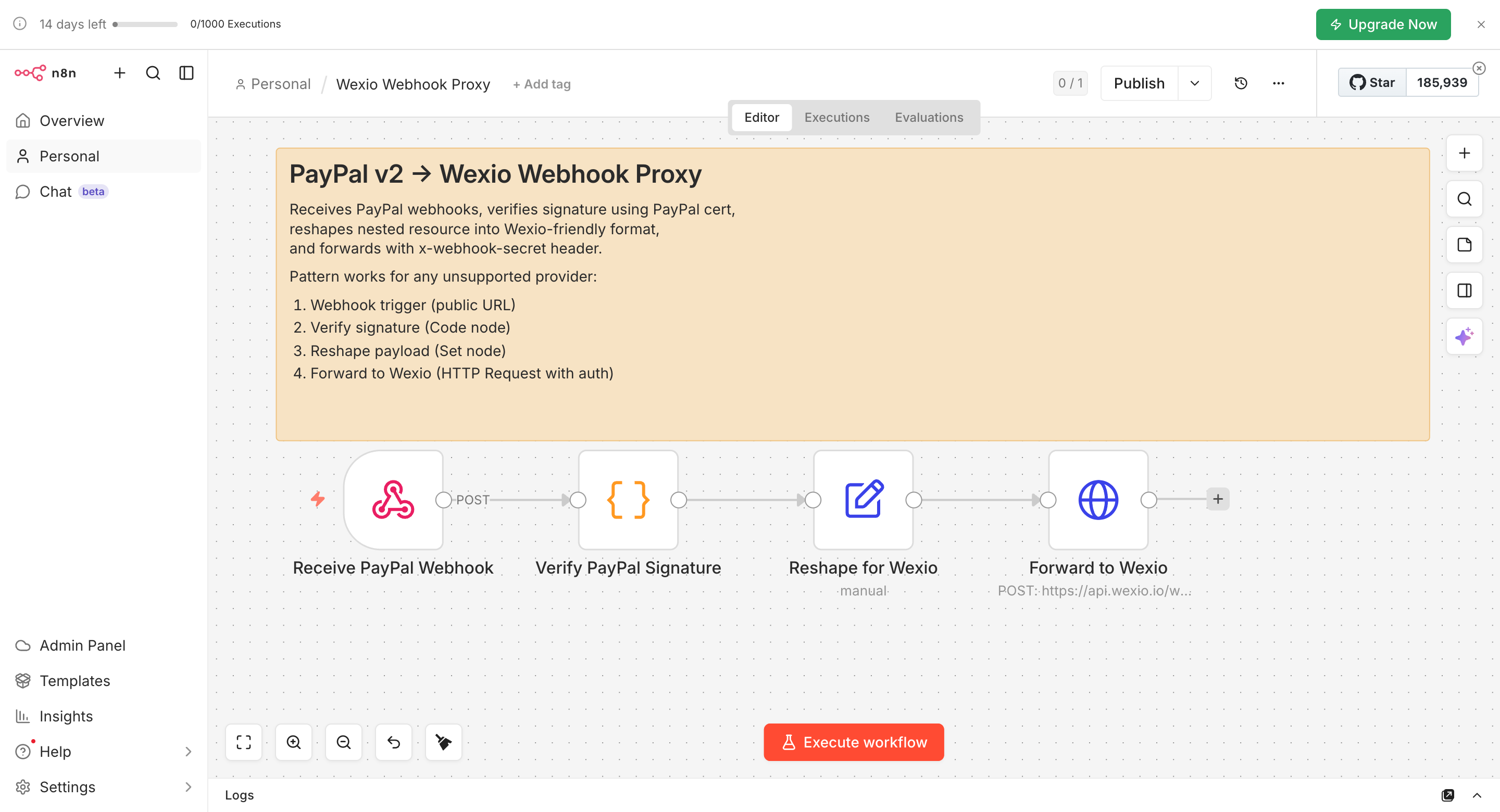
Here is the pattern for PayPal v2.
- Trigger: an n8n Webhook node listening on a public URL.
- Verify: a Function node that fetches PayPal's cert from
cert_urlin the event, verifies the signature and throws on mismatch. - Reshape: a Set node that flattens PayPal's nested resource into a Wexio-friendly shape.
- Forward: an HTTP Request node to the Wexio inbound URL, with the
x-webhook-secretheader.
Wexio sees a clean authenticated POST with the shape its schema captured. The partner-specific work stays in n8n.
Example - Airtable Row to Telegram
- n8n trigger: Airtable, on new row
- n8n HTTP Request: POST
{ "customer": { "email": "{{ $json.email }}", "name": "{{ $json.name }}" }, "record_id": "{{ $json.id }}" }to Wexio - Wexio connection:
Emailwith$.customer.email - Wexio flow: Webhook Received, then Text "Hi
{{webhook.customer.name}}, your Airtable record{{webhook.record_id}}is ready."
Troubleshooting
| Symptom | Cause | Fix |
|---|---|---|
401 UNAUTHORIZED | x-webhook-secret is missing or wrong | Re-copy the secret into the n8n HTTP Request headers |
400 INVALID_JSON | Body content type is Form-URLEncoded | Switch to JSON and use "Using JSON (raw)" for nested objects |
| Timeout from Wexio | The n8n workflow took longer than the HTTP timeout to respond | Wexio responds within seconds. Check that your n8n instance is not queuing on a low-concurrency worker |
| Duplicate flow runs | n8n retries and Wexio does not dedupe | Send X-Idempotency-Key with a stable per-event ID, for example the source record's UUID |
Related
- Custom Shared Secret - how the shared secret header works
- Integrations - the support matrix and providers that need a proxy
- Webhook Received - the trigger that starts your flow
- Webhook History - check why a request failed