System Messages
Platform events displayed as messages - login, assignment, flow, pins, and more
System messages are automatically generated by the platform to provide context about events that occur during a conversation.
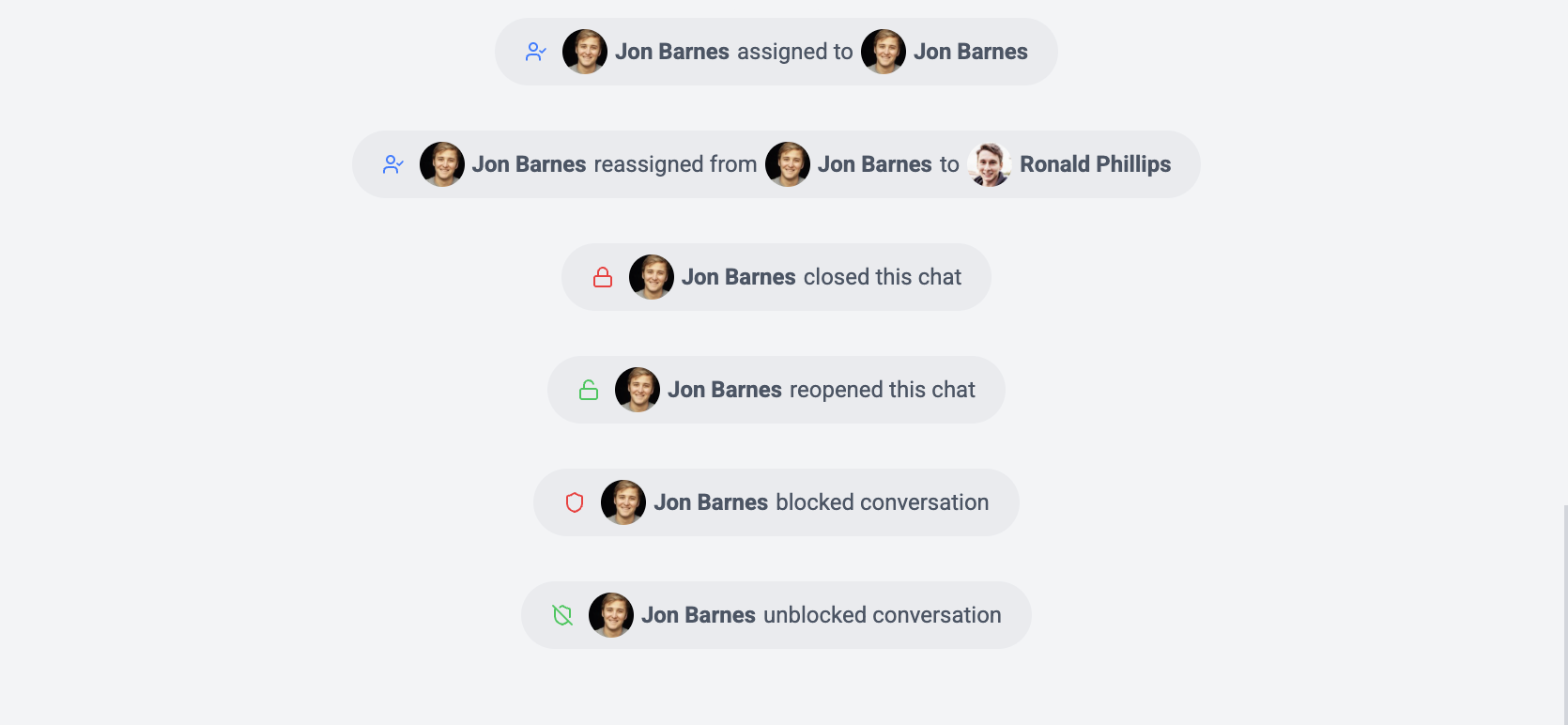
System Message Types
Wexio generates 11 types of system messages:
Login
Displayed when a user logs into the platform from a conversation context.
- Shows IP address and device information
- Helps track authentication events
Users Shared
When a contact shares one or more users/contacts through the messaging channel.
Chat Shared
When a chat or group is shared/forwarded through the messaging channel.
Pin / Unpin
Displayed when a message is pinned to or unpinned from the conversation.
- Shows which message was pinned
- Links to the pinned message for quick navigation
Flow Events
Flow-related system messages track automation lifecycle:
| Event | Description |
|---|---|
| Flow Started | A flow was triggered on this conversation |
| Flow Completed | A flow finished execution |
| Flow Cancelled | A flow was manually stopped |
| Flow Timeout | A flow timed out waiting for input |
| Flow Loop Detected | A flow was stopped due to a loop |
| Sub-Flow Started | A sub-flow was triggered |
| Sub-Flow Completed | A nested flow finished execution |
| Sub-Flow Cancelled | A nested flow was manually stopped |
| Sub-Flow Timeout | A nested flow timed out |
Shows the flow name and trigger type.
Assignment
Generated when a conversation is assigned, reassigned, or unassigned:
- Shows the previous and new operator
- Tracks both automatic and manual assignments
Status Change
Logged when the conversation status changes (e.g., Pending → In Progress → Resolved).
- Shows the old and new status values
- Records who made the change
Spam
Displayed when spam protection takes action:
- Spam detection trigger
- Block action taken
System messages cannot be deleted or edited. They serve as an audit log for the conversation.