Knowledge Base
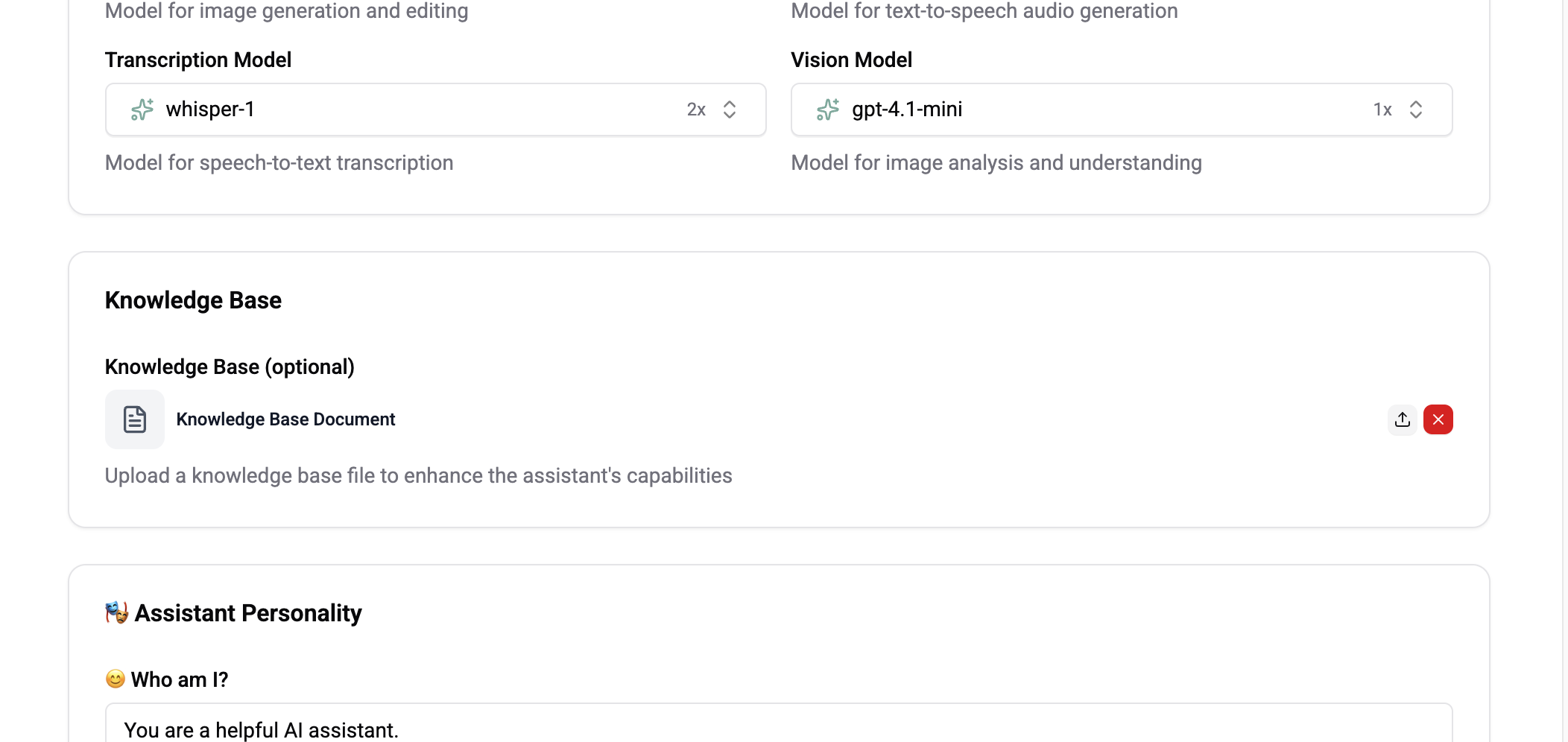
Upload documents to give your AI assistant domain-specific knowledge
The Knowledge Base allows you to upload documents that your AI assistant can reference when answering questions, providing accurate and contextual responses grounded in your content.
How It Works
- Upload documents to an assistant's knowledge base
- Wexio splits them into passages and turns each into a vector with OpenAI's
text-embedding-3-large - When the assistant receives a message, the question is embedded the same way and matched against those passages by meaning, not keywords
- Matching content is included as context for generating the response
- Knowledge base information takes priority over general model knowledge
Search Works Across Languages
Because questions and passages are embedded with the same model, the match is cross-lingual: a question in Ukrainian can retrieve a passage written in English, as long as they mean the same thing.
You do not need to translate your knowledge base into every language you support. Write it once, in whichever language it is clearest, and let retrieval bridge the gap. Translating is still worth it for the answer wording - see the assistant's language setting.
Who the AI Shares It With
Each knowledge file, help article and news post can be limited to an audience - who the AI is allowed to use it for.
| Audience | The AI uses it for |
|---|---|
| Everyone | Any visitor. The default. |
| Signed-in visitors | Only visitors who have authenticated. |
| A field value | Only visitors whose contact field is one of the values you list - plan is Pro or Enterprise, say. |
Audiences are set per locale variant, so a translated article can have its own.
This limits what the AI says, not what the widget shows. A help article stays publicly readable in the widget regardless of its audience - the setting only stops the assistant from drawing on it when answering someone outside that audience.
If a document must not be readable at all, do not publish it as an article.
The assistant knows whether a visitor is signed in and what their plan is, but it never states that back to them. It answers differently; it does not announce why.
Uploading Documents
- Go to Settings → AI and select an assistant
- Navigate to the Knowledge Base section
- Click Upload
- Select one or more files
- Documents are processed and indexed automatically
Supported Formats
| Format | Description |
|---|---|
| Documents, manuals, guides | |
| TXT | Plain text files |
| Markdown | .md files with formatting |
Answer Quality
Answers are drawn from your knowledge rather than the model's general training, and are checked before they are sent.
| Grounded | Every answer comes from your organisation's knowledge, with internal citations back to the source. |
| Checked | Numbers, prices, dates and links in a reply are verified against those sources before sending. |
| Honest when it cannot answer | If a claim is not supported, the assistant says it could not find an exact answer and lists the closest topics instead. |
| Hands over only when it can | It offers a human only when one is actually available. |
This is why a wrong price is unlikely but a "I could not find an exact answer" is not a failure - it is the assistant declining to invent one. The fix is usually a gap in the knowledge base, not the model.
Resolution Priority
When answering questions, the assistant checks sources in this order:
- Knowledge base (highest priority)
- Conversation context
- Assistant instructions
- General model knowledge (lowest priority)
Managing Documents
| Action | Description |
|---|---|
| View | See all uploaded documents and their status |
| Delete | Remove a document from the knowledge base |
| Re-upload | Replace a document with an updated version |
Best Practices
- Upload comprehensive documentation - Product docs, FAQs, policy documents
- Keep documents up-to-date - Remove outdated files and upload new versions
- Use clear formatting - Well-structured documents produce better search results
- Organize by topic - Upload focused documents rather than one massive file
Knowledge base processing may take a few minutes for large documents. Once processed, the assistant can immediately reference the content.