FlowsCards
Media Button Card
Send images or videos with interactive buttons
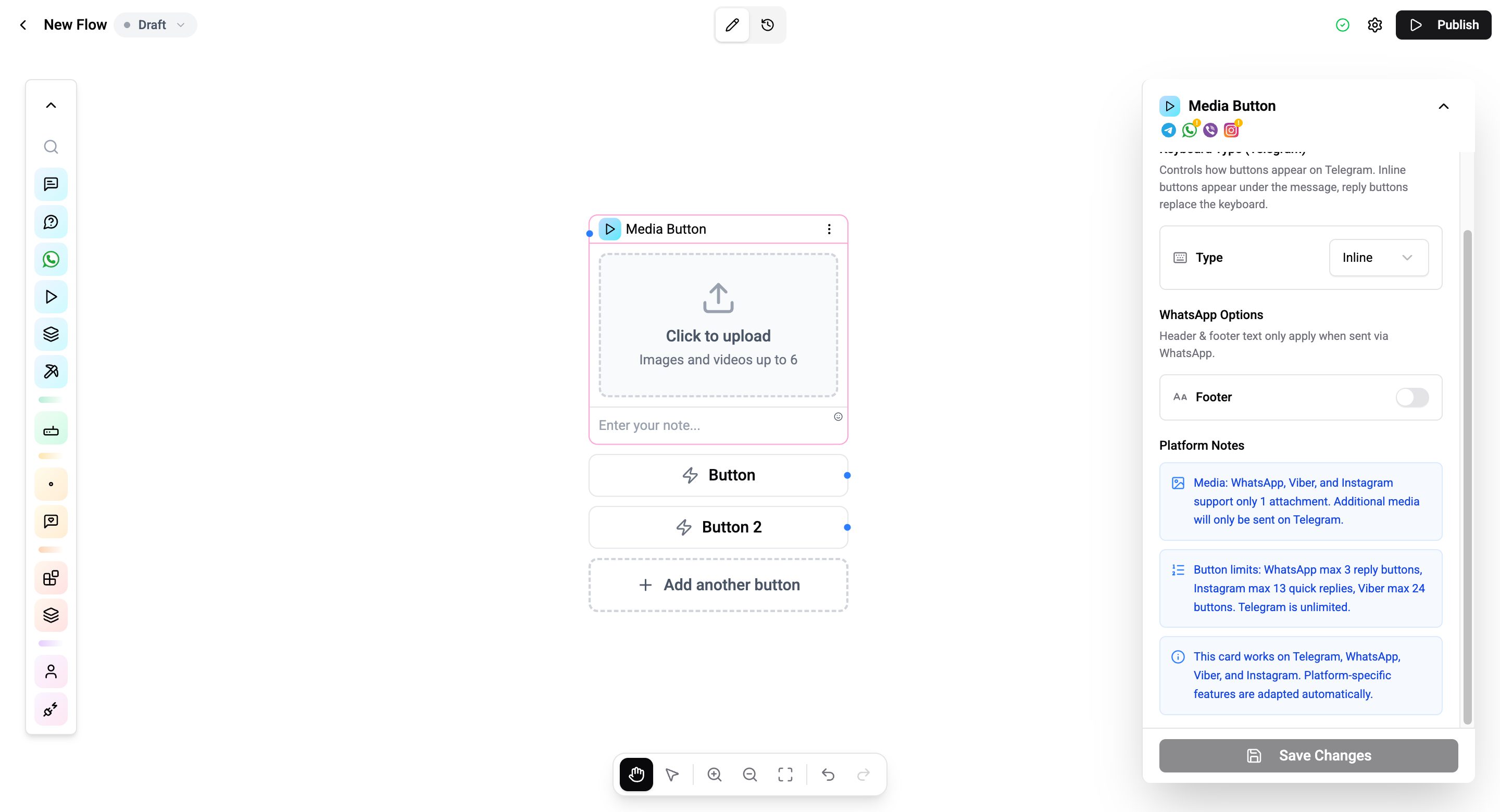
The Media Button Card combines visual media (image or video) with interactive buttons in a single message.
Configuration
| Setting | Description |
|---|---|
| Media | Upload an image or video |
| Caption | Optional rich-text caption |
| Buttons | Configure button labels and actions (same types as Button Card) |
| Footer | Optional footer text (WhatsApp only, toggle in settings panel) |
Output Variable
When a contact clicks a callback button, the selected button's value is stored in {{flow.{cardId}}}. Works the same as the Button Card output variable.
See Variables for details on all variable namespaces.
Connections
- 1 input port - Receives execution.
- Per-button output ports - Each callback button creates its own connection handle.
Operations Cost
1 operation per execution.