SettingsIntegrations
Integrations
Connect messaging channels, CRMs, and AI providers
Integrations connect Wexio to external platforms - messaging channels for customer conversations, CRMs for syncing contact data, and AI providers for powering assistants.
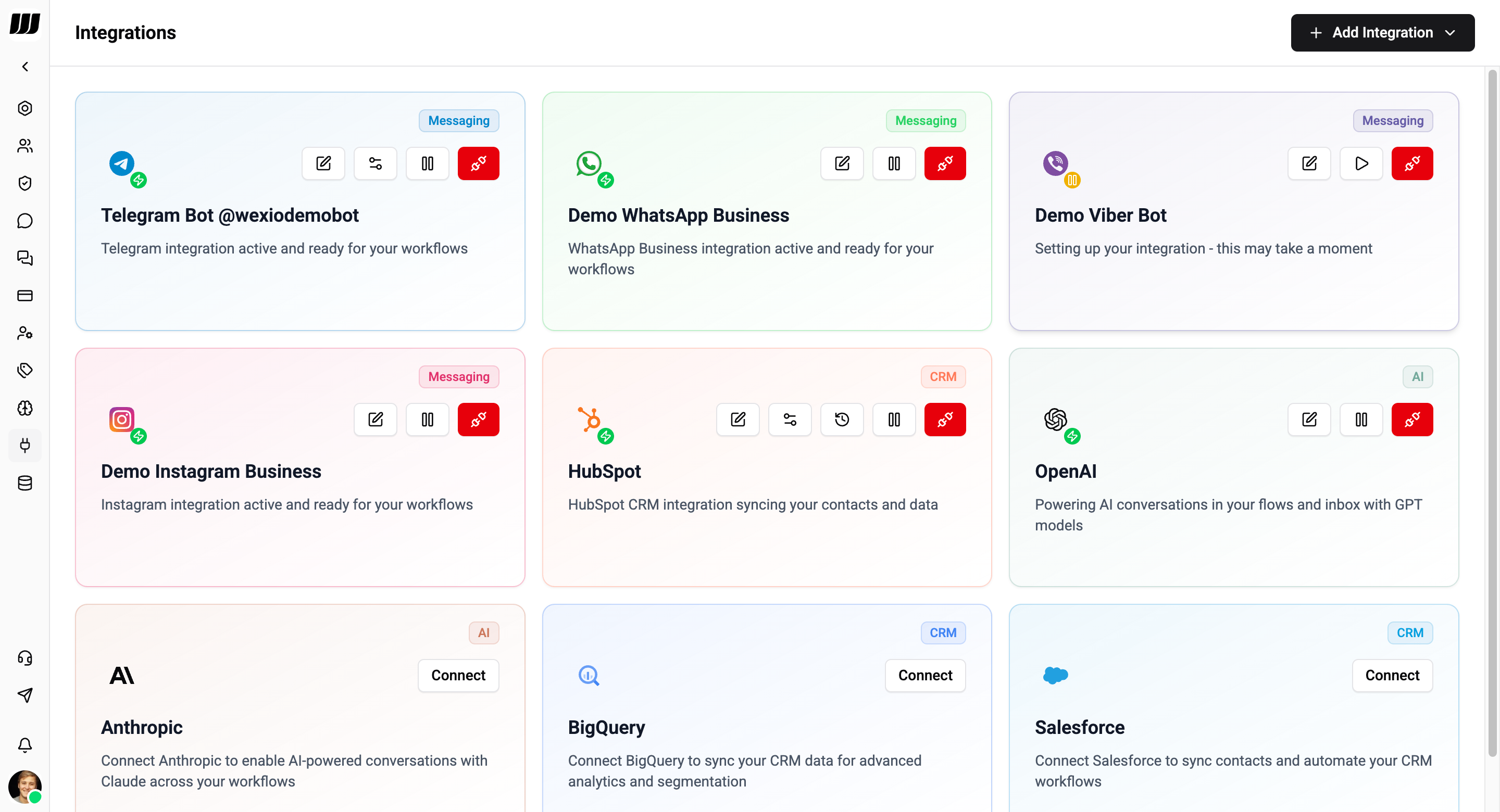
Messaging Channels
Connect messaging platforms to receive and respond to customer messages directly in your inbox.
| Channel | API Type | Messaging Window |
|---|---|---|
| Telegram | Bot API (Telegraf) | Unrestricted |
| Meta Cloud API | 24-hour (templates outside) | |
| Meta Graph API v25.0 | 24-hour (HUMAN_AGENT tag) | |
| Viber | REST Bot API | 24-hour |
Each connected channel creates a separate integration. A single workspace can connect multiple bots across different channels.
CRM Integrations
Sync contacts and conversation data with your existing CRM:
- HubSpot - Two-way contact sync via OAuth
- Salesforce - Contact and conversation sync via OAuth
- BigQuery - Export data for advanced analytics
CRM integrations require Pro plan or higher. Integrations are paused if you downgrade below Pro.
AI Providers
Connect AI services to power assistants, copilot, and AI actions:
- OpenAI - GPT-4.1, GPT-4o, DALL-E, Whisper, TTS
- Anthropic - Claude 3.5 Sonnet, Claude 3 Opus, Claude 3 Haiku
Managing Integrations
- Go to Settings → Integrations
- Browse available integrations by category
- Click Connect on the desired integration
- Follow the setup steps (API keys, OAuth, etc.)
- Configure integration-specific settings