Make.com
Bridge Make scenarios to Wexio flows
Make (formerly Integromat) can forward data into Wexio. End any Make scenario with an HTTP module that POSTs to your Wexio inbound webhook URL.
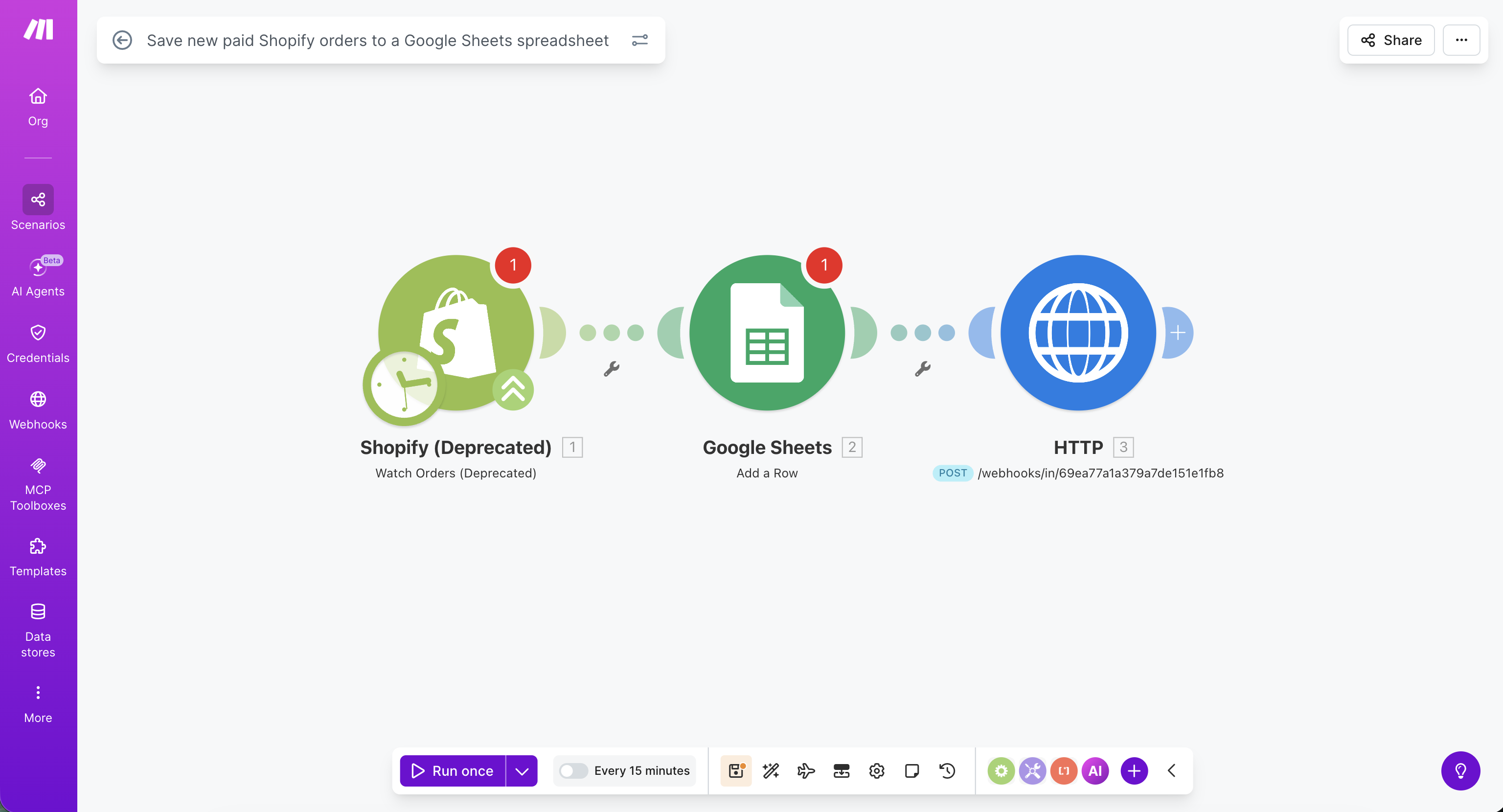
Provider docs: Setting up webhooks in Make
Setup
1. Connect It in Wexio
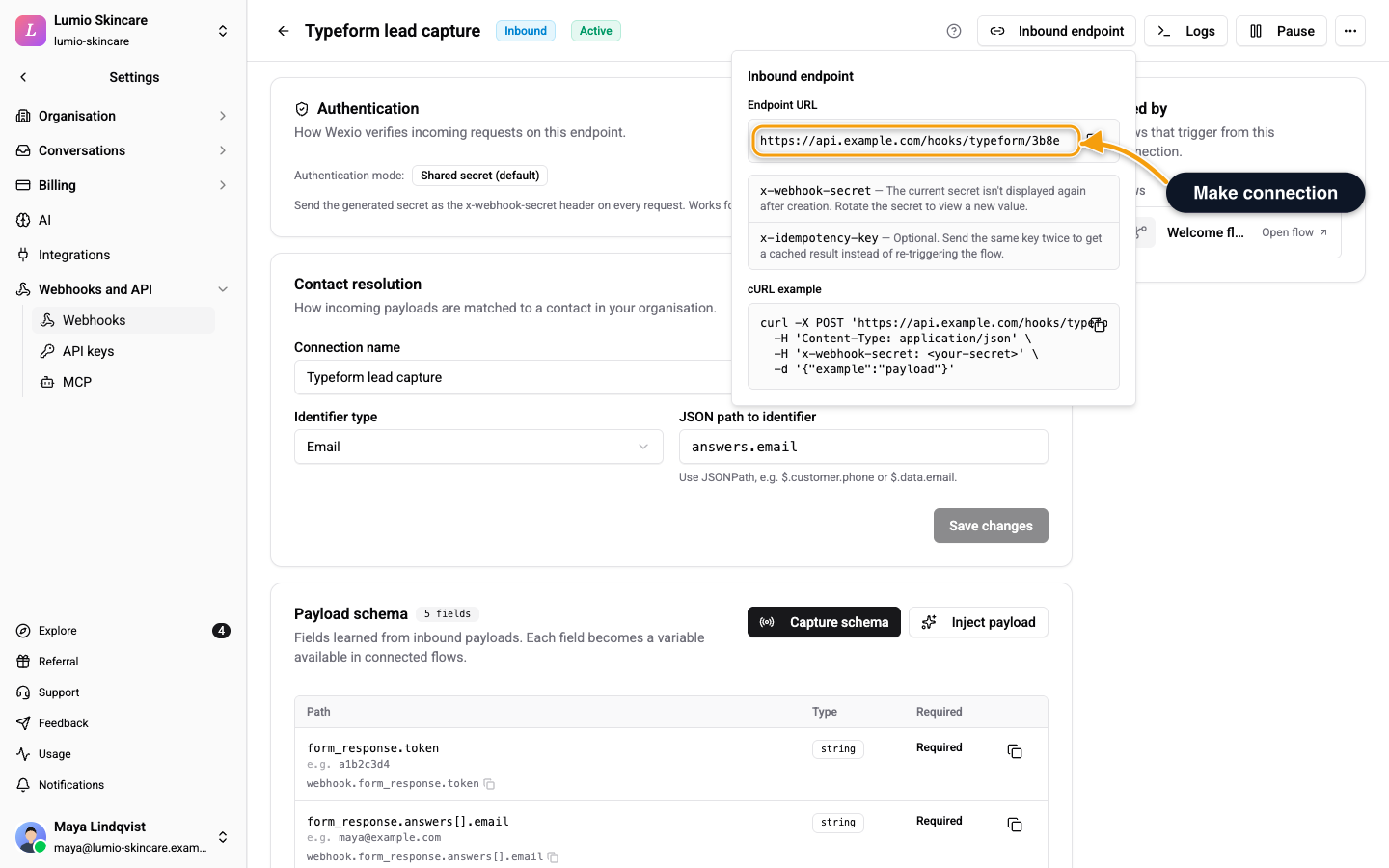
Go to Settings → Webhooks and API → Webhooks → New connection → Inbound. Give it a name like "Make - Lead Pipeline" and keep Authentication mode on Shared secret (default).
Copy two things:
- Endpoint URL:
https://api.wexio.io/webhooks/in/{connectionId} - Webhook secret: the value Wexio shows once on creation
2. Add an HTTP Module in Make
At the end of your Make scenario, add HTTP → Make a request.
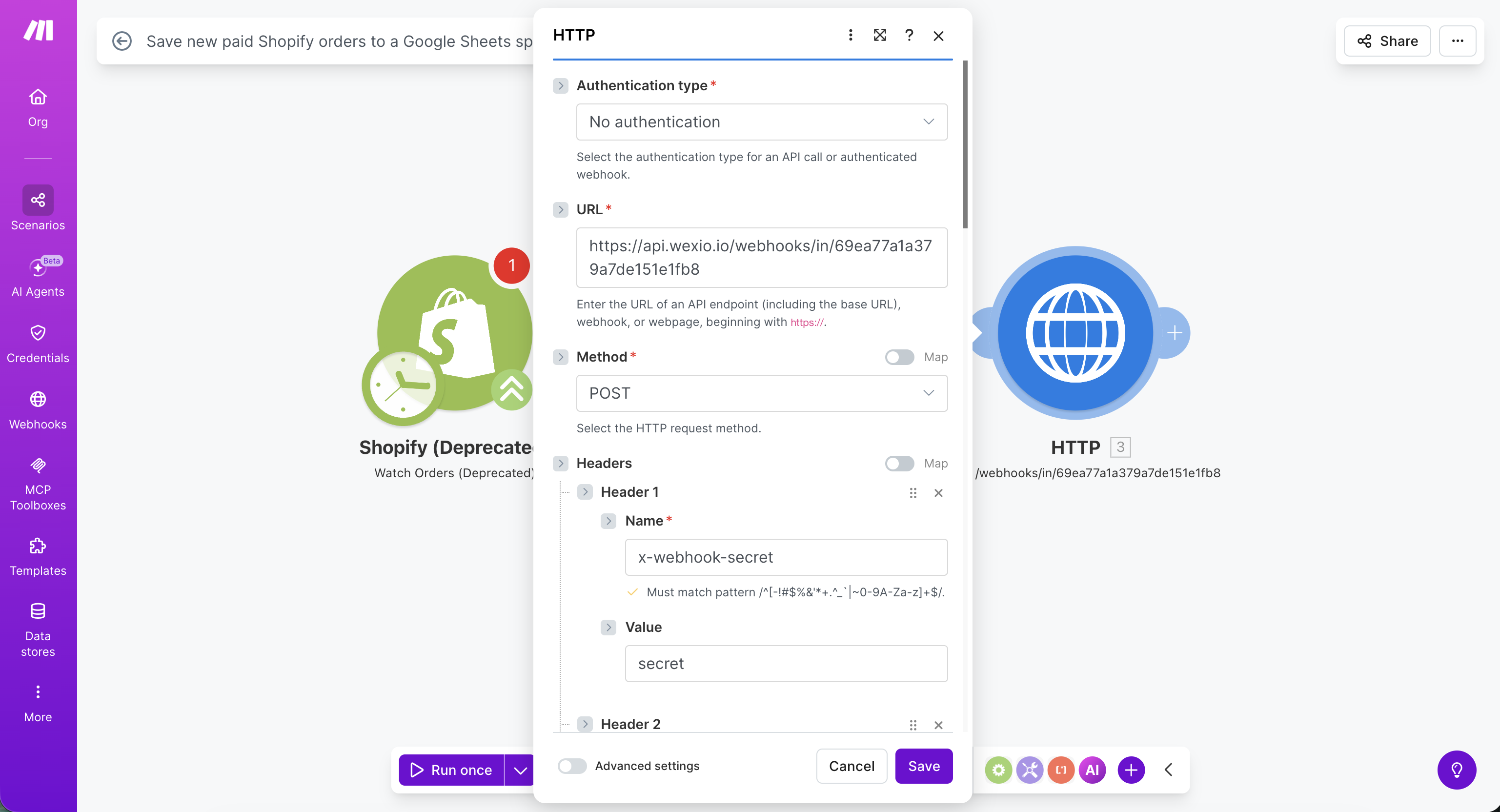
| Field | Value |
|---|---|
| URL | The Wexio endpoint URL |
| Method | POST |
| Headers | Add x-webhook-secret = the Wexio webhook secret, and Content-Type = application/json |
| Body type | Raw |
| Content type | application/json |
| Request content | Your JSON payload. Use Make's data mapper to interpolate values |
3. Resolve Contacts
On the Wexio connection, tell Wexio how to map the incoming payload to a contact.
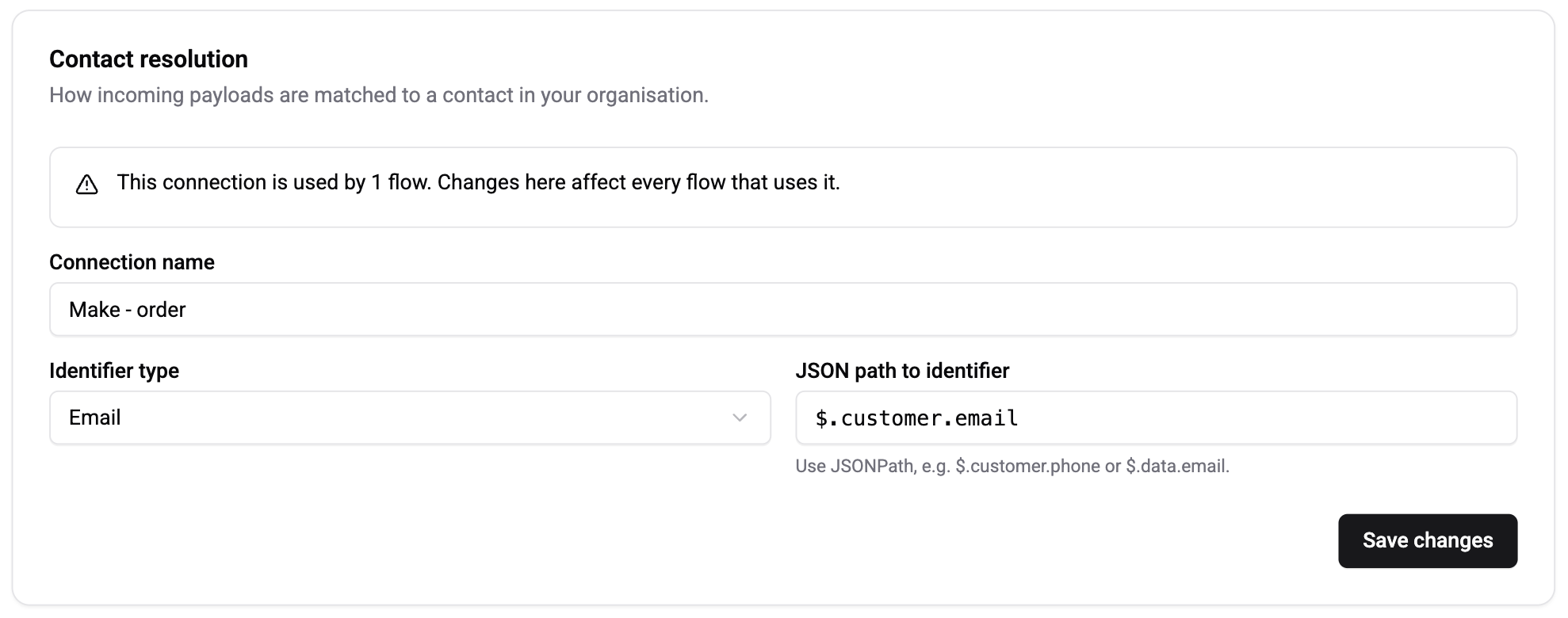
- Identifier type: the identifier in your payload (Email, Phone, Channel User ID or Chat ID).
- JSON path: for example
$.customer.email. - Channel integration: needed only for Channel User ID. Pick the right Telegram bot, WhatsApp number or Instagram page.
4. Capture the Schema
Tap Capture schema in Wexio, then run the Make scenario once with a real record. Wexio learns every field and offers them as {{webhook.<path>}} variables.
5. Bind a Flow
Open a flow, add a Webhook Received trigger and pick this connection. The flow now runs whenever Make sends a payload.
Example - Form to Telegram
- Make scenario: Typeform submission, then HTTP POST to Wexio
- Payload:
{ "customer": { "email": "jane@example.com", "name": "Jane" }, "form": { "reason": "pricing" } } - Wexio connection: identifier
Email, path$.customer.email - Flow: Webhook Received, then a Text card "Hi
{{webhook.customer.name}}, we'll follow up about{{webhook.form.reason}}"
Troubleshooting
| Symptom | Cause | Fix |
|---|---|---|
UNAUTHORIZED in history | Wrong or missing x-webhook-secret header | Re-copy the secret into Make's HTTP headers |
INVALID_JSON | Make is sending form-encoded data | Set Body type to Raw and Content type to application/json |
IDENTIFIER_NOT_FOUND | The JSON path is wrong, or the contact does not exist in Wexio yet | Verify the path in the captured schema. Create the contact first with a People API call or another flow |
| Nothing happens | The scenario is not running, or the scheduled run has not fired | Run the scenario manually with Run once |
Related
- Custom Shared Secret - how the shared secret header works
- Inbound Webhooks - auth modes, contact resolution and response codes
- Webhook Received - the trigger that starts your flow
- Webhook History - check why a request failed