People
Jobs
Track file exports and CRM sync operations
The Jobs page tracks all async export and sync operations. Access it via the Jobs button on the People page.
File Exports
The File Exports tab lists all contact export jobs with a count badge showing active exports.
| Column | Description |
|---|---|
| Status | Job status (Processing, Completed, Failed) |
| Format | Export format (CSV, Excel, JSON) |
| Progress | Progress bar with percentage |
| Records | Number of exported records |
| Size | File size of the export |
| Created | When the job was created |
| Expires | When the download link expires |
| Actions | Download or delete the export |
Export files are available for download until they expire (typically 1 day).
CRM Sync
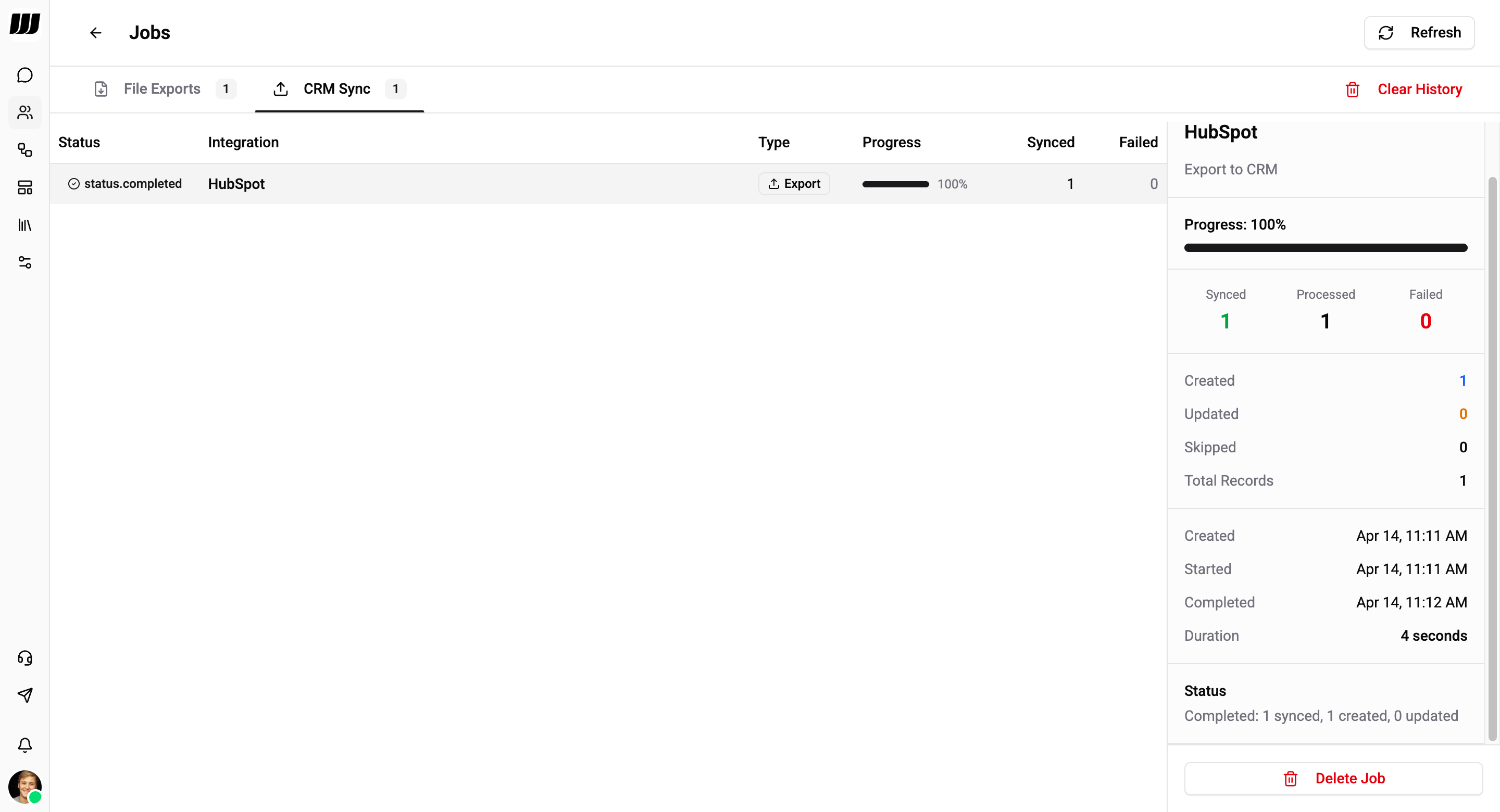
The CRM Sync tab lists all CRM import and export jobs.
| Column | Description |
|---|---|
| Status | Job status (Processing, Completed, Failed) |
| Integration | CRM platform (HubSpot, Salesforce, BigQuery) |
| Type | Import or Export |
| Progress | Progress bar with percentage |
| Synced | Number of successfully synced records |
| Failed | Number of failed records |
Job Details
Click a CRM Sync job row to open the detail sidebar:
Summary
| Metric | Description |
|---|---|
| Synced | Records successfully synced (green) |
| Processed | Total records processed |
| Failed | Records that failed to sync (red) |
Record Breakdown
| Metric | Description |
|---|---|
| Created | New records created in the target system |
| Updated | Existing records updated |
| Skipped | Records skipped (no changes needed) |
| Total Records | Total records in the job |
Timestamps
| Field | Description |
|---|---|
| Created | When the job was queued |
| Started | When processing began |
| Completed | When the job finished |
| Duration | Total processing time |
Status - A summary line showing the outcome, e.g. "Completed: 1 synced, 1 created, 0 updated".
Use Delete Job to remove a completed job from history, or Clear History to remove all CRM sync jobs.
Actions
- Refresh - Reload the jobs list to check for updates
- Clear History - Remove all CRM sync job history
- Delete Job - Remove an individual job