AIAI Actions
AI Actions
AI-powered text enhancement, image generation, and voice synthesis
AI Actions are tools available in the inbox message editor that leverage AI to enhance, translate, generate, and transform content.
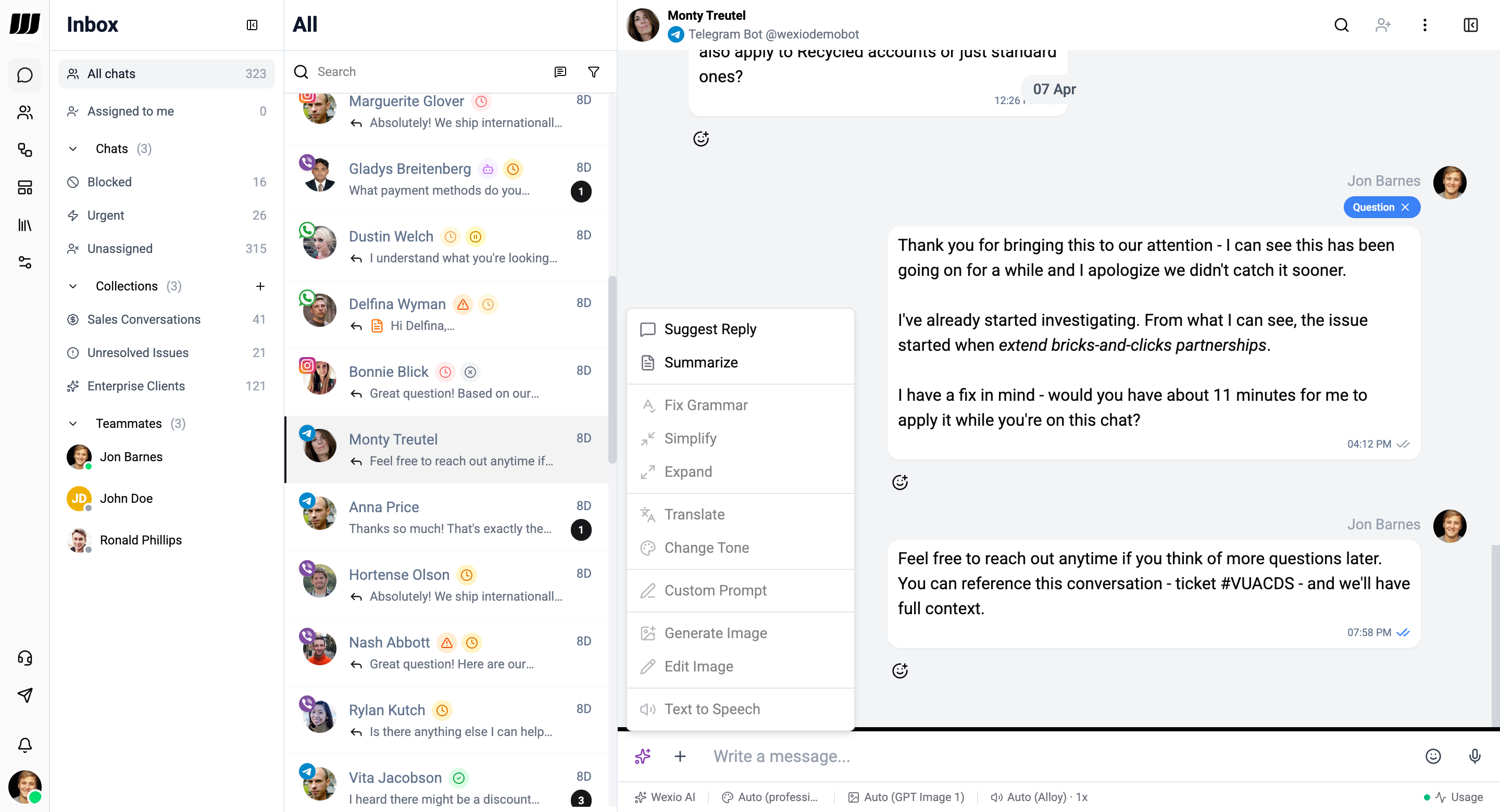
Available Actions
| Action | Type | Description |
|---|---|---|
| Suggest Reply | Text | Generate a response suggestion based on conversation context |
| Summarize | Text | Summarize a conversation thread into key points |
| Fix Grammar | Text | Fix spelling and grammar errors |
| Simplify | Text | Rewrite a message in simpler, easier-to-understand language |
| Expand | Text | Elaborate text with more detail and context |
| Translate | Text | Translate text to another language |
| Change Tone | Text | Adjust message tone |
| Custom Prompt | Text | Free-form AI instruction |
| Generate Image | Media | Generate images from text prompts |
| Edit Image | Media | Modify an existing image with AI |
| Text to Speech | Audio | Convert text to spoken audio |
| Transcribe | Audio | Transcribe audio messages to text |
| Translate Transcript | Audio | Translate an audio transcription to another language |
Accessing AI Actions
AI Actions are available from the AI Actions dropdown in the message editor:
- Click the AI icon (✨) in the editor toolbar
- Select an action from the dropdown menu
- Configure options (if applicable)
- The result streams in real-time for review before sending
AI Preferences Bar
Operators can customize their AI experience with the preferences bar in the editor:
- Assistant - Select which assistant powers AI actions
- Tone - Set a default tone for responses
- Image model - Choose the image generation model
- TTS voice & speed - Configure voice and playback speed
- History count - Set how many messages to include for Suggest Reply
- Summarize count - Set how many messages to include in summaries
Requirements
- At least one AI provider must be connected (OpenAI or Anthropic)
- AI actions consume operations based on the model and content length