Layout
Launcher position and offset, corner radii, which tabs the widget has, and which tab opens first
The Layout section in the Look & feel group sets where the launcher sits, how round the corners are, and which tabs visitors get. It follows the draft-and-Save model.
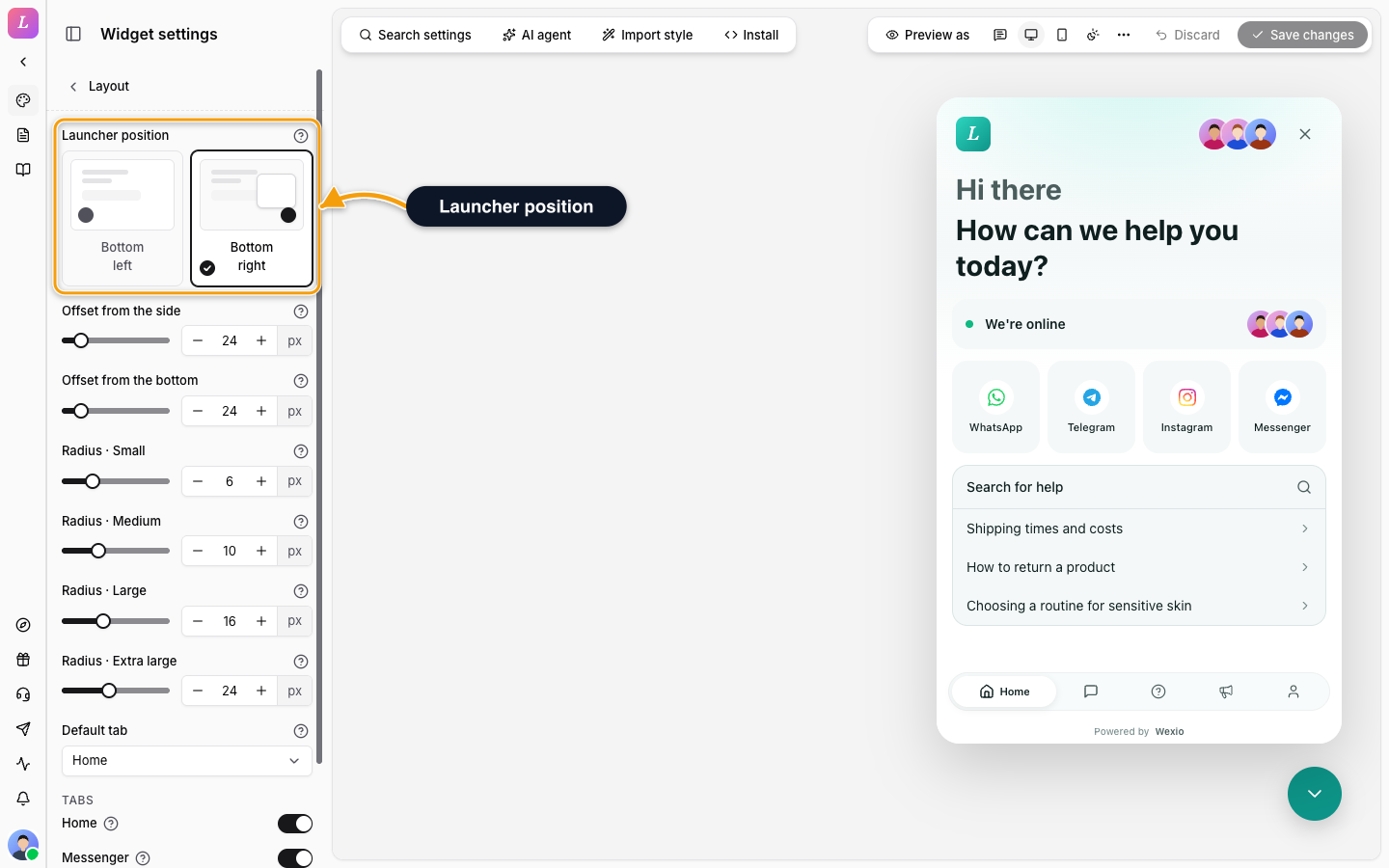
Launcher
| Setting | Values | Default |
|---|---|---|
| Launcher position | Bottom left or Bottom right | Bottom right |
| Offset from the side | Whole pixels, 0 to 200. How far the launcher and panel sit in from the side edge. | 0 |
| Offset from the bottom | Whole pixels, 0 to 200. How far they sit up from the bottom edge. Use it to clear a cookie banner. | 0 |
The offsets are saved with the widget. An offset set in the embed code on your site wins over the saved one.
This browser can also hold its own offset, set when you copy the install code. If it does, a note appears under the offsets: This browser has its own launcher offset. It wins over the saved values in the preview and in the install code. Click Clear browser offset to remove it.
Corner Radii
| Setting | Largest value | What it rounds |
|---|---|---|
| Radius · Small | 24 px | Chips and small buttons |
| Radius · Medium | 32 px | Inputs, cards and standard buttons |
| Radius · Large | 44 px | Message bubbles and popovers |
| Radius · Extra large | 56 px | The widget panel and the largest surfaces |
The defaults are 8, 12, 20 and 28 px.
Tabs
Switch each tab on or off under Tabs.
| Tab | What it is |
|---|---|
| Home | The landing tab. Built from blocks. |
| Messenger | Live chat with your team and the AI assistant. |
| Help | The searchable knowledge base. |
| News | The product updates feed. |
| Profile | The visitor's own details. See Profile Fields. |
A tab that is off does not appear in the bottom bar. When only one tab is on, the bar disappears.
Default tab is the tab the widget opens on. A new widget has all five tabs on and opens on Home. If the chosen tab is off, the widget falls back to Messages, then Home, Help and News. It lists only the tabs that are on, and the Messenger tab is called Messages there. If you switch off the current default tab, the editor moves the default to the first tab that is still on.
Related
- Appearance - colours, font and sounds.
- Home - the blocks on the Home tab.
- Theming & CSS Variables - set the same values from code.