Library
Library
Where your reusable content lives - skills, knowledge documents and WhatsApp templates
The Library holds the content you reuse across your workspace. Click Library in the sidebar and the sidebar switches to the Library menu. Use the back arrow at the top to return to the main menu.
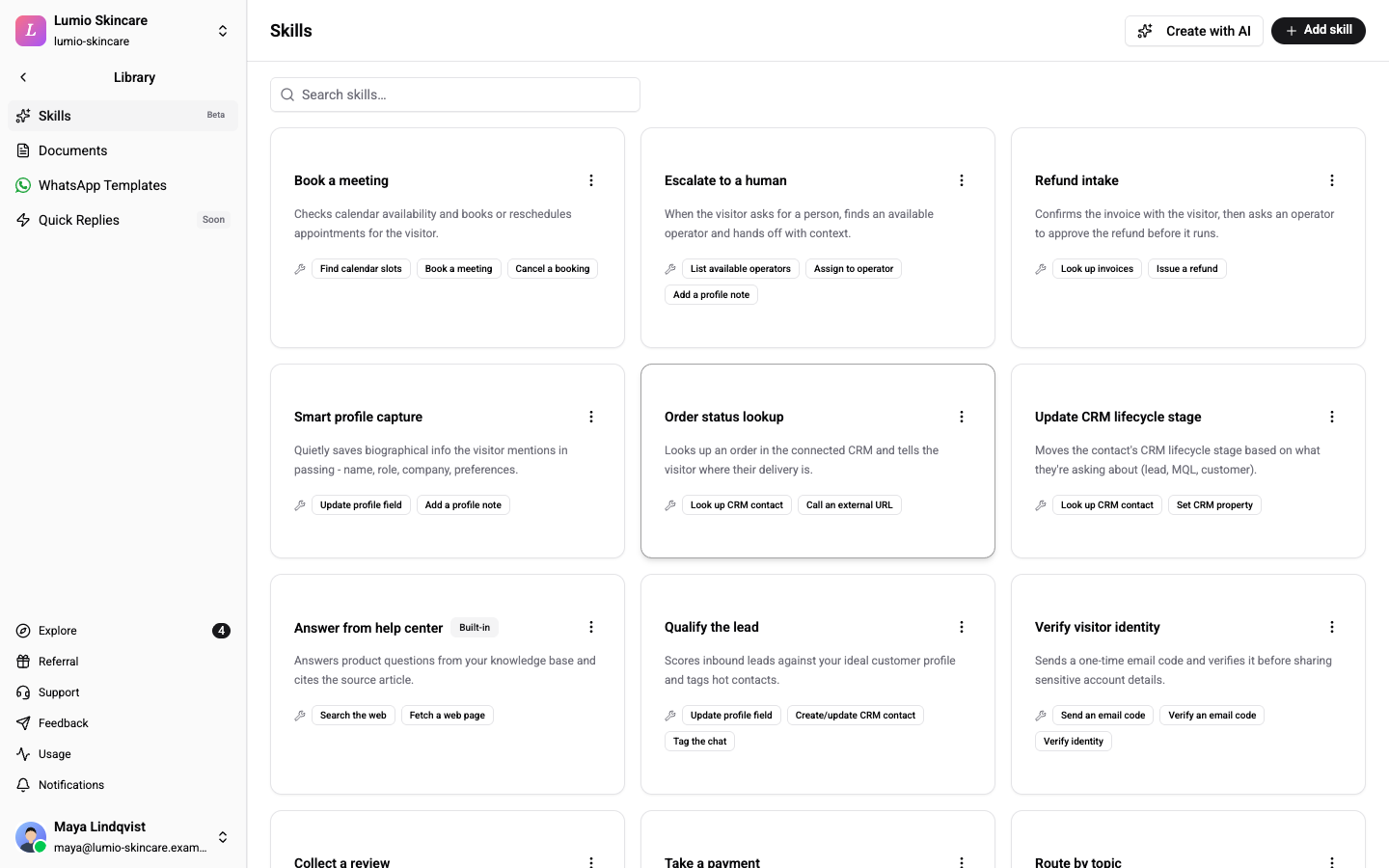
What Is in the Library
| Item | What it is for | Learn more |
|---|---|---|
| Skills (Beta badge) | Capabilities an AI assistant can use, such as booking a slot or starting a refund. | AI Skills |
| Documents | The facts your AI assistants answer from. Write them in Wexio or upload files. | Knowledge Documents |
| WhatsApp Templates | Pre-approved WhatsApp messages you can send outside the 24-hour window. | WhatsApp Templates |
| Quick Replies | Saved answers for common questions. Marked Soon and not available yet. | - |
The Library does not hold flow templates. Those live under Templates in the main sidebar. See Flow Templates.
Who Can Use It
| Item | Who sees it | Who can change it |
|---|---|---|
| Skills | Every member, on every plan including Free. Create with AI needs Standard or higher. | Owner and Admin |
| Documents | Members whose plan includes AI settings. Without it, the page sends you back to the Library. | Owner, Admin and Editor |
| WhatsApp Templates | Every member can read. | Owner, Admin and Editor create, sync and delete |
All four items always show in the menu, for every role and plan. WhatsApp Templates shows Early access next to it until WhatsApp is switched on for your account. The page then says WhatsApp Templates are available on request during early access. Contact us to get access.
Related
- AI Skills - build and grant skills
- Knowledge Documents - write and attach documents
- WhatsApp Templates - create, sync and send templates
- Flow Templates - start a flow from a ready-made one