Import Your Style
Read colours, fonts, corner radius and logo from your website, a screenshot or a brand PDF
Import style copies your brand into the widget. Click Import style in the left toolbar of the Widget settings. Nothing changes until you apply the result.
Choose a Source
| Source | Detail |
|---|---|
| Your website | A web address such as yourcompany.com. Wexio opens the page and reads its colours, fonts, shapes and logo. |
| Screenshot or PDF | A PNG, JPG, WebP or PDF file, up to 20 MB. Use it when you have no website. |
Under Try an example, pick a sample site to see how it works before you try your own.
The dialog shows its steps: opening the page, reading colours, finding fonts and shapes, looking for your logo, preparing the preview. It usually takes 10-20 seconds.
Review and Apply
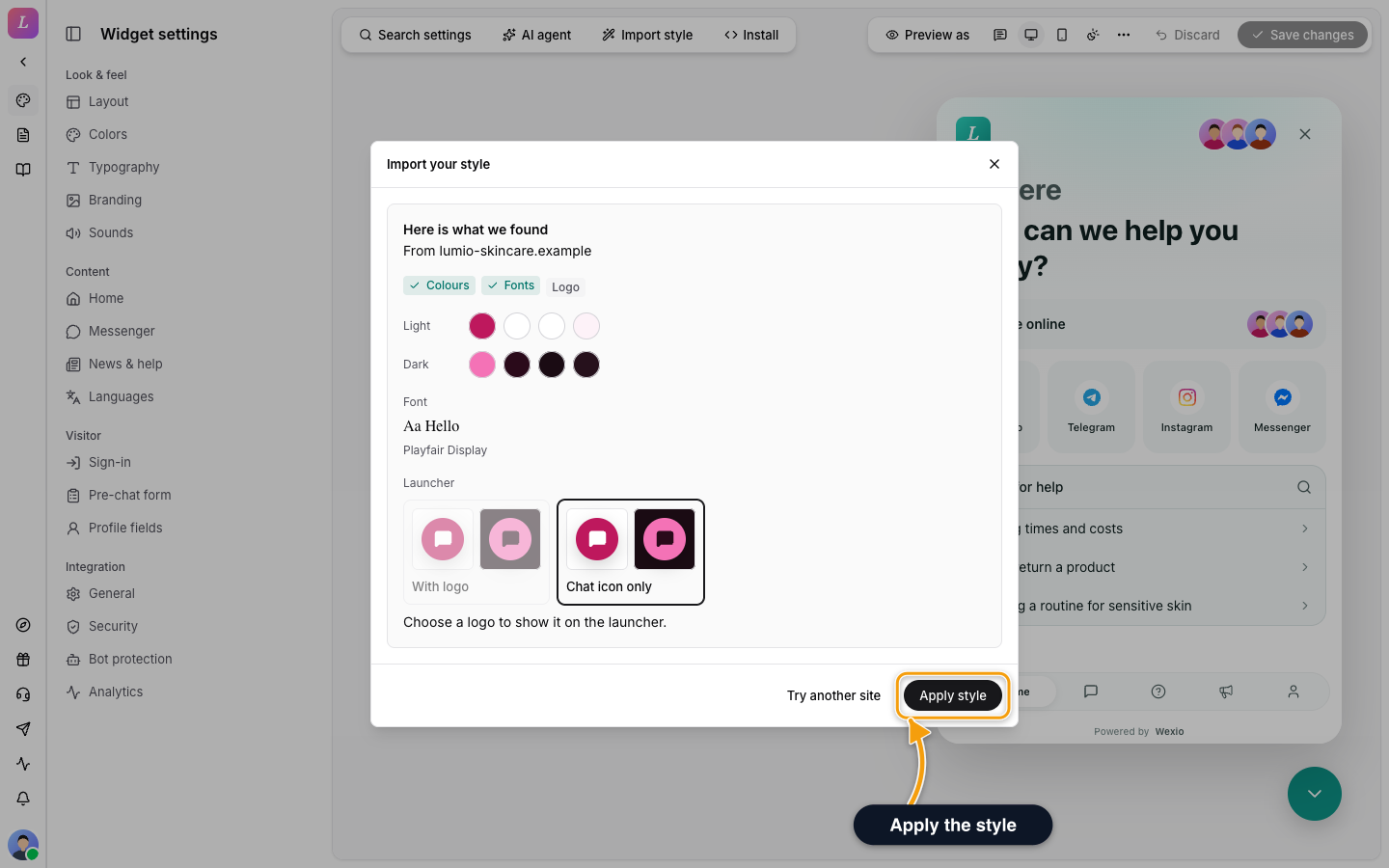
The result shows what was found: Colours for light and dark, Fonts, Shapes (corner radius) and Logo. If the closest theme preset matches, the dialog names the preset it applies.
- Choose your logo. Pick a logo for light mode and, if you want, another for dark mode.
- Launcher. Choose With logo or Chat icon only. The logo option needs a logo.
- Apply style stages the changes in the preview. They reach visitors only after you click Save changes.
- Try another site starts again.
Logos are saved to your media library when the import runs, even if you do not apply the result.
Who Can Import
Only an Owner or an Admin can import a style. An Editor sees Only an owner or an admin can import a style. You can still edit the widget by hand. Importing from a screenshot or PDF, and choosing a palette, uses your organisation's AI assistant.
If an Import Fails
| You see | What to do |
|---|---|
| That web address does not look right. Check it and try again. | Check the spelling. |
| No brand colours were found. | Try a screenshot or a brand PDF. |
| Use a PNG, JPG, WebP or PDF file. or That file is larger than 20 MB. | Choose another file. |
| Set up an AI assistant first. | Create an assistant under AI. |
| The service is busy right now, try again in a minute. or Style import is unavailable right now, try again later. | Try again later. |
| This site is taking longer than usual. | Wait. Some sites are slow to open. |
Related
- Appearance - fine-tune the imported colours and font.
- Branding - logos and avatars.