Cancel Booking Card
Let the contact cancel one of their own bookings in the chat
The Cancel Booking card lets a contact cancel one of their own bookings without writing to your team. It sits in the Bookings dropdown of the card palette. It is available on Standard, Pro and Enterprise plans. Each run costs 1 operation, see Operations Cost.
Settings
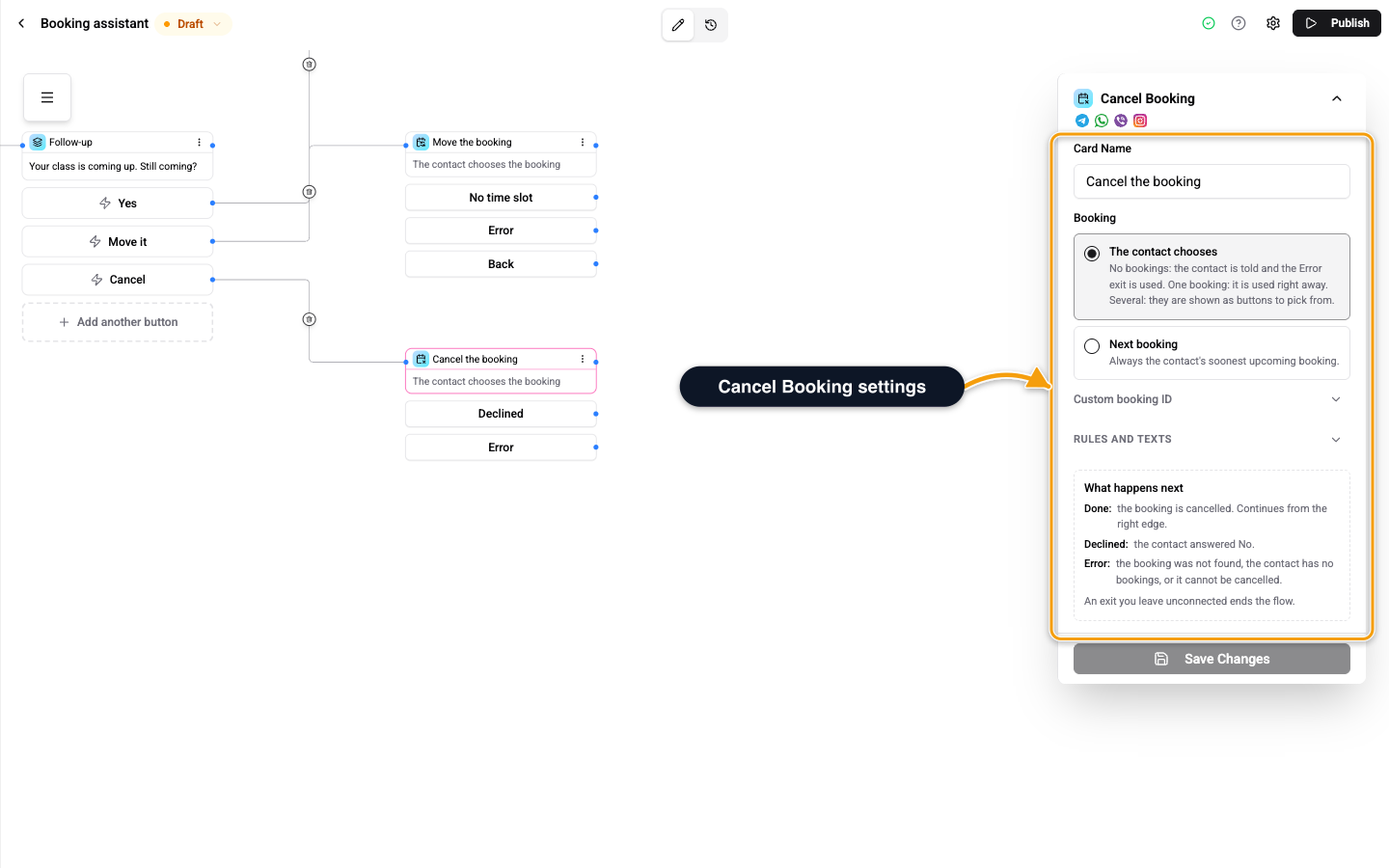
| Setting | What it does |
|---|---|
| Booking | Which booking to cancel. The contact chooses, Next booking, or From the bookings list in a card that shows the contact's bookings. |
| Ask before cancelling | The contact answers Yes or No first. Off cancels right away. |
| Minimum notice to change | In minutes. Changes are refused within that time of the start. Empty: a booking can be changed until it starts. |
| Cancelled message | Optional text after the cancel. '{when}' is the booking time. Empty uses the built-in text in the contact's language. |
With The contact chooses: no bookings and the contact is told and the card leaves through Error. One booking is used right away. Several are shown as buttons to pick from. Next booking always takes the soonest upcoming booking.
A contact can only cancel their own bookings. If you pick a booking from a list that is switched off or gone, the editor shows Say which booking to change. or asks you to pick the booking again.
Exits
| Exit | Leaves here when |
|---|---|
| Right edge of the card, Done | The booking is cancelled. |
| Declined | The contact answered No. |
| Error | The booking was not found, the contact has no bookings, or it cannot be cancelled. |
An exit you do not connect ends the flow there.
Related
- Book a Time Card - offer times and book one.
- Reschedule Booking Card - move a booking instead.
- Booking Cancelled Trigger - start a flow when a booking is cancelled.