Partner Programme
Invite organisations, hand out promo codes and, for a tech provider, run and track client organisations
The Partner programme page is for partner organisations. A tech provider sees the same menu row, named Tech provider, with a different page. Other organisations do not see it.
Open it from the lower group of the sidebar, above Referral.
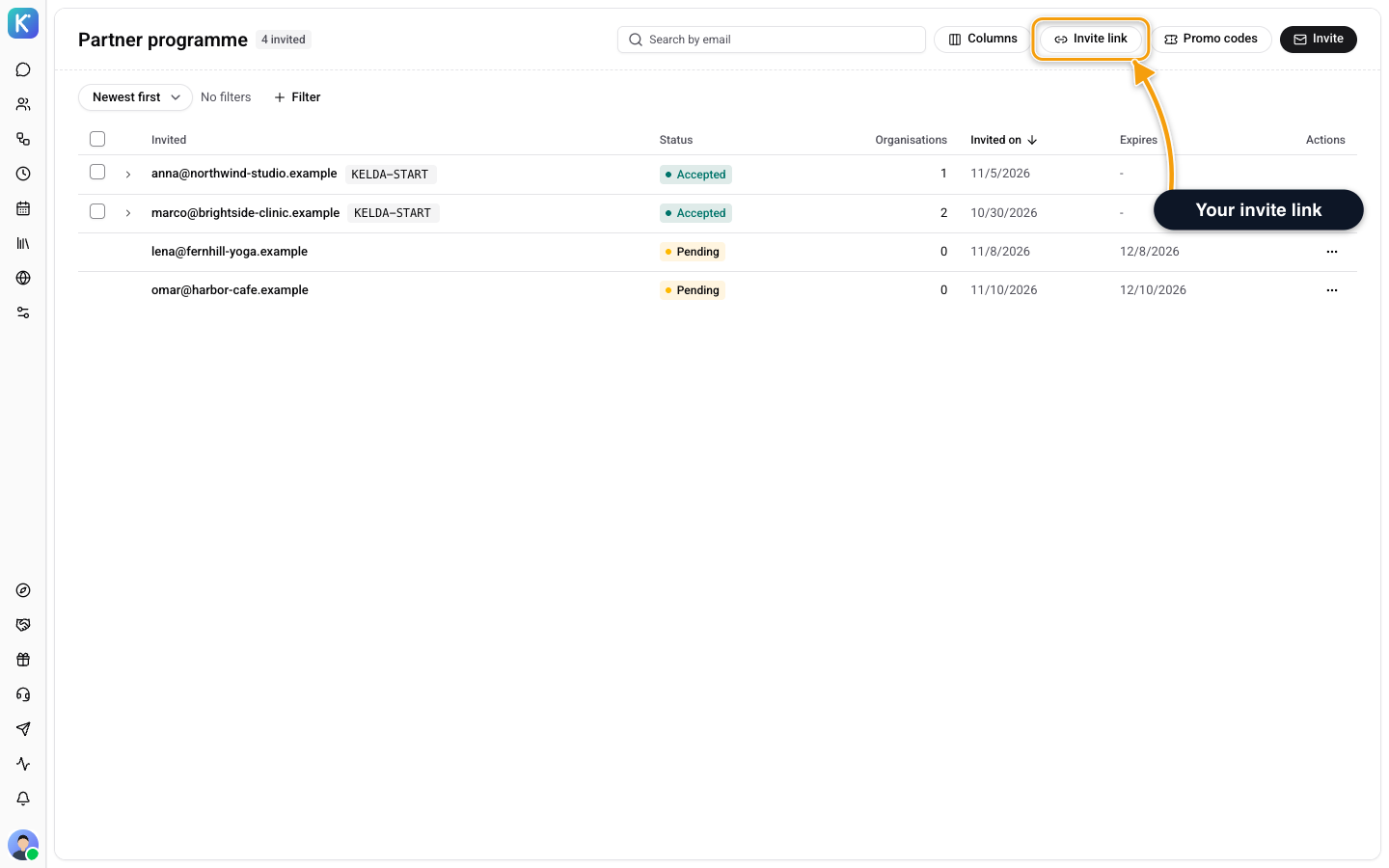
Invite Organisations
The page lists the people you invited, with their status: Pending, Accepted or Expired. Open a row to see the organisations that person created. Use the search box and the status filter to narrow the list.
Click Invite to open Invite organisations:
- Copy the Invite link, or paste email addresses in Email addresses. Separate them with commas, spaces or new lines.
- To attach a discount, pick one under Discount for this invitation. The code is added to the link, so the discount is already filled in when they pick a plan. Leave No discount to send none.
- Click Send invitation. Each address gets its own invitation.
The invite link is reusable. Anyone who signs up through it is attached to you and shows as Joined through your link. For a pending invitation, the row menu has Resend invitation and Withdraw invitation. A withdrawn invitation's link stops working.
Promo Codes
Promo codes lists the codes you can hand out and who holds each one. To give a code to an organisation you invited, use Coupon on its row, or select several organisations and click Grant coupon. Sending grants the code and emails it. The organisation cannot see or use it until you send it. A code already sent in the last 24 hours is not sent again.
You can also make a new code for one organisation with Make a new code. It works only for that organisation. If the platform team manages your codes, you see The platform team issues and manages your codes. and you send the codes you were given.
Tech Providers
A tech provider's page shows the client organisations it runs, what they used this period, and the cost over time. Click New client to create a client organisation, with an optional webhook for that client's events. See Client Organisations for the same operations through the API.
Related
- Referral - invite organisations without being a partner
- Plan & Billing - where an organisation enters a code
- Settings - the whole Settings menu