Availability
Set your business hours, closed dates, default booking length and booking reminders
Availability holds the hours and rules that decide when customers can book. Open Settings, then Availability. It used to be called Bookings, and business hours used to sit under General. Old links to Bookings open this page.
The Owner changes everything here. Other roles see the hours, closed dates and reminders, and cannot edit them.
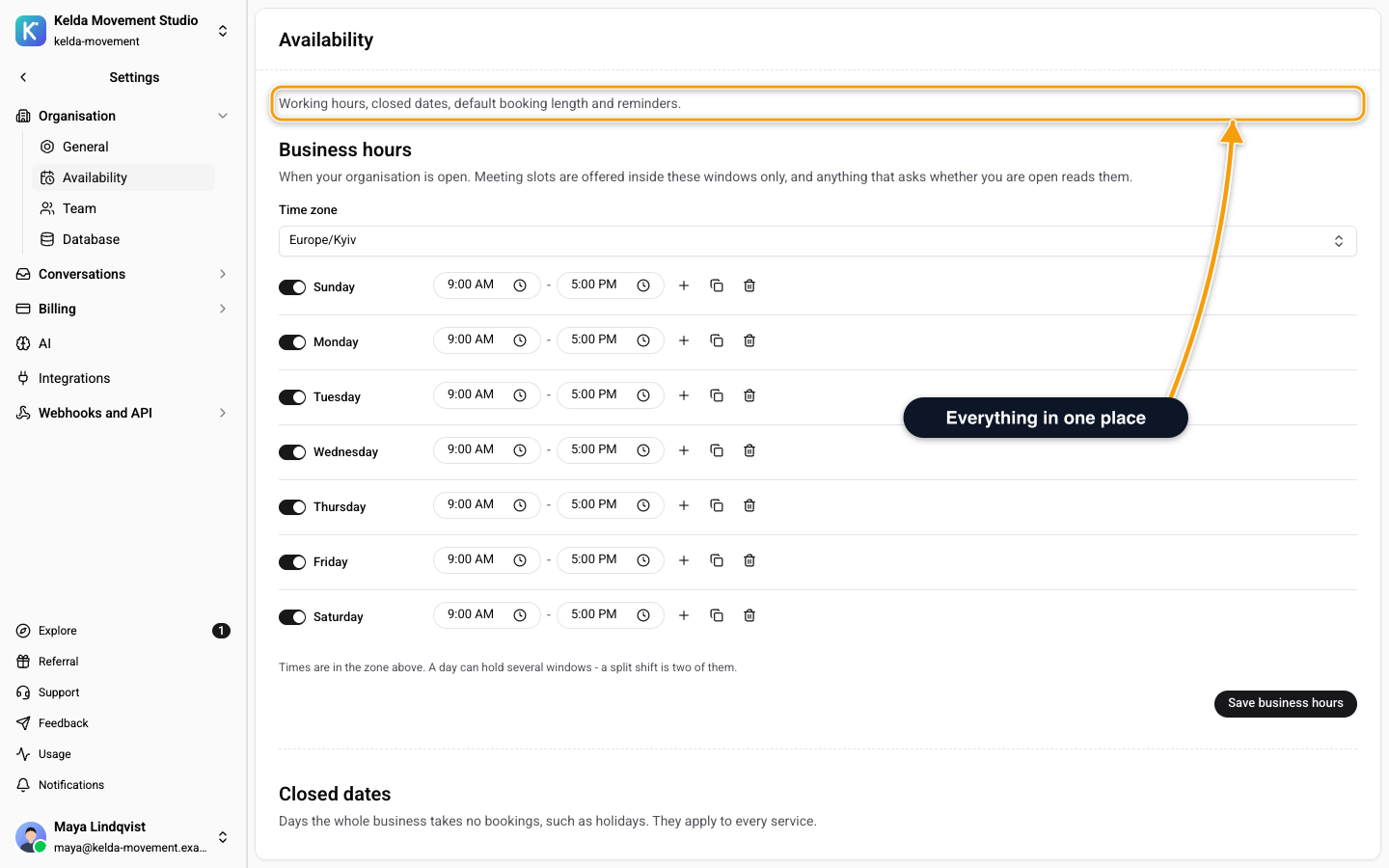
Business Hours
Set when your organisation is open. Meeting slots are offered inside these windows only, and anything that asks whether you are open reads them.
- Pick the Time zone. Use Search time zones to find yours.
- For each day, click Add a range and set when it opens and closes. A day can hold several windows, for example a split shift. A day with none shows Closed.
- Use Copy to all days to repeat one day across the week.
- Click Save business hours. You see Business hours saved.
Closed Dates
Add the days the whole business takes no bookings, such as holidays. They apply to every service. Click Save closed dates to keep them. A single service can also have its own closed dates, see Services and Specialists.
The Hide service details in booking emails switch shows only the time in booking emails, not the service name. Use it for healthcare. It saves at once: you see Email setting saved. See Booking Emails.
Default Booking Length
Default booking length is how long a booking lasts when it has no service of its own. Bookings work without services: they use a default Appointment of this length.
Enter Minutes, from 5 to 240. The default is 30. Click Save length. Only the Owner sees this card.
Booking Reminders
Reminders go to customers in their chat before a booking. You can set up to 3, from 10 minutes to 7 days before. A WhatsApp reminder after the 24-hour window needs an approved WhatsApp template, which you pick in the same card. Without one it is not sent and your team gets a note in the chat.
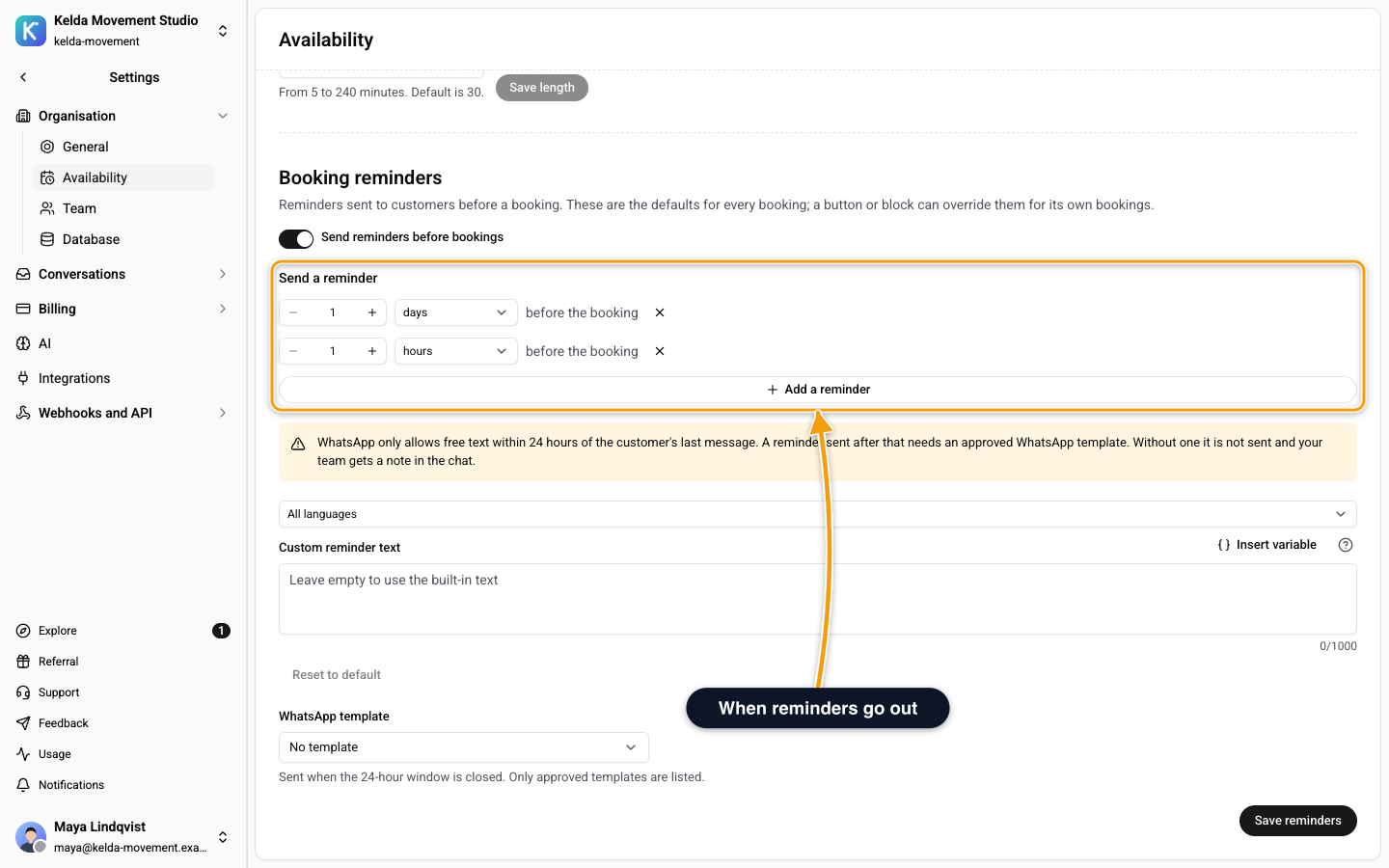
The full walkthrough, including your own reminder text per language, is in Booking Reminders.
Related
- Booking Reminders - when reminders go out and how to write the text
- Booking Emails - what customers receive
- Services and Specialists - per-service hours and closed dates
- Calendar - see the bookings that follow these rules